Kreatli December Product Update: Faster, Safer Collaboration
See what we shipped in December at Kreatli, from faster uploads to Safe Zone Checkers, plus what’s coming in January for creative teams.
Article summary
See what we shipped in December at Kreatli, from faster uploads to Safe Zone Checkers, plus big releases that are coming in January for creative teams.
At Kreatli, we are building a production management platform designed for real-world creative workflows. Not theoretical ones. Not “perfect-world” ones. The kind where files are heavy, feedback is messy, stakeholders are external, and timelines are always tight.
December was a strong shipping month for us. We focused on reducing friction inside active projects, improving collaboration with external stakeholders, and making production workflows more flexible without adding complexity.
Below is a breakdown of what we shipped in December, who each feature is for, and why it matters. We also share what is coming in January so you can see where the product is heading.
What We Shipped in December
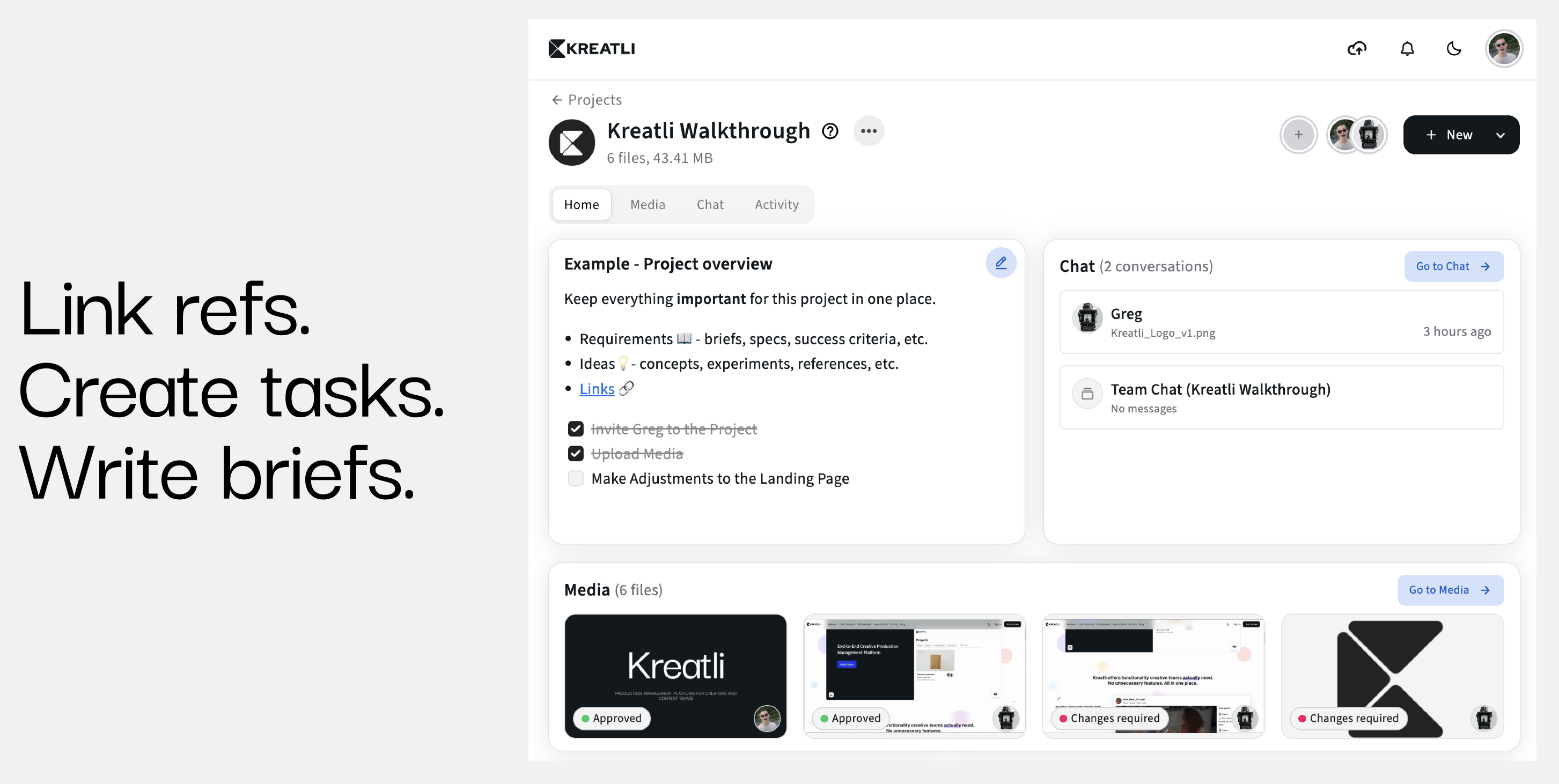
1. Home Project Tab
Who it helps: Creative leads, producers, agency owners, and anyone juggling multiple projects
Why it matters: Faster orientation and fewer missed details
The new Home Project Tab gives teams a single, structured entry point into each project. Instead of jumping between files, chats, and updates, teams now land on a clear project overview that reflects the current state of work.
This is especially valuable for:
Leads who check project health daily
Team members joining a project mid-production
Stakeholders who need context without digging through history
The Home Project Tab reduces cognitive load and makes project status immediately visible.
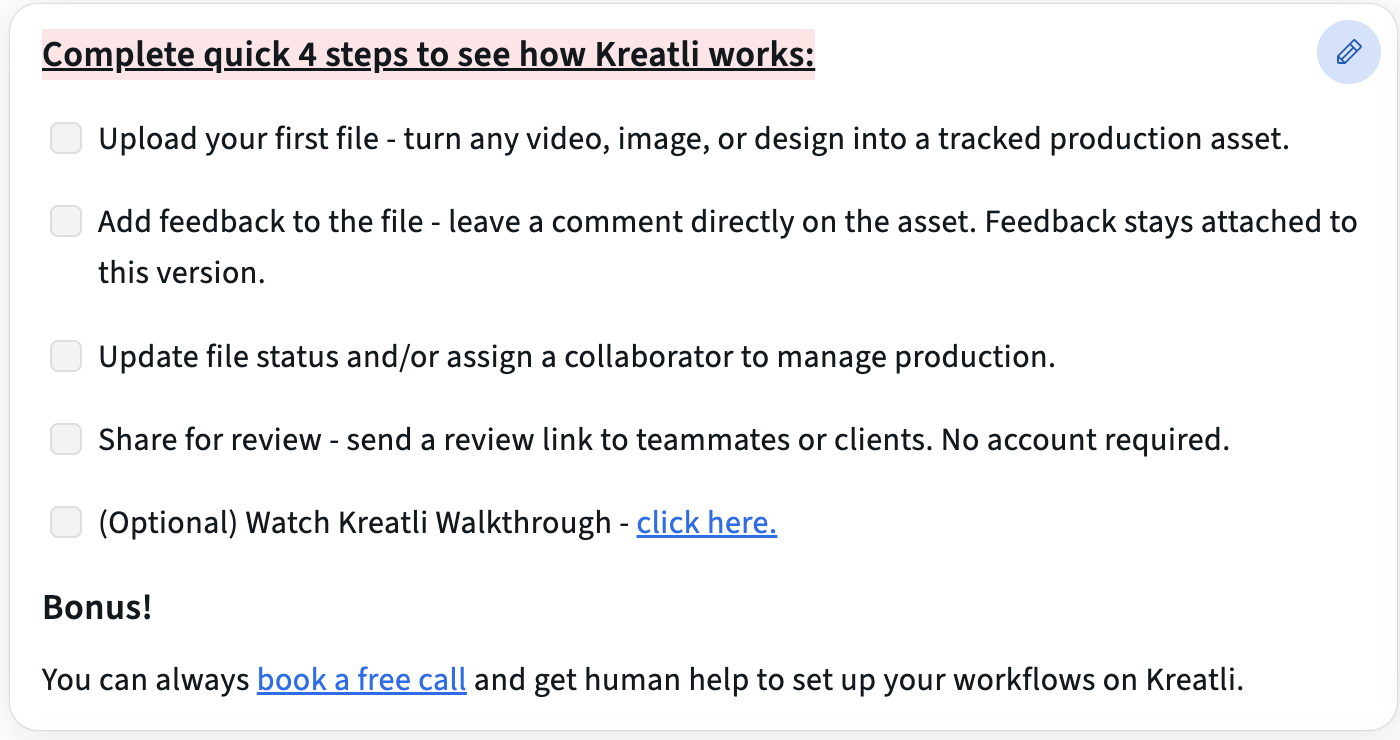
2. Text Editor in the Project Tab
Who it helps: Producers, creative directors, and teams that rely on written context
Why it matters: Centralized documentation inside the workflow
We introduced a Text Editor directly inside the Project Tab, allowing teams to document briefs, guidelines, notes, or decisions where the work actually lives.
This replaces scattered Google Docs, Notion pages, or pinned chat messages. Project context now stays with the project itself.
Common use cases include:
Creative briefs and scopes
Client guidelines and brand rules
Internal notes and production instructions
This makes Kreatli not just a file-sharing tool, but a true production management software where context and execution stay aligned.
To learn more, check out our comparison guide on Kreatli vs Notion: Production Management Platform vs Flexible Workspace.
3. Improved Media Upload Speed
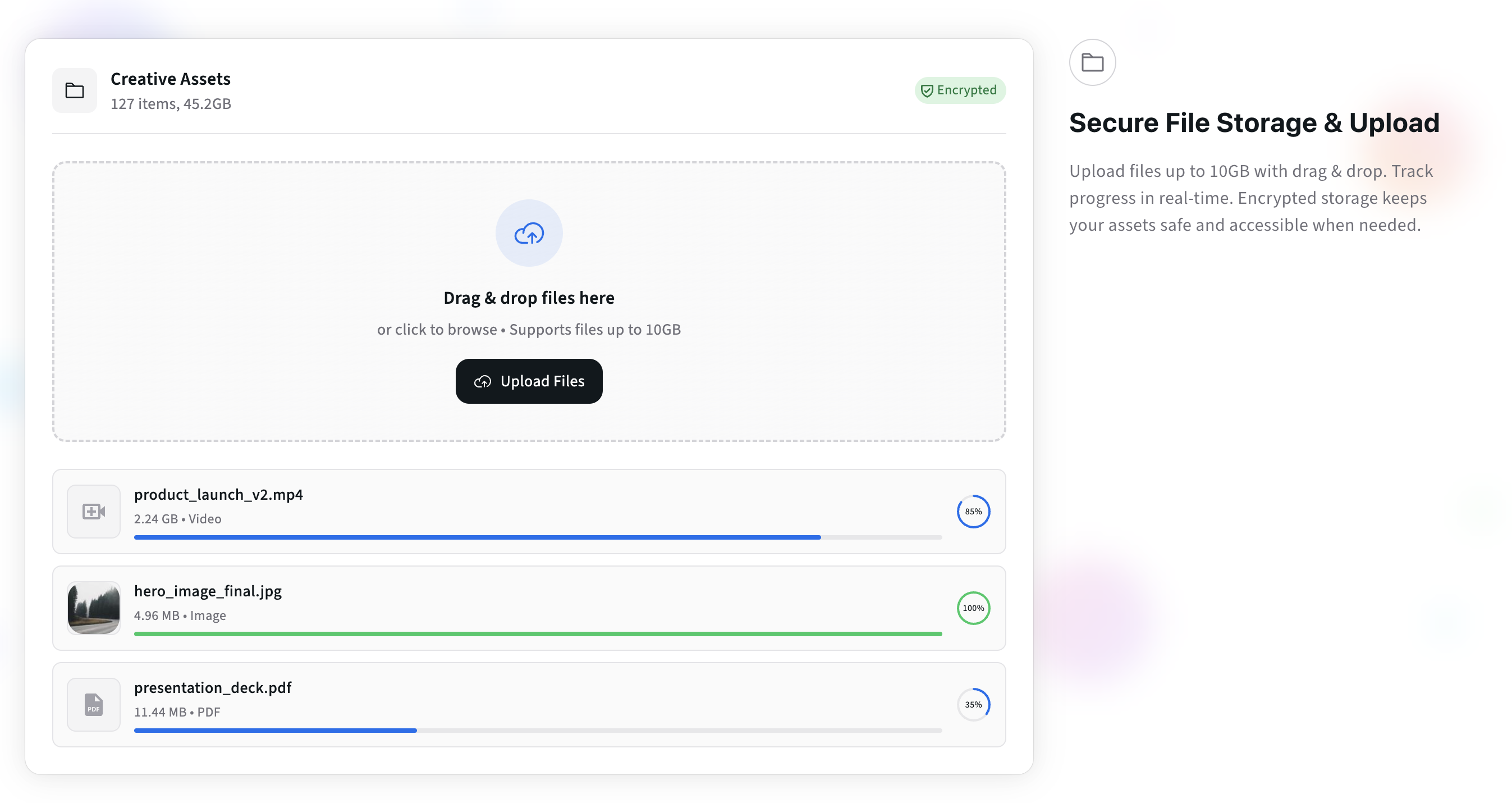
Who it helps: Video teams, animation studios, and high-volume content creators
Why it matters: Less waiting, smoother momentum
We significantly improved media upload performance, especially for large video files and batch uploads.
For teams working with:
Raw footage
Multiple iterations
Tight delivery windows
Upload speed directly affects productivity. Faster uploads mean faster reviews, quicker approvals, and fewer interruptions in creative flow.
This improvement is foundational and supports everything else in the platform.
4. Custom Statuses
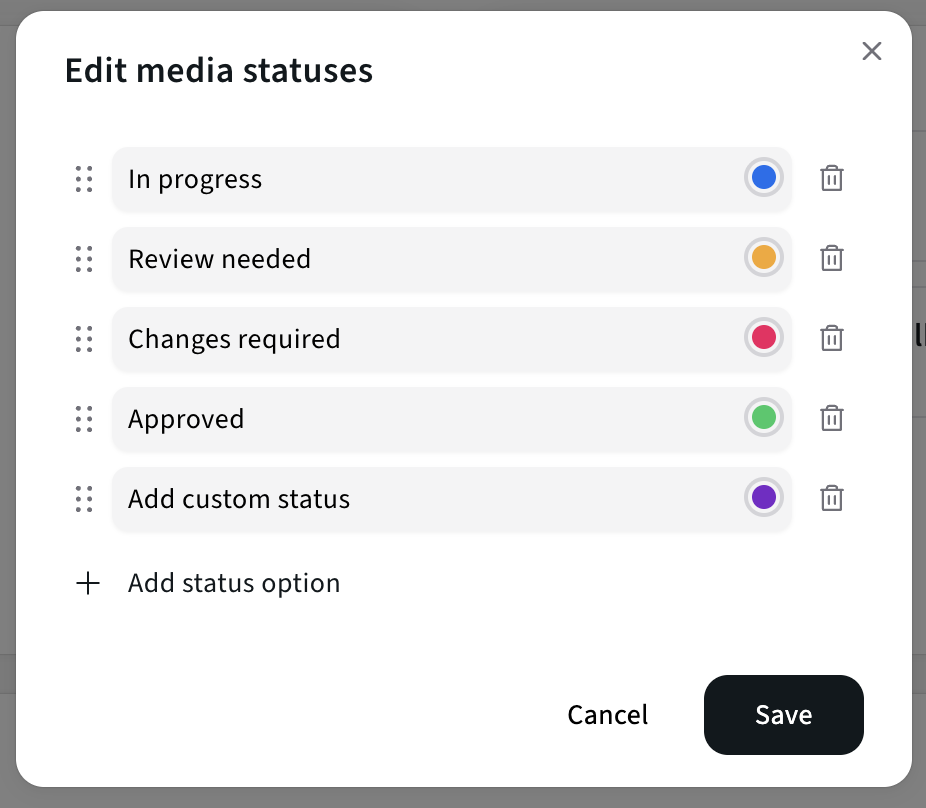
Who it helps: Teams with non-linear or custom workflows
Why it matters: Your workflow should not adapt to the tool
We launched Flexible, Custom Statuses, allowing teams to define workflow stages that actually match how they work.
Instead of forcing teams into rigid defaults, you can now reflect:
Agency-specific pipelines
Studio production stages
Client approval steps
This is particularly valuable for teams that handle multiple content types or clients with different processes. Kreatli adapts to your workflow, not the other way around.
5. Safe Zone Checkers Tool
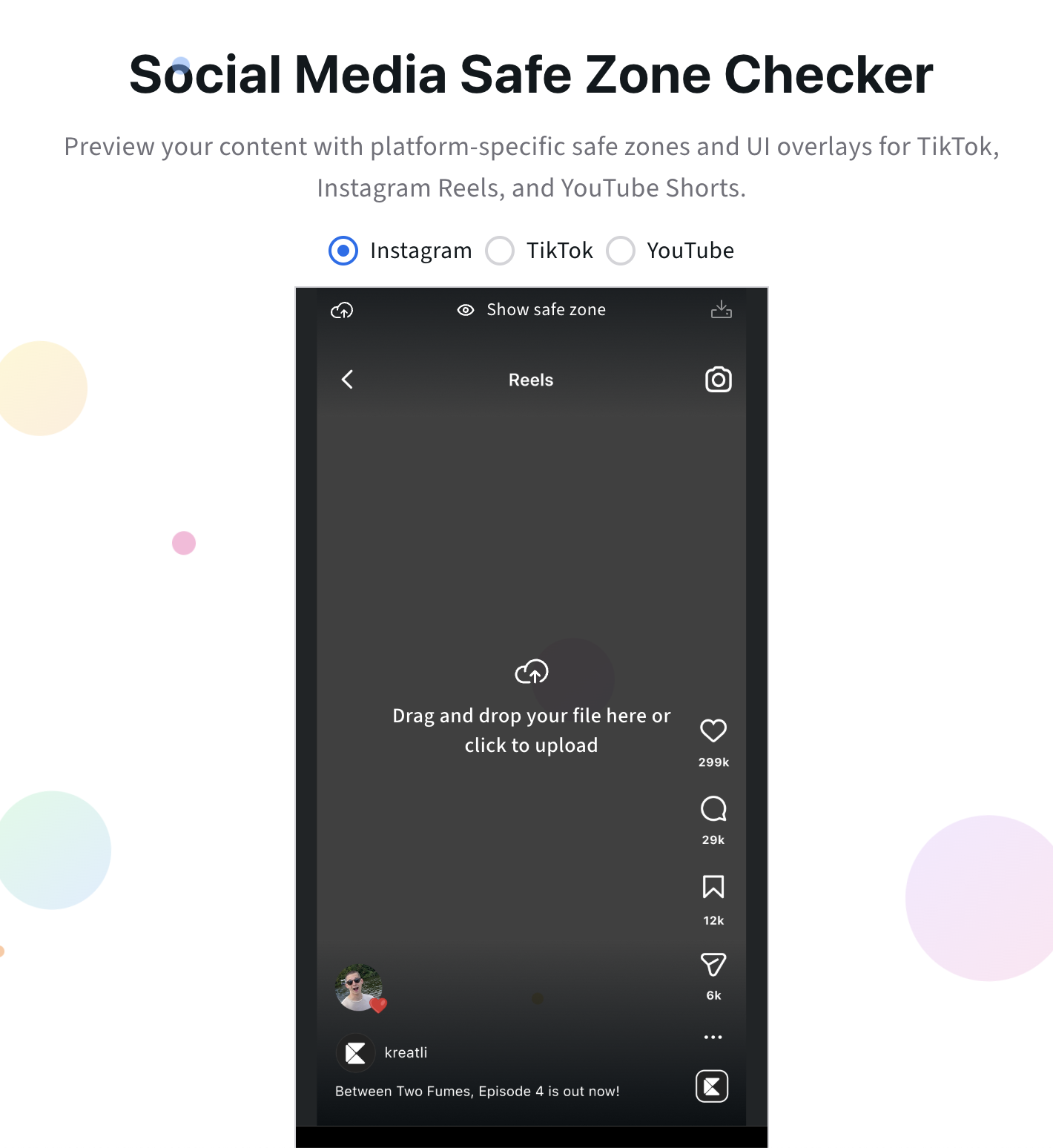
Who it helps: Social media teams, video editors, performance marketers
Why it matters: Fewer publishing mistakes, better platform compliance
We launched Safe Zone Checkers, a built-in tool that helps ensure content is optimized for different platforms and formats.
This is critical for:
Vertical video
Multi-platform distribution
Paid social creatives
Instead of discovering issues after publishing, teams can catch problems earlier in the production stage. This reduces rework and protects performance.
Go ahead and test it out for yourself: Social Media Safe Zone Checker.
6. Share Media With External Stakeholders
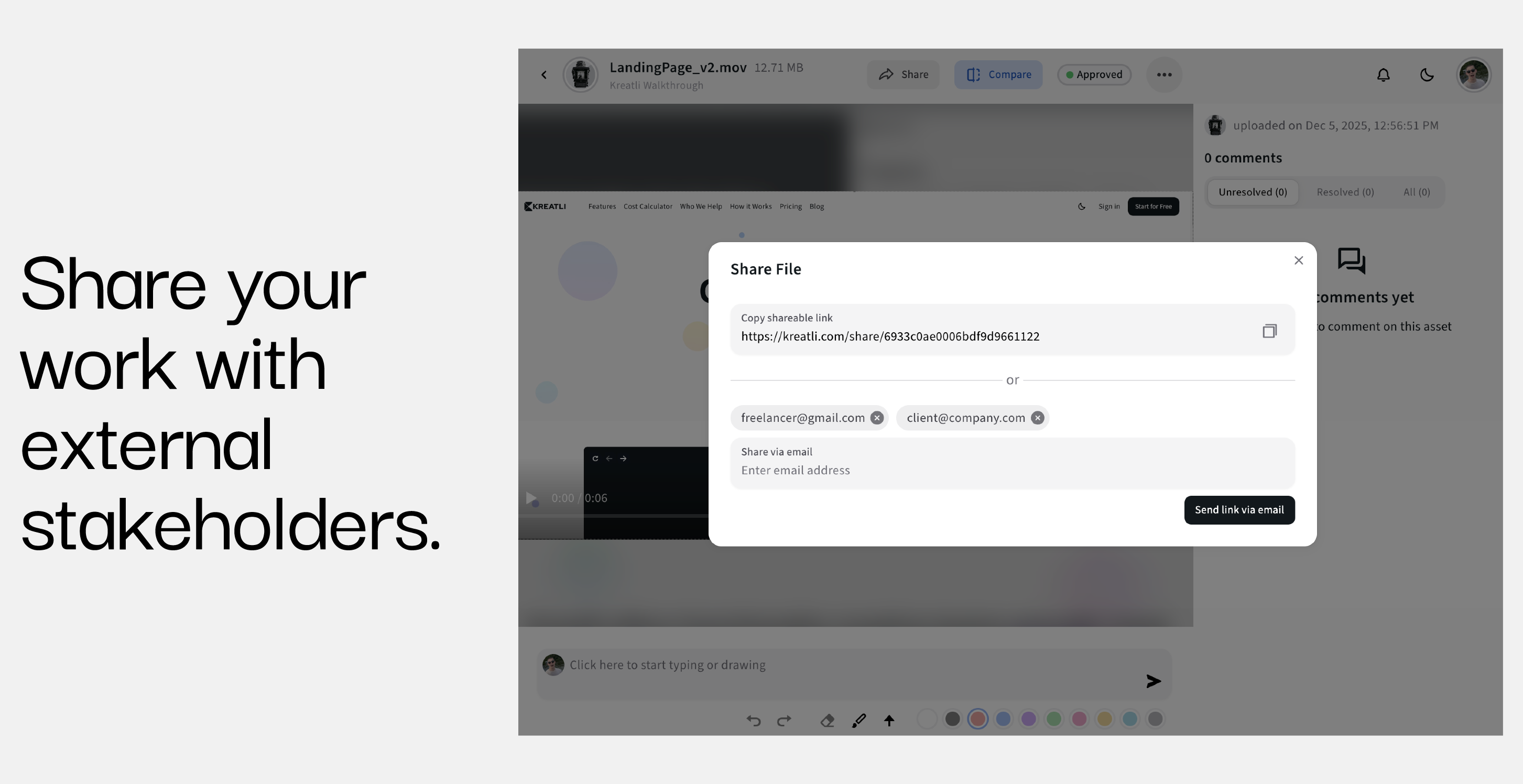
Who it helps: Agencies, freelancers, clients, and brand partners
Why it matters: Clean collaboration without account friction
You can now share media with external stakeholders without forcing them to sign up or navigate complex tools.
This is one of the most requested features from agencies and studios. It allows:
Faster client reviews
Cleaner feedback loops
Controlled access to project assets
External collaboration is no longer a workaround. It is built into the core experience.
Check out our full guide on How to Share Large Video Files with Clients for Review.
What’s Coming in January
January builds directly on December’s foundation. The focus shifts toward onboarding, structure, and deeper project execution.
1. Updated Kreatli Website
We are launching a new website that clearly communicates what Kreatli is: a production management platform for modern creative teams.
Expect:
Clear positioning
Stronger use cases
Better onboarding paths
2. Tailored Onboarding Templates
New users will soon be able to start with pre-built onboarding templates based on their team type.
This helps:
Agencies get to value faster
In-house teams avoid setup friction
Freelancers understand how to use Kreatli solo or with clients
The goal is a faster “aha” moment within minutes, not days.
3. Advanced Project Management: Tasks, Boards, and Deliverables
We are expanding into structured project execution with:
Tasks
Boards
Deliverables
This will allow teams to manage production end-to-end without stitching together multiple tools. It aligns directly with our vision of reducing tool sprawl.
4. Tagging Members in Comments and Chats
Finally, we are adding member tagging inside comments and chats.
This improves:
Accountability
Response times
Clear ownership
Communication becomes more intentional and less noisy.
Why These Updates Matter
Every feature shipped in December and planned for January follows one principle:
Reduce friction in creative production without adding complexity.
Kreatli is not trying to be everything. We are focused on becoming the system of record for creative production, where files, feedback, decisions, and delivery live together.
FAQ
What is Kreatli best used for?
Kreatli is a production management platform designed for creative teams managing media-heavy projects, including agencies, studios, and in-house content teams.
Can clients use Kreatli without signing up?
Yes. Media can be shared with external stakeholders, allowing clients to review and provide feedback without creating an account.
How does Kreatli differ from generic project tools?
Kreatli is built specifically for creative production, combining file management, feedback, statuses, and project context in one place.
Are custom workflows supported?
Yes. With Flexible Statuses, teams can define workflows that match their real production process.
What’s the main focus for 2026?
Faster onboarding, deeper production execution, and reducing the number of tools creative teams need to ship work.
Ready to see how it works?
Visit Kreatli to explore project orchestration, playback reviews, and file exchange that streamline creative production.