Data Transfer Calculator for Large Files (2026)
Estimate upload and download times for large files. Learn how to use Kreatli’s free Data Transfer Calculator for video and creative teams.
Article summary
Estimate upload and download times for large files. Learn how to use Kreatli’s free Data Transfer Calculator for video and creative teams.
Free Tool: Data Transfer Calculator
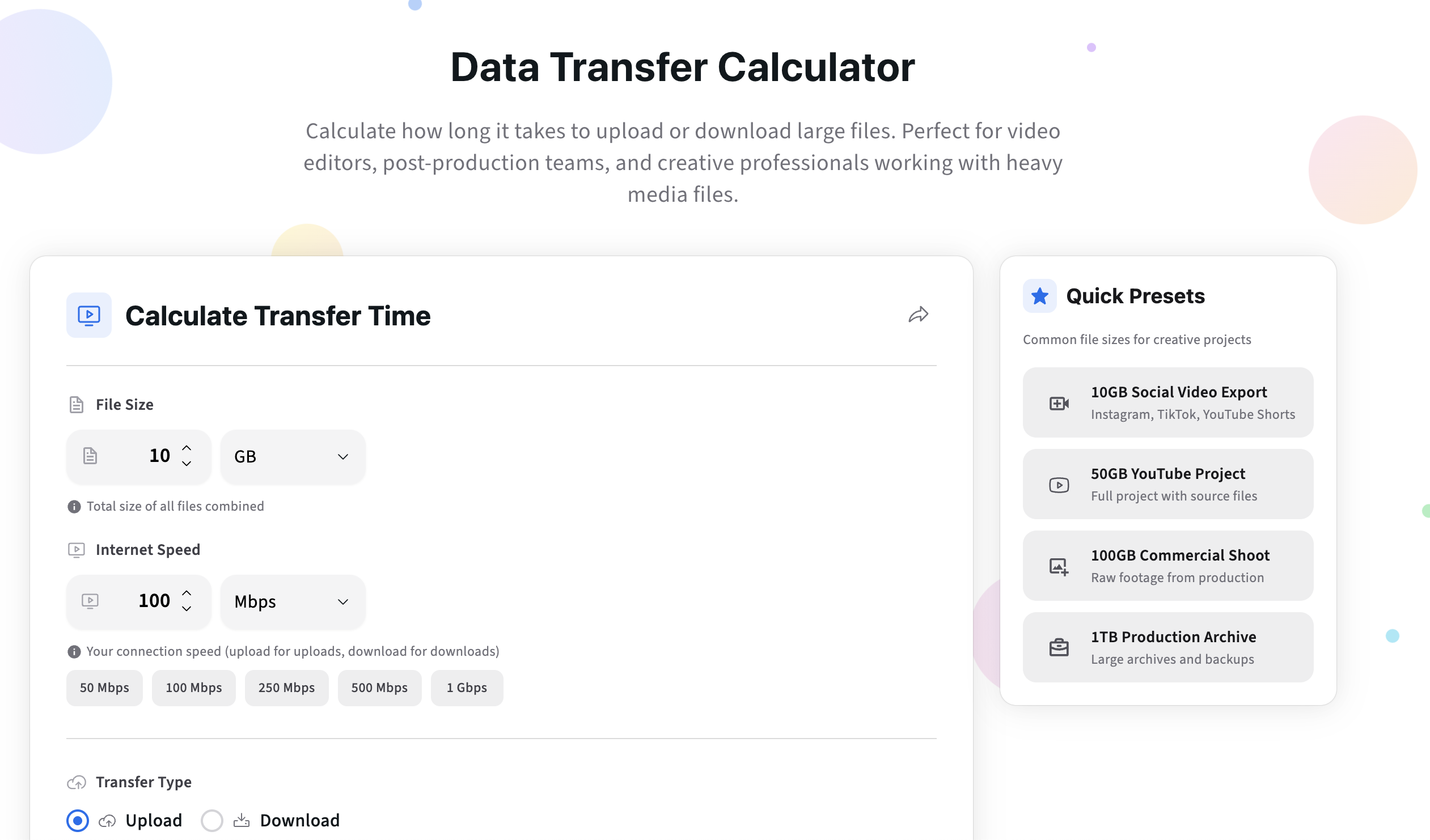
If you want a quick answer to “How long will this upload take?”, use our free Data Transfer Calculator.
It estimates upload or download time based on file size and connection speed. No sign-up required.
Try the Data Transfer Calculator
https://kreatli.com/free-tools/data-transfer-calculator
How to Use the Free Data Transfer Calculator
Step 1: Select the File Size Unit
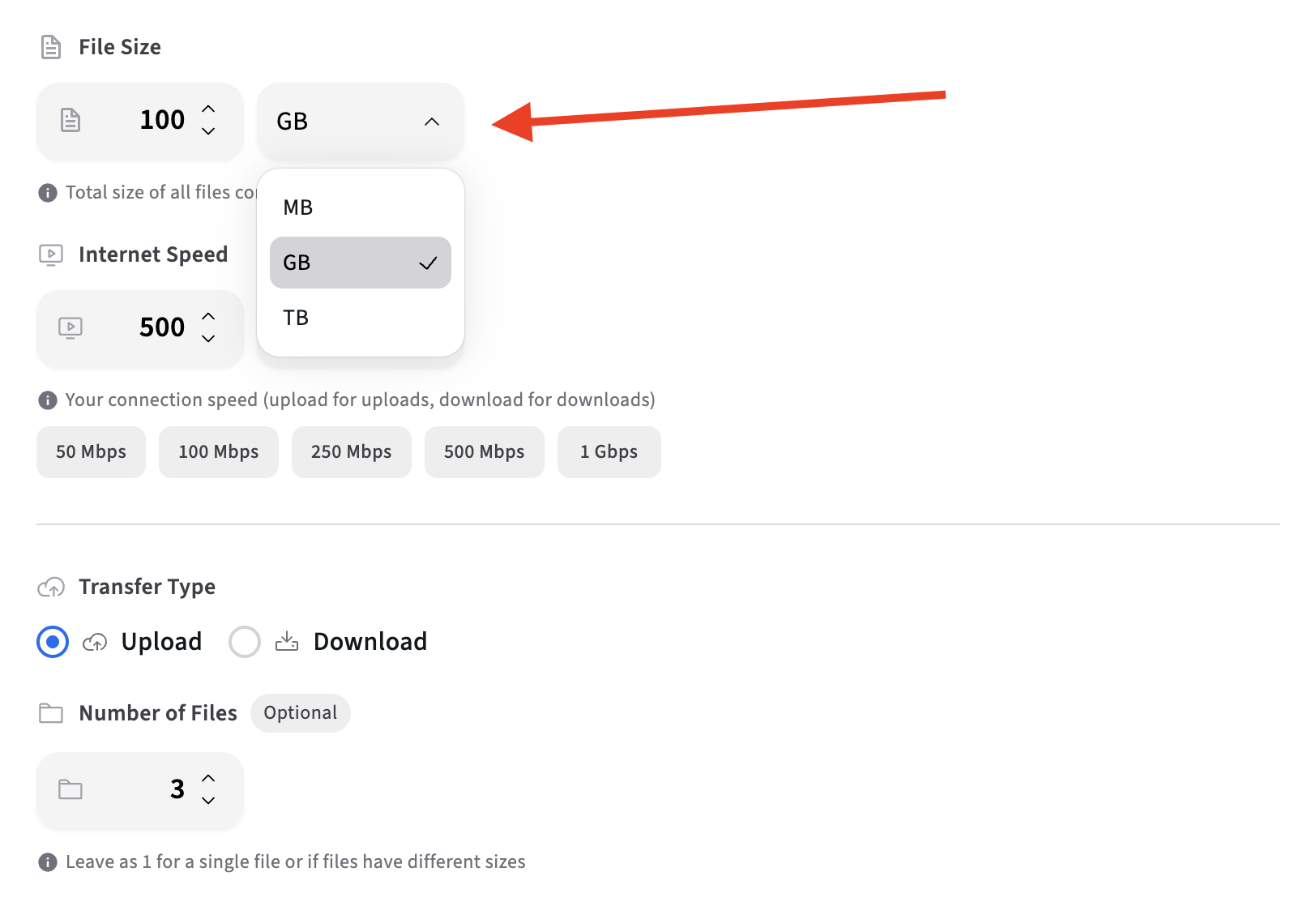
In the File Size field, input the total size of the assets you want to transfer.
You can enter file size in:
GB (gigabytes)
MB (megabytes)
TB (terabytes) depending on your needs
This might represent a single large video or a combined batch of production assets.
Step 2: Enter Your Transfer Speed
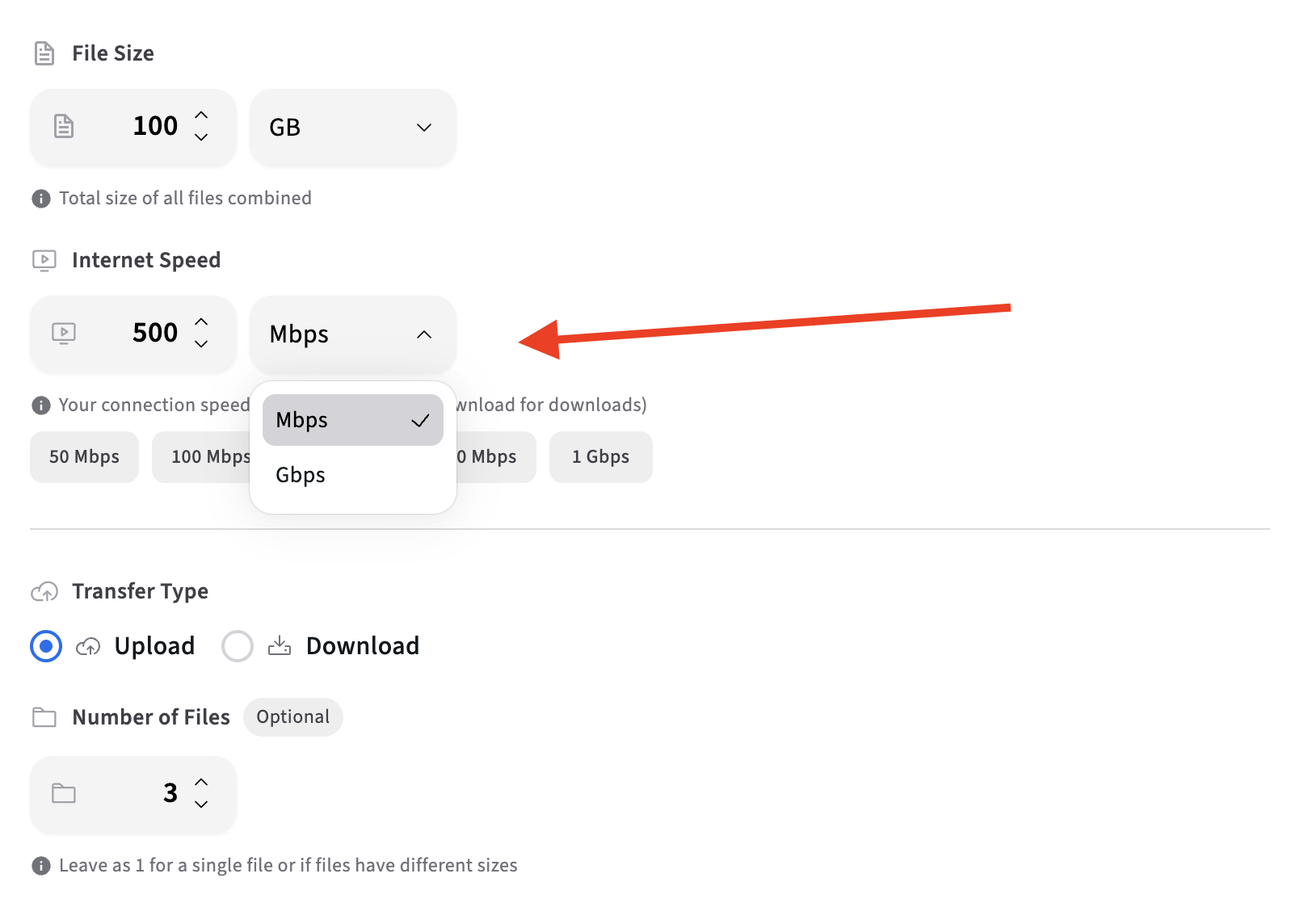
Input your upload or download speed, typically measured in Mbps.
This is especially important for uploads, which are often much slower than downloads.
Step 3: Choose Transfer Type
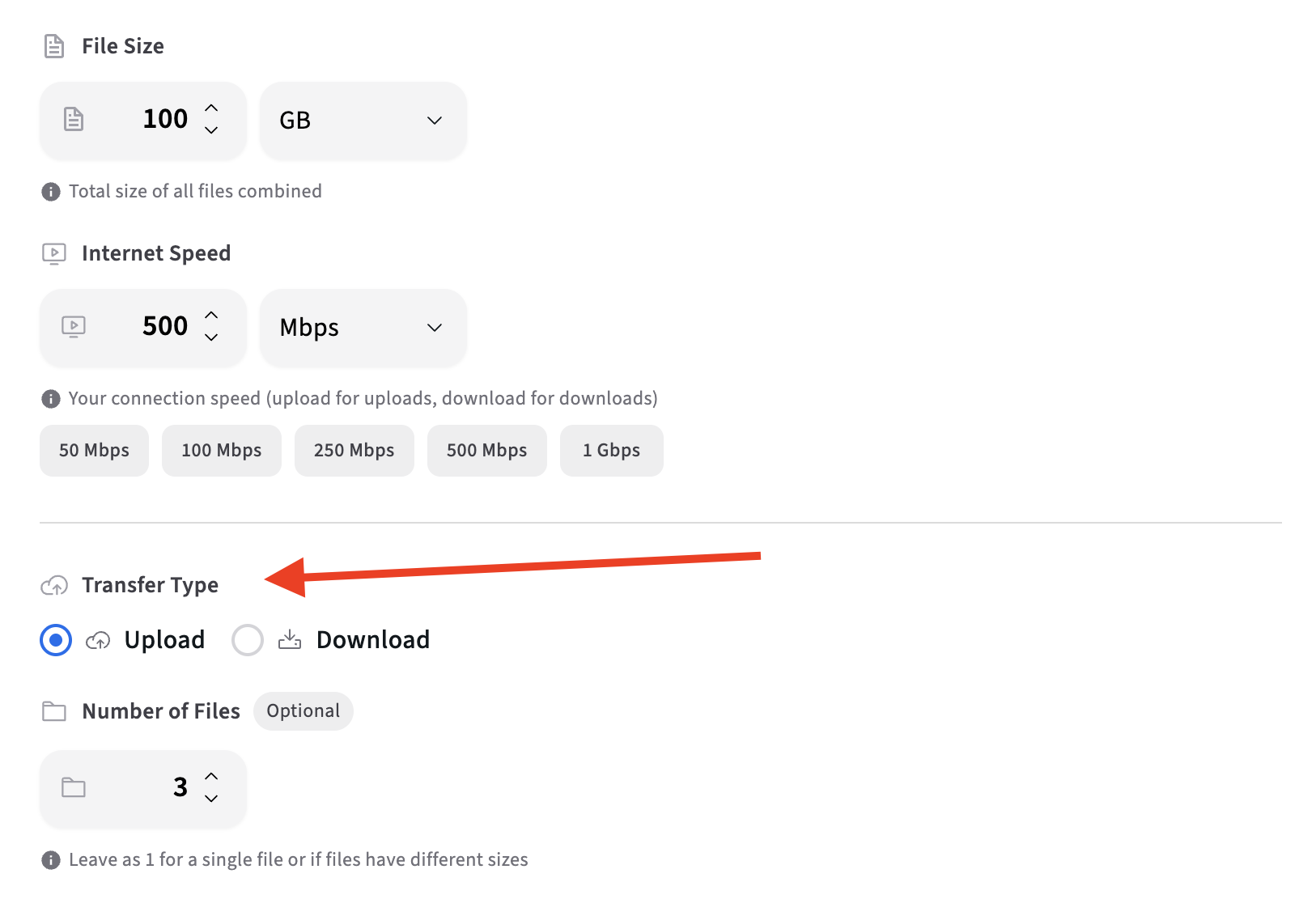
Select whether you want to calculate upload or download time. This helps you get accurate estimates based on your specific transfer direction.
Step 4: Review the Result and Upload to Kreatli

You instantly see:
Estimated transfer duration
Time expressed in hours, minutes, or seconds
This allows you to:
Schedule uploads intelligently
Set realistic delivery expectations
Avoid deadline surprises
Upload your media to Kreatli to share with your team for collaborative review.
Collect feedback, align on safe area placement, and document final approvals—so your channel art stays consistent across updates and stakeholders.
More Free Tools
Designing for multiple screens is just one part of producing great video and channel assets. To reduce avoidable revisions before review, you can use more free tools from Kreatli:
Instagram Reels, TikTok & YouTube Shorts Safe Zone Checkers – ensure your short-form layouts stay visible across UI overlays
YouTube Banner Resizer – correctly format your channel art
Data Transfer Calculator – estimate how long large files will take to upload or share
Browse all free creative tools:
https://kreatli.com/free-tools
Why Data Transfer Time Matters for Creative Teams
For animation studios, video production companies, agencies, and in-house creative teams, large files are unavoidable.
Common scenarios include:
Uploading 10–100GB video deliverables
Sharing campaign assets with external clients
Syncing files with remote editors
Transferring AI-generated video batches
When transfer time is misjudged, teams experience:
Last-minute delays
Missed review windows
Broken handoffs between tools
Related: How to Send GB - Fast Ways to Share Large Files with Anyone.
What Is a Data Transfer Calculator?
A data transfer calculator estimates how long it will take to upload or download files based on:
File size
Network speed
Transfer direction (upload or download)
Because internet speeds are measured in megabits per second (Mbps) while file sizes are measured in bytes, manual estimation is often wrong by a factor of 8 or more.
This is where a calculator becomes essential.
How Data Transfer Time Is Calculated
At a high level:
File size → measured in MB, GB, or TB
Network speed → measured in Mbps
Example:
10 GB file
100 Mbps upload speed
Without conversion, this looks fast. In reality, the transfer takes significantly longer once units are aligned.
The Data Transfer Calculator handles these conversions automatically so teams can plan accurately.
Common Mistakes Teams Make When Estimating Transfer Time
Even experienced teams regularly fall into these traps:
1. Using Download Speed Instead of Upload Speed
Upload speeds are usually much slower—and matter most for deliveries.
2. Ignoring Batch Size
Ten 1GB files still behave like a 10GB transfer.
3. Assuming “Fast Internet” Is Enough
Office, home, and shared networks fluctuate constantly.
4. Planning Transfers at the Last Minute
Transfers should be treated like production tasks, not afterthoughts.
Data Transfer Planning in Real Video Production Workflows
Transfer time affects more than delivery—it impacts the entire workflow.
Examples:
Editors blocked while waiting for uploads
Clients reviewing outdated versions
AI-generated video batches stuck mid-transfer
High-performing teams plan transfer time the same way they plan renders and approvals.
How Kreatli Fits Into File Transfer Planning
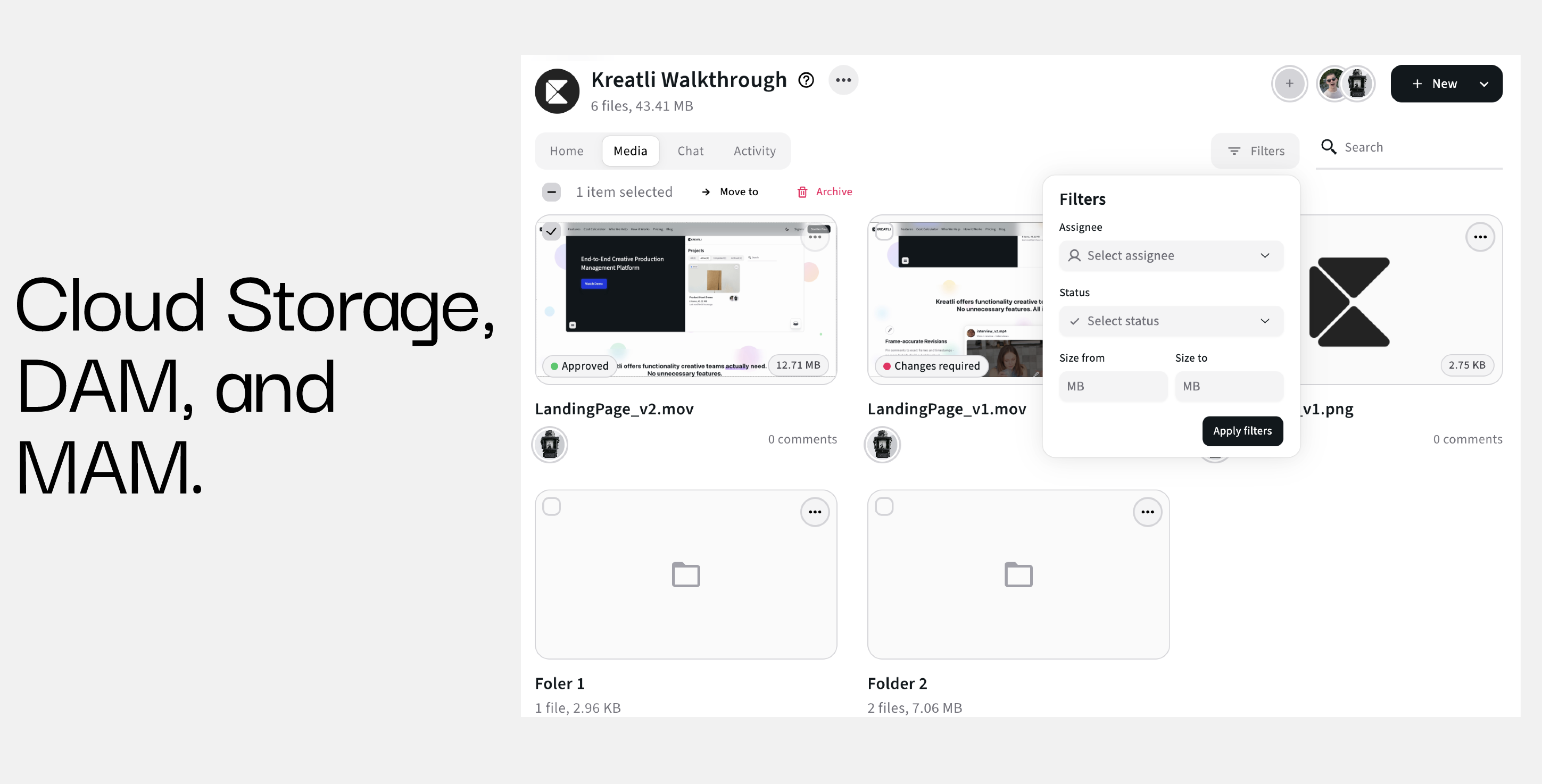
Kreatli is production management software for creative teams.
While tools like the Data Transfer Calculator help teams estimate how long transfers take, Kreatli helps teams manage:
Where files live
Who owns the delivery
When assets are ready for review
Which version is final
Together, this eliminates ambiguity around large file handling.
Related: Creative Production Management
Data Transfer vs File Sharing Tools
It’s important to distinguish between:
Estimating transfer time (planning)
Sharing files (execution)
A calculator helps you plan realistically. A production platform ensures assets are tracked, reviewed, and approved once they arrive.
Continue reading: File Sharing vs File Transfer.
Frequently Asked Questions (FAQ)
How accurate is the Data Transfer Calculator?
It provides estimates based on ideal conditions. Real-world speeds may vary due to network congestion or hardware limits.
Should I use upload or download speed?
Use upload speed when sending files, download speed when receiving them.
Can I calculate multiple files at once?
Yes. Enter the total combined file size.
Does this tool require an account?
No. The Data Transfer Calculator is completely free and requires no sign-up.
Who is this tool best for?
Creative teams, agencies, studios, and anyone regularly transferring large media files.
Can Kreatli become your Production Management Platform?
Book a 30-minute workflow audit and we will map your current processes to the Kreatli production template.