Upload Time Calculator
Estimate how long it takes to upload or download large files from file size and connection speed. Built for video editors, post-production teams, and creative professionals.
Calculate Transfer Time
Total size of all files combined
Your connection speed (upload for uploads, download for downloads)
Leave as 1 for a single file or if files have different sizes
Quick Presets
Common file sizes for creative projects
What is a Data Transfer Calculator?
A data transfer calculator estimates upload or download time from file size and connection speed. Post teams use it when planning large raw transfers, client deliveries, or remote collaboration over constrained bandwidth.
How to Use the Free Data Transfer Calculator
Follow this step-by-step process to estimate upload and download times for large files accurately.
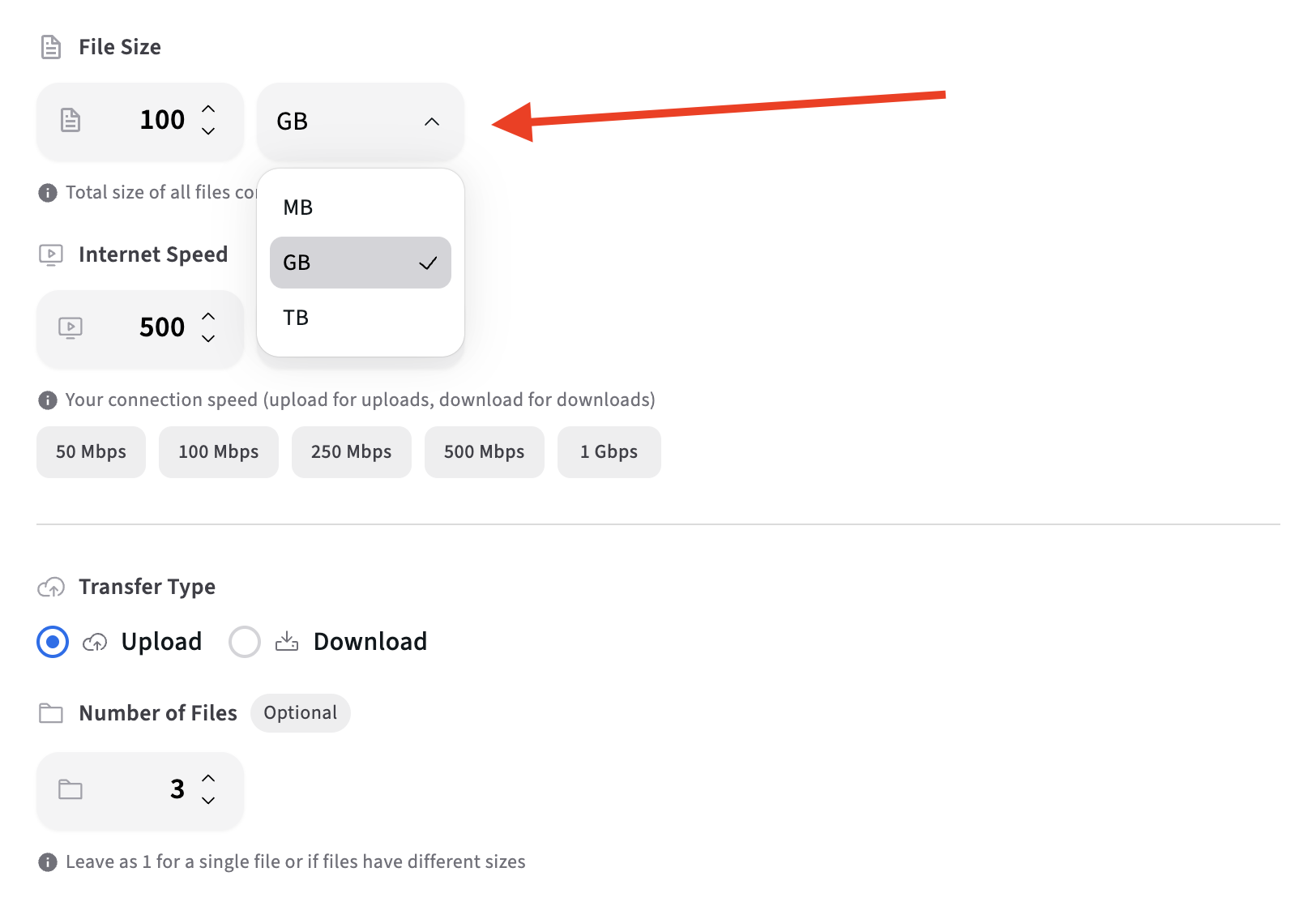
Select the File Size Unit
Choose the appropriate unit: MB, GB, or TB. Using the correct unit ensures accurate estimates for your file transfer calculations.
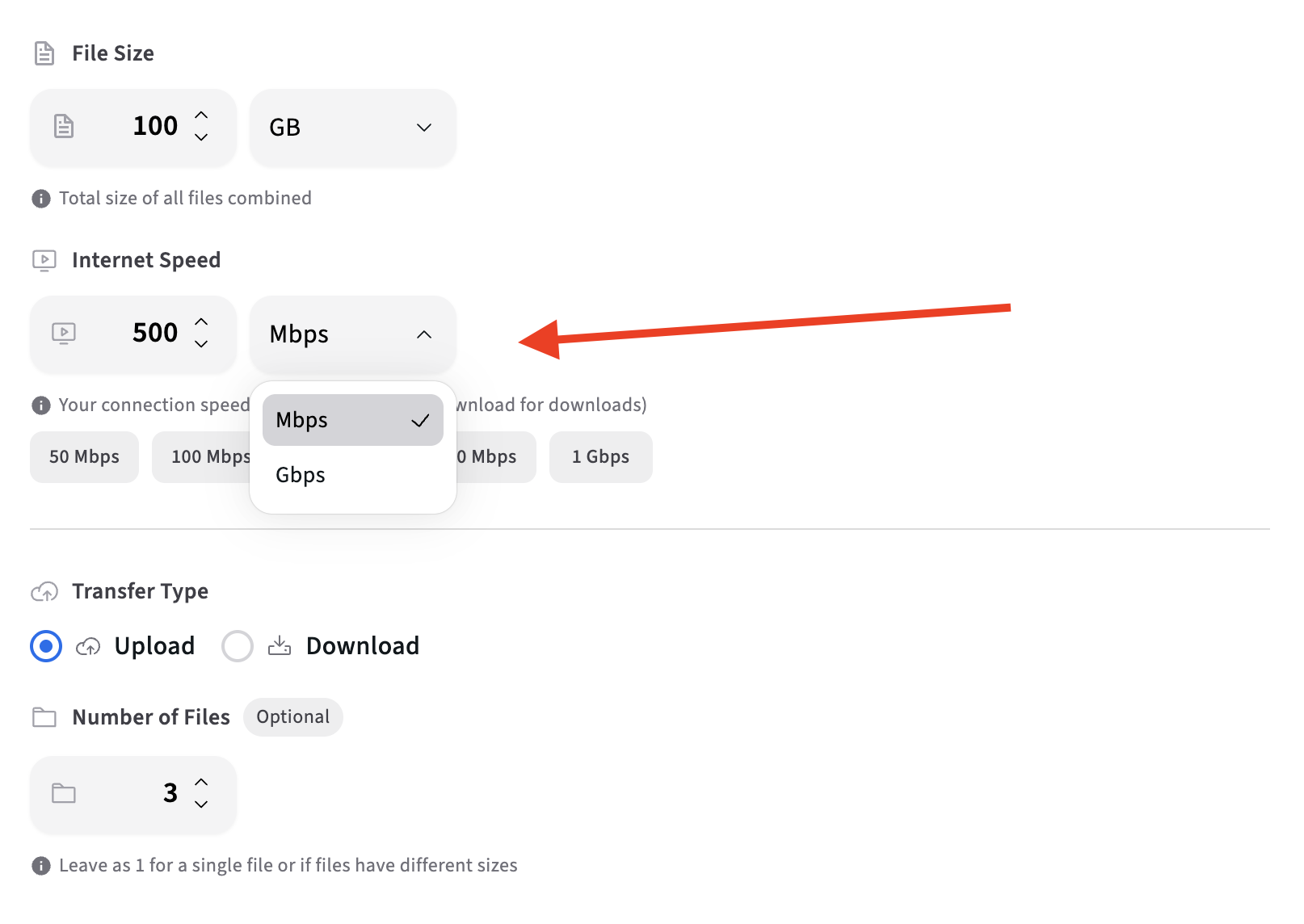
Enter Your Transfer Speed
Input your upload or download speed, typically measured in Mbps. This is especially important for uploads, which are often much slower than downloads.
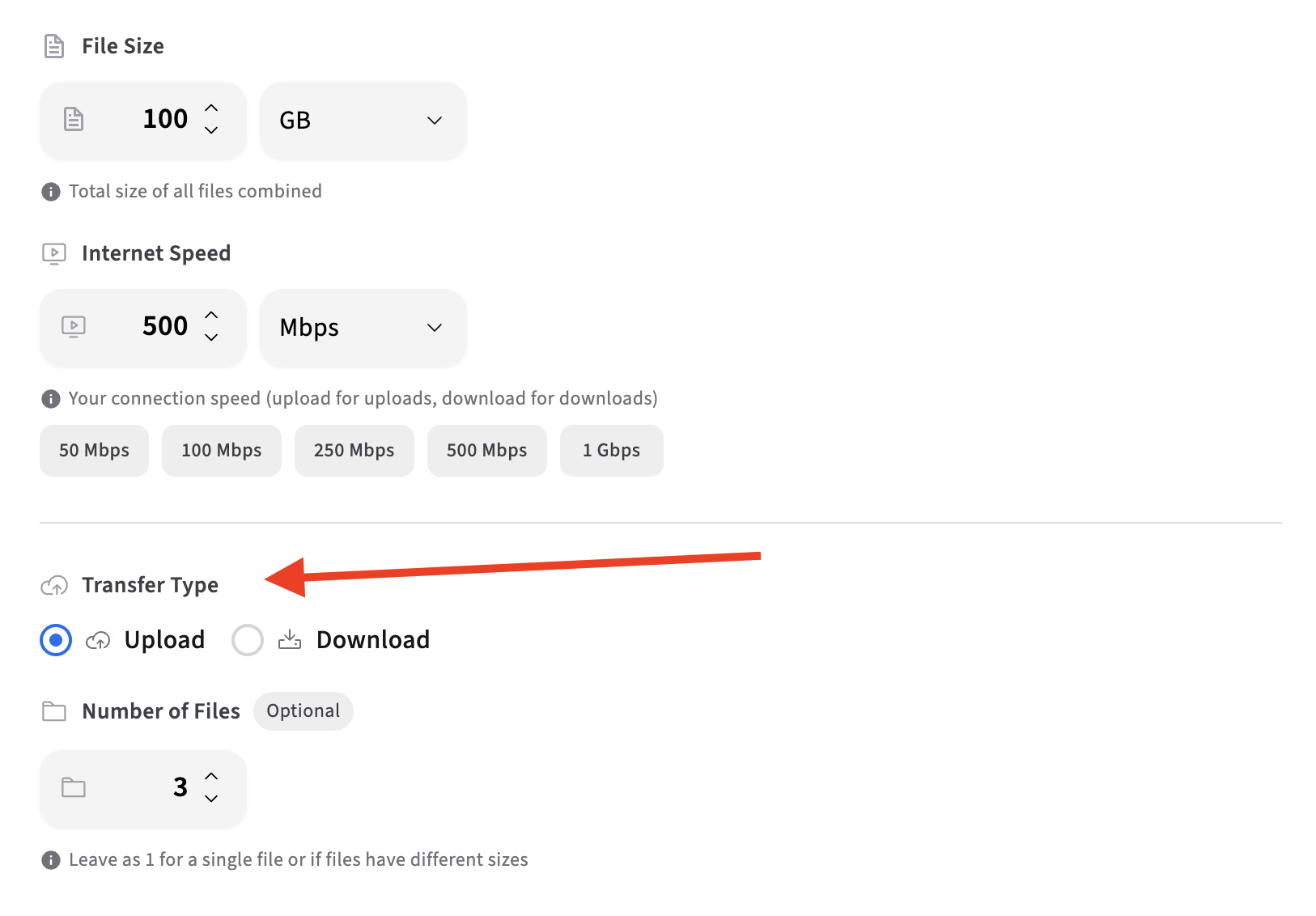
Choose Transfer Type
Select whether you want to calculate upload or download time. This helps you get accurate estimates based on your specific transfer direction.
Review the Result
You instantly see the estimated transfer duration, expressed in hours, minutes, or seconds. This allows you to schedule uploads intelligently, set realistic delivery expectations, and avoid deadline surprises.
Read Our Complete Guide
Learn everything about data transfer calculations, common mistakes teams make, and how to plan file transfers effectively for your creative workflows.
Read Complete GuideHow Data Transfer Time Is Calculated
Understanding the math behind file transfer calculations helps you plan better for your creative workflows.
Mbps vs MB/s: Understanding the Difference
Internet speeds are typically measured in Mbps (megabits per second), while file sizes are measured in MB (megabytes) or GB (gigabytes). There's an important distinction: 1 byte = 8 bits, so 1 MB/s = 8 Mbps. This means a 100 Mbps connection can transfer approximately 12.5 MB per second (100 ÷ 8 = 12.5). Understanding this difference is crucial for accurately calculating file transfer times and planning your creative workflows.
Network Overhead and Efficiency
Real-world transfer speeds are slower than theoretical maximums due to network overhead. Protocol headers, TCP/IP overhead, and network congestion reduce efficiency. Our calculator accounts for approximately 85% efficiency, which is a realistic estimate for most internet connections. This means if your connection is rated at 100 Mbps, you'll effectively get about 85 Mbps of usable throughput for file transfers.
Common Creative Scenarios
- 10GB Social Video Export: A typical export for Instagram Reels or TikTok might take 15-20 minutes on a 100 Mbps connection.
- 50GB YouTube Project: A full project with source files and exports could take 1-2 hours depending on your upload speed.
- 100GB Commercial Shoot: Raw footage from a commercial production might require 2-4 hours to upload, impacting same-day delivery timelines.
- 1TB Production Archive: Large archives can take 20+ hours to transfer, making cloud backups a multi-day process.
Why Large Media Files Slow Down Creative Workflows
Understanding the real-world impact of file transfer times on creative production.
Approval Delays
When clients wait hours for files to upload before they can review, approval cycles stretch from days to weeks. A 2-hour upload delay can push a same-day approval request into the next business day.
Remote Collaboration Bottlenecks
Distributed teams can't collaborate effectively when file transfers take hours. Editors wait for footage, designers wait for assets, and project timelines slip as files slowly make their way between team members.
Version Control Challenges
Multiple revision rounds mean multiple uploads. If each round takes 2-3 hours, a project with 5 revision cycles loses 10-15 hours just to file transfers, not counting actual work time.
Deadline Pressure
Tight deadlines become impossible when file transfers consume hours. Teams working on tight turnarounds need reliable, fast file management to meet client expectations and avoid costly rush fees or missed deadlines.
More Tools for Video Teams
Sign up free — no credit card required — and try these tools in Exploration Mode. Start a 7-day free trial when you’re ready for unlimited access.
Timecode Calculator
Convert total frames, HH:MM:SS:FF, and seconds at 23.976–60 fps. Free NDF / simple frame math for editors and review notes.
Software Cost Calculator
Calculate how much you're spending on multiple creative tools and see how much you could save by consolidating with Kreatli.
Video Reviewer
Review videos online with frame-accurate comments, visual annotations, and approval workflows. Share with clients; recipients do not need a Kreatli account.
Video Feedback Tool
Give frame-accurate feedback on videos with comments, annotations, and markup. Share review links with clients; recipients do not need a Kreatli account.
Frequently Asked Questions
Common questions about data transfer times, internet speeds, and file management for creative teams.
Still Have Questions About File Transfers?
If you didn't find the answer you were looking for, feel free to contact our support team at support@kreatli.com for personalized recommendations for your workflow.
More Resources
Learn more about secure asset storage, video collaboration workflows, and team collaboration.
Secure Asset Storage
Enterprise-grade storage for creative assets. Organize files, track versions, and protect your media with reliable infrastructure.
Creative Workspace
Unified workspace for creative production. Organize assets, manage projects, and collaborate with your team.
Project Orchestration
Board-driven tasks on customizable project stages. Link work to media, assign owners and contributors, and track progress by column.
Ready to Streamline Your Media Workflows?
Kreatli helps video teams manage large files, streamline approvals, and collaborate more efficiently. Get started today.