YouTube Shorts Safe Zone Checker
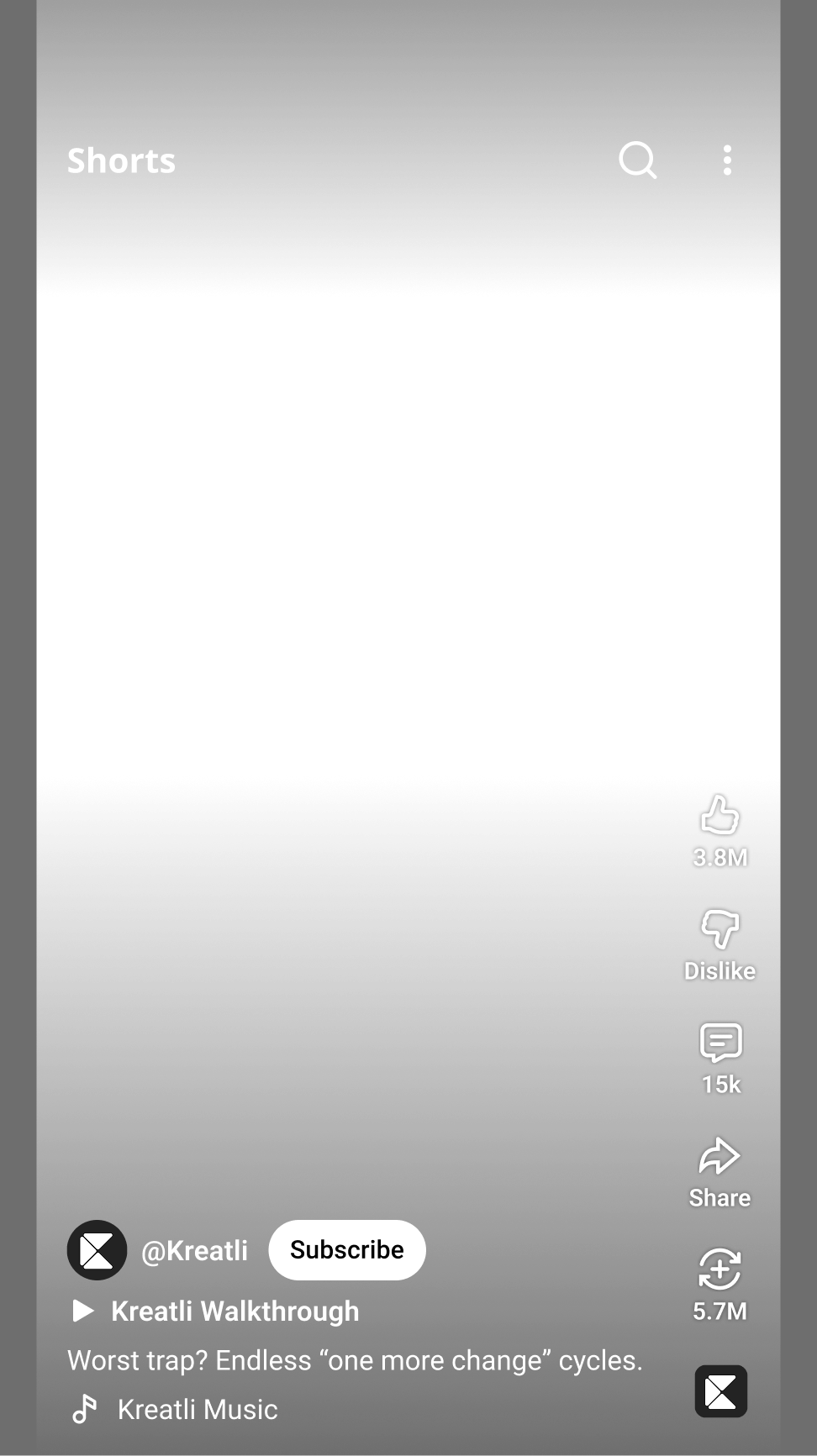
Upload your YouTube Shorts video to preview where channel name, subscribe button, like button, comments, share button, and video controls appear.
Drag and drop your file here or click to upload
YouTube channel banner dimensions (2026)
Reference values for YouTube channel banner size dimensions 2026, recommended size and safe area, and file requirements—aligned with common Studio uploads. Always confirm current requirements in YouTube Studio before publishing.
| Recommended size | 2560 × 1440 px |
|---|---|
| Safe zone (text & logos) | 1546 × 423 px |
| Minimum size | 2048 × 1152 px |
| Max file size | 6 MB |
| Accepted formats | JPG, PNG, GIF, BMP |
Open the YouTube banner resizer to preview safe zones on desktop, mobile, tablet, and TV.
How to Use Safe-Zone Checker in Your Workflow
Use the safe zone checker inside Kreatli so you can preview platform overlays, get feedback, and get approvals in one place. Follow these steps to ensure your YouTube Shorts looks perfect on YouTube Shorts.
Upload Your Video in Kreatli
Sign in to Kreatli, open your project, and upload your Shorts video or asset. The safe zone checker lives inside the platform—no need to leave your review workflow or use a separate tool.
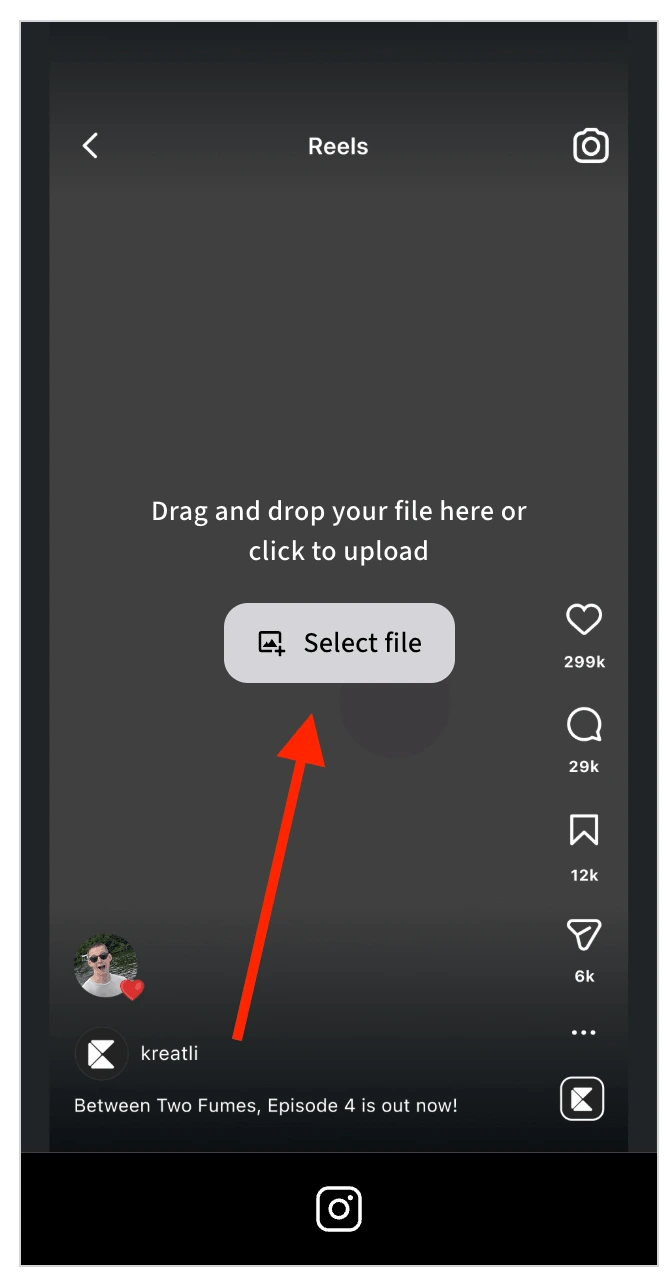
Open It and Turn On the Safe Zone Overlay
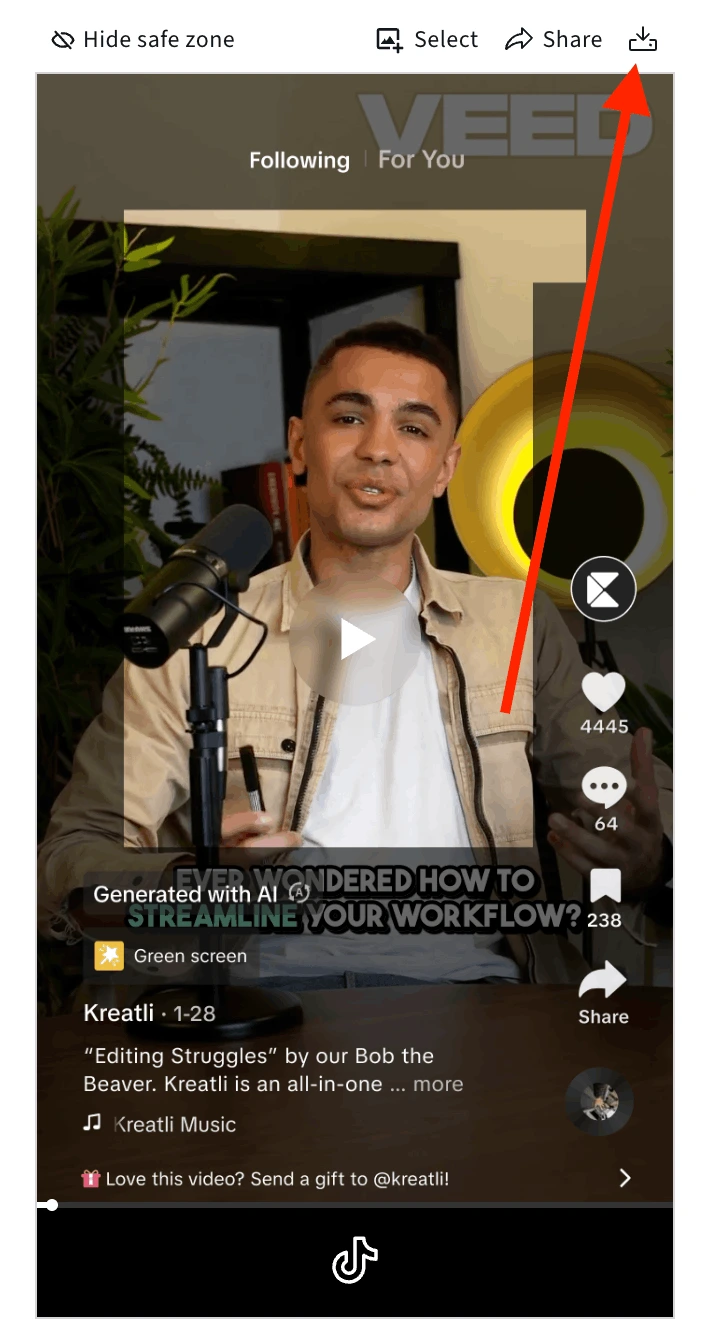
Open the video in the player, then activate the safe zone overlay. You'll see exactly where YouTube's UI will sit—channel name, subscribe button, like, comment, share, and video controls—so you can keep headlines, CTAs, and logos in the visible area.
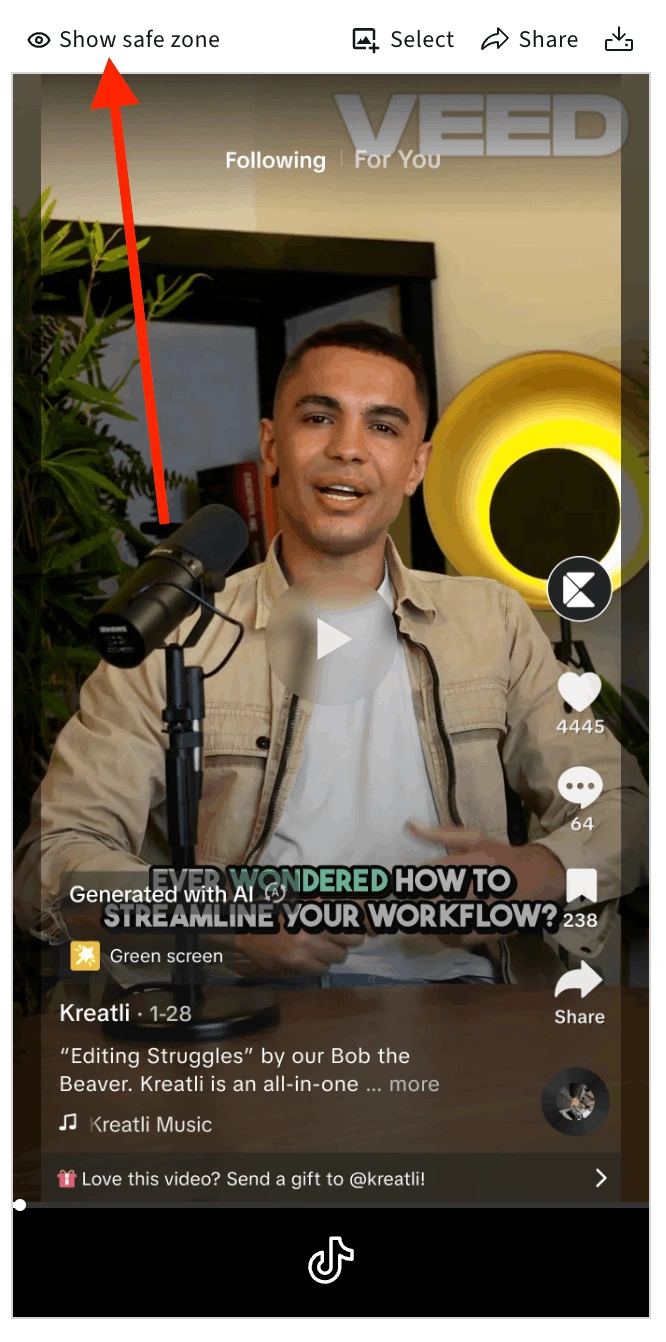
Preview YouTube Shorts (or Toggle Platforms)
View the YouTube Shorts overlay by default: channel name at top, engagement buttons on the right, controls at the bottom. Switch to TikTok or Instagram Reels overlays in the same view to compare and ensure your content stays visible on every platform.
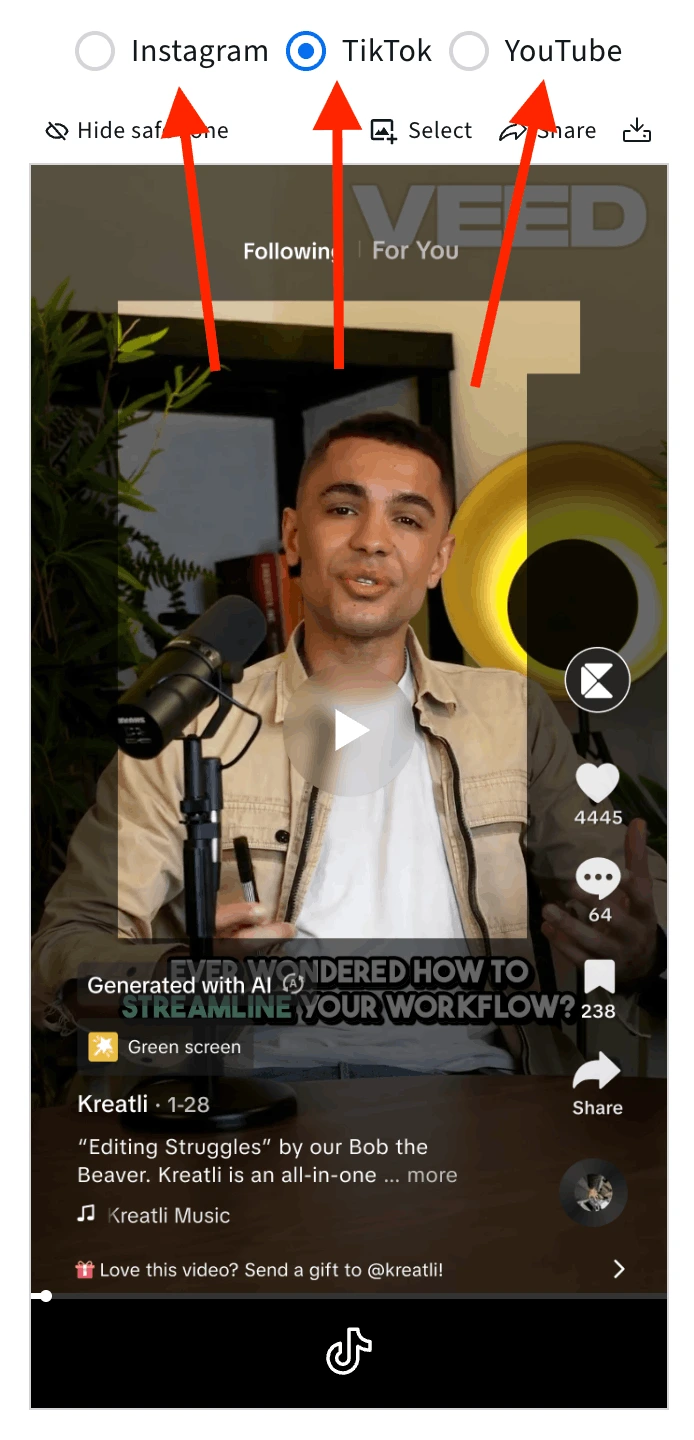
Turn the Platform Overlay On or Off as Needed
Turn the platform overlay on to see where YouTube's UI elements will sit on your content, or off to view your video without the guide. Toggle on and off at key frames to verify that headlines, logos, and CTAs stay in the safe zone before you move to review and share.
Review, Get Feedback, Share for Approval, or Download
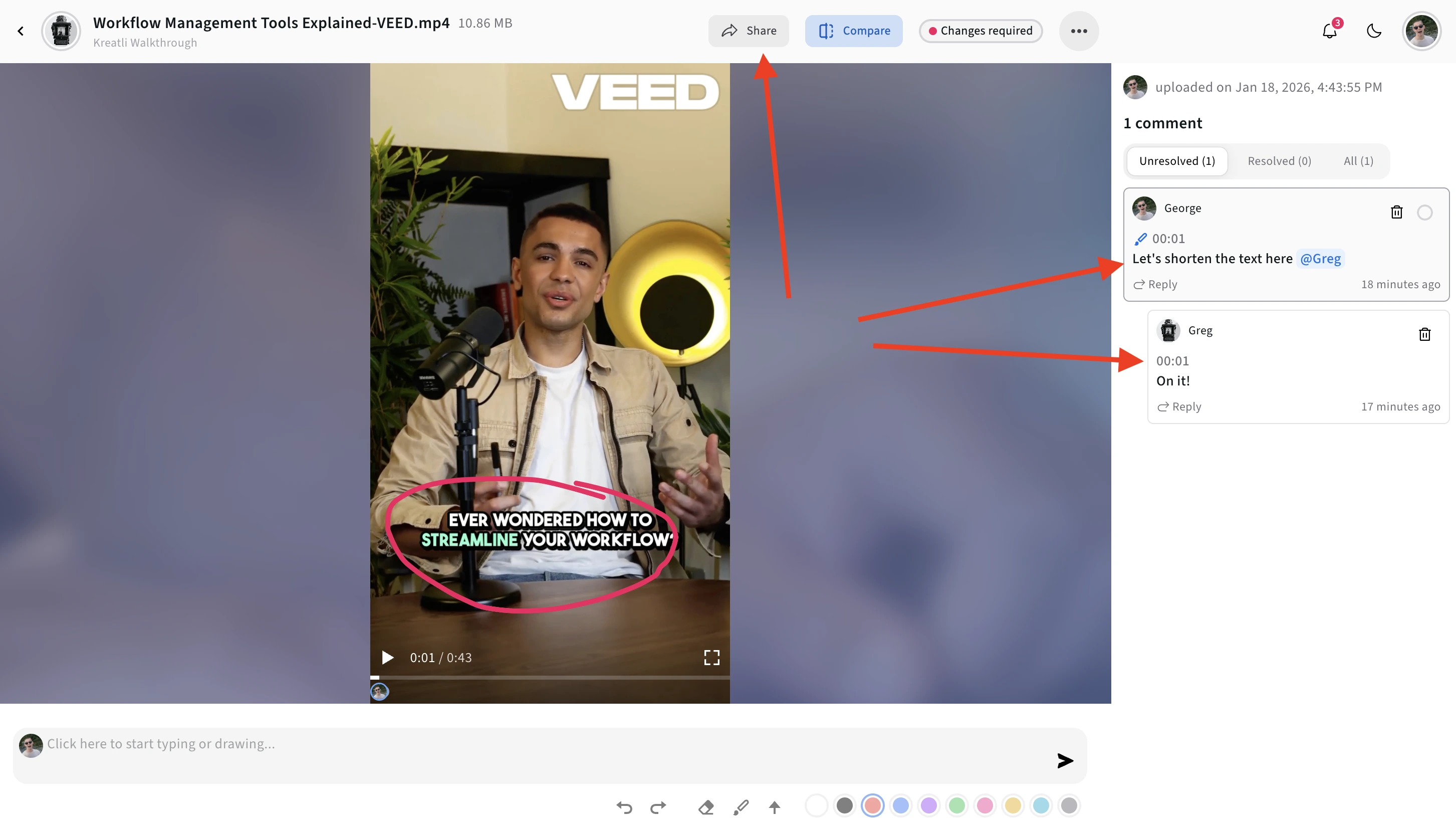
Review key frames, get team feedback, share for approval, or download a reference with the safe zone overlay. Everything stays in your Kreatli project before you publish to YouTube.
Platform-Specific Safe Zone Recommendations
Each platform has unique UI overlays and cropping behavior. Follow these recommendations for optimal visibility across all devices and viewing contexts.
Instagram Reels
Ensures text/logos avoid feed/profile crop, and UI overlays won't cover CTAs.
YouTube Shorts
Prevents overlay from captions, progress bar, and ensures clear thumbnail visibility.
TikTok
Avoids overlap with caption box and action icons; ensures clarity on different device sizes.
What are Safe Zones and Why They Matter
Safe zones are buffer areas inside your video canvas where important visual elements are guaranteed to remain visible, regardless of device differences or UI overlays.
Protect Your Content
Apps like TikTok, Instagram, and YouTube put playback controls, profile bars, comment buttons, captions, and overlays on top of your video. Placing critical content too close to the edges risks accidental cropping or hiding.
Professional Results
Treating safe zones as a built-in editing discipline means fewer layout surprises, fewer reworks, and fewer delivery delays. Your content looks polished and intentional across all platforms.
Why This Matters More Than Ever
With vertical video reaching everywhere - stories, shorts, social feeds, ads - inconsistent visibility can silently erode audience engagement.
Hidden Impact
Missed captions, hidden logos, or obscured CTAs don't surface as technical failures - they lower effective deliverables and weaken brand clarity.
Protect Creative Intent
By embedding safe-zone discipline early and standardizing across projects via templates and project workflows, you protect creative intent.
Reduce Errors
Reduce errors and deliver polished content no matter where it lands. Your content will look professional across all platforms and devices.
More Tools for Creative Teams
Sign up free — no credit card required — and try these tools in Exploration Mode. Start a 7-day free trial when you’re ready for unlimited access.
Video Feedback Tool
Give frame-accurate feedback on videos with comments, annotations, and markup. Share review links with clients; recipients do not need a Kreatli account.
Video Reviewer
Review videos online with frame-accurate comments, visual annotations, and approval workflows. Share with clients; recipients do not need a Kreatli account.
Video Comparer
Compare two video versions side by side with frame-accurate comments and annotations. Share with clients; recipients do not need a Kreatli account.
Video Link Maker
Create secure, shareable video review links in seconds. Recipients watch, comment, and approve without a Kreatli account.
Frequently Asked Questions
More Resources
Learn more about video collaboration workflows, asset management, and team collaboration.
Review & Approval
Frame-accurate revisions and approvals for video content. Streamline your feedback workflow.
Creative Workspace
Unified workspace for creative production. Organize assets, manage projects, and collaborate with your team.
Kreatli Blog
Insights, tips, and best practices for creative teams. Discover strategies to streamline your workflow.
Ready to Ensure Your Content Looks Perfect?
Use our safe zone checker tool to preview your content with accurate platform overlays. Ensure your videos, titles, logos, and CTAs stay visible across all devices and platforms.