Video Comparer
A video comparer shows two versions of a cut side by side so you can see what changed between revisions. Reviewers comment on either timeline and keep both files in one thread. Use this when you need a visual diff; use the video reviewer when you are commenting on a single cut.
What is a video comparer?
A video comparer shows two versions of a cut side by side so you can see what changed between revisions. Reviewers comment on either timeline and keep both files in one thread. Use this when you need a visual diff; use the video reviewer when you are commenting on a single cut.
When teams use this
- A colorist compares v2 and v3 to confirm a grade fix landed.
- A client checks whether a legal disclaimer was actually added.
- An editor lines up two takes of the same scene before picking a hero.
This is a DIY side-by-side player. Version history, owners, and project boards live on the platform compare-videos page.
Use this page when you searched for video comparer. For compare videos in a workspace, see compare videos in a workspace. The cluster pillar is video review workflow. See Kreatli pricing or read how to review a video.
Common ways teams use a video comparer
- Before/after color grades — match two exports at the same timecode to confirm contrast and hues.
- A/B cut reviews — producers pick between two assemblies without re-opening files in isolation.
- Client revision rounds — show “v2 vs v3” with comments tied to each moment.
- VFX and finishing passes — spot unintended picture changes between delivered versions.
Pair side-by-side compare with a full video reviewer workflow for threaded notes on a single timeline, or see how to extract frames from video when you need stills for approvals.
Video review workflows
Comparing A/B cuts is one piece of video review. When you need threaded feedback, drawings, and video review and approval on a single timeline, use Kreatli’s video feedback tool — reviewers stay frame-accurate without mixing comparer intent into generic “video review software” searches.
How to compare videos in Kreatli
Follow these steps to upload both video versions, open them in the review interface, use Compare, and share feedback—all in one place.
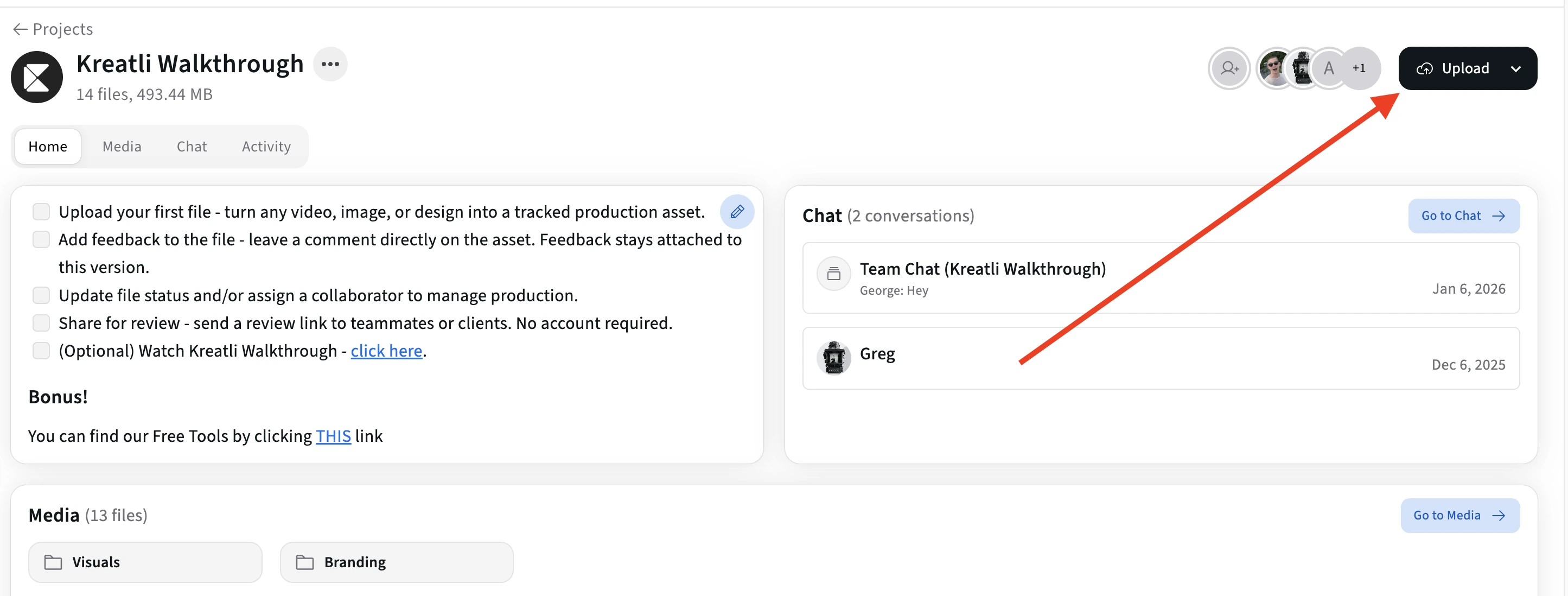
Upload both video versions in Kreatli
Sign in to Kreatli, open your project, and upload both video versions (rough and revised cut, or any two you need to compare). Both files live in the same project so you can review them together.
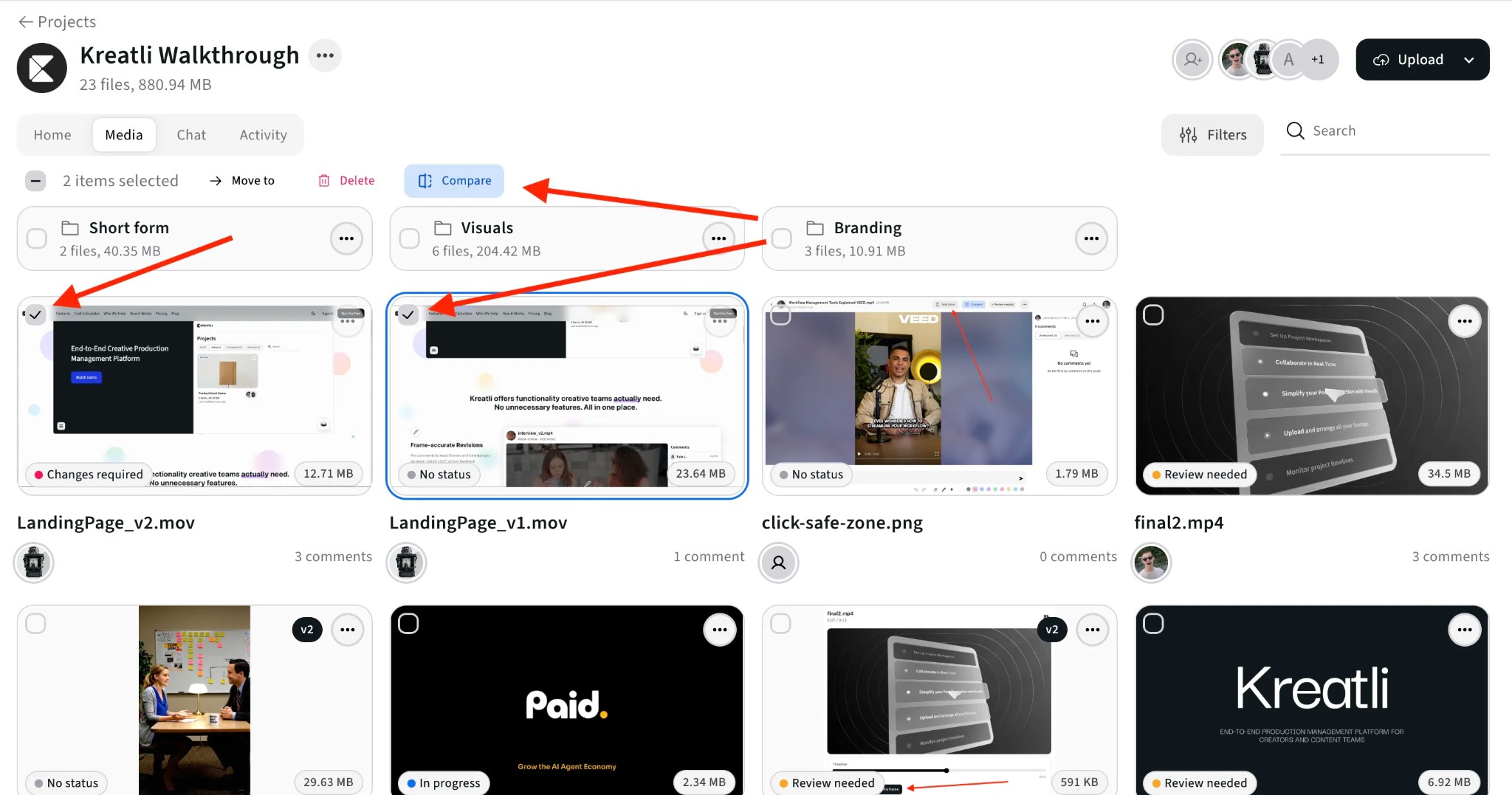
Select both videos and click Compare
In the Media view, select the two video versions you want to compare (use the checkboxes on each file). With both selected, click the Compare button to open them side by side in the review interface.
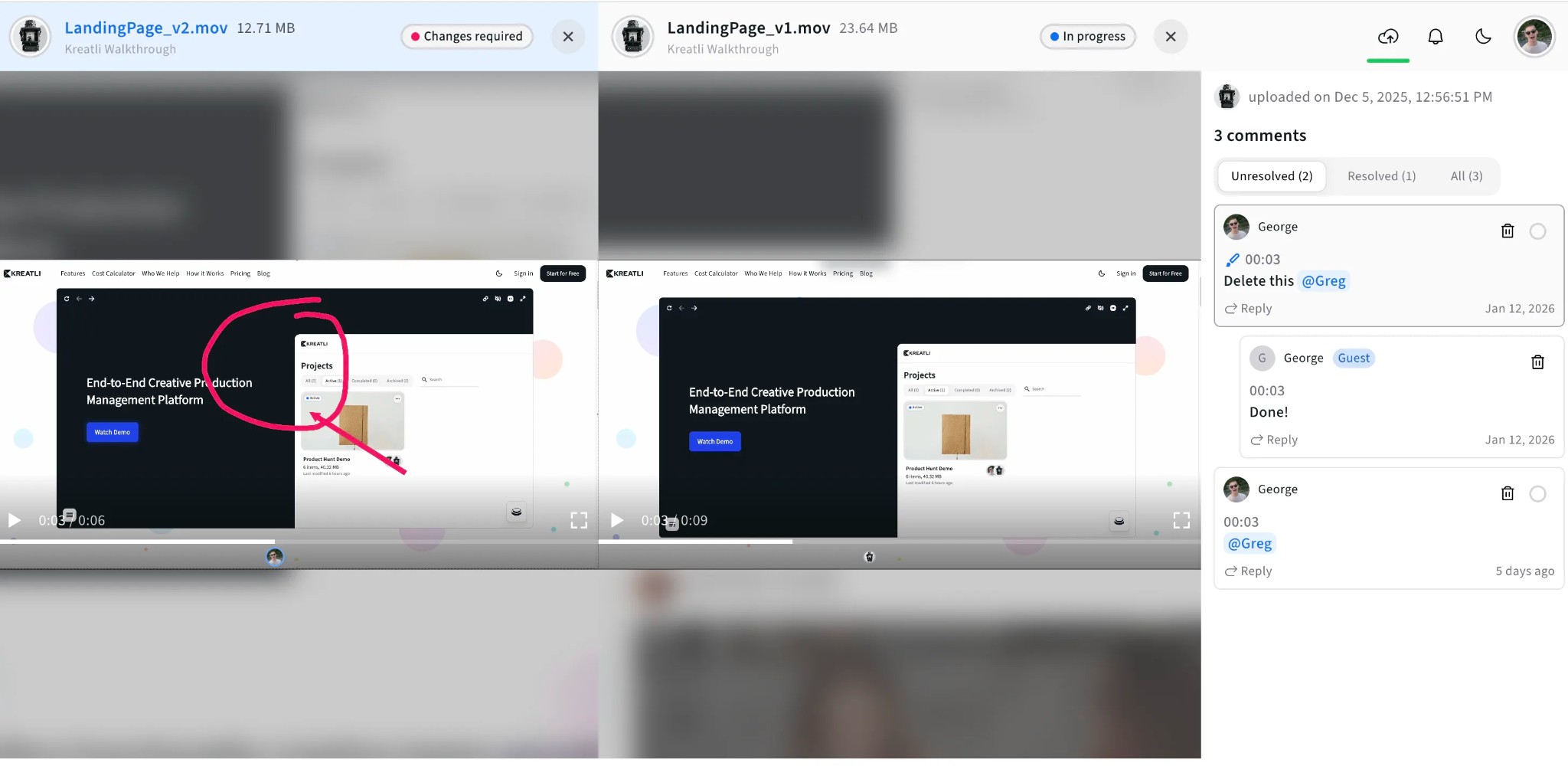
Compare all feedback side by side
View both videos side by side with synced timelines—playback stays in sync so you can spot frame-level differences. Use the comments panel to see feedback on either version, add frame-accurate comments and annotations, and track what’s resolved across both files.
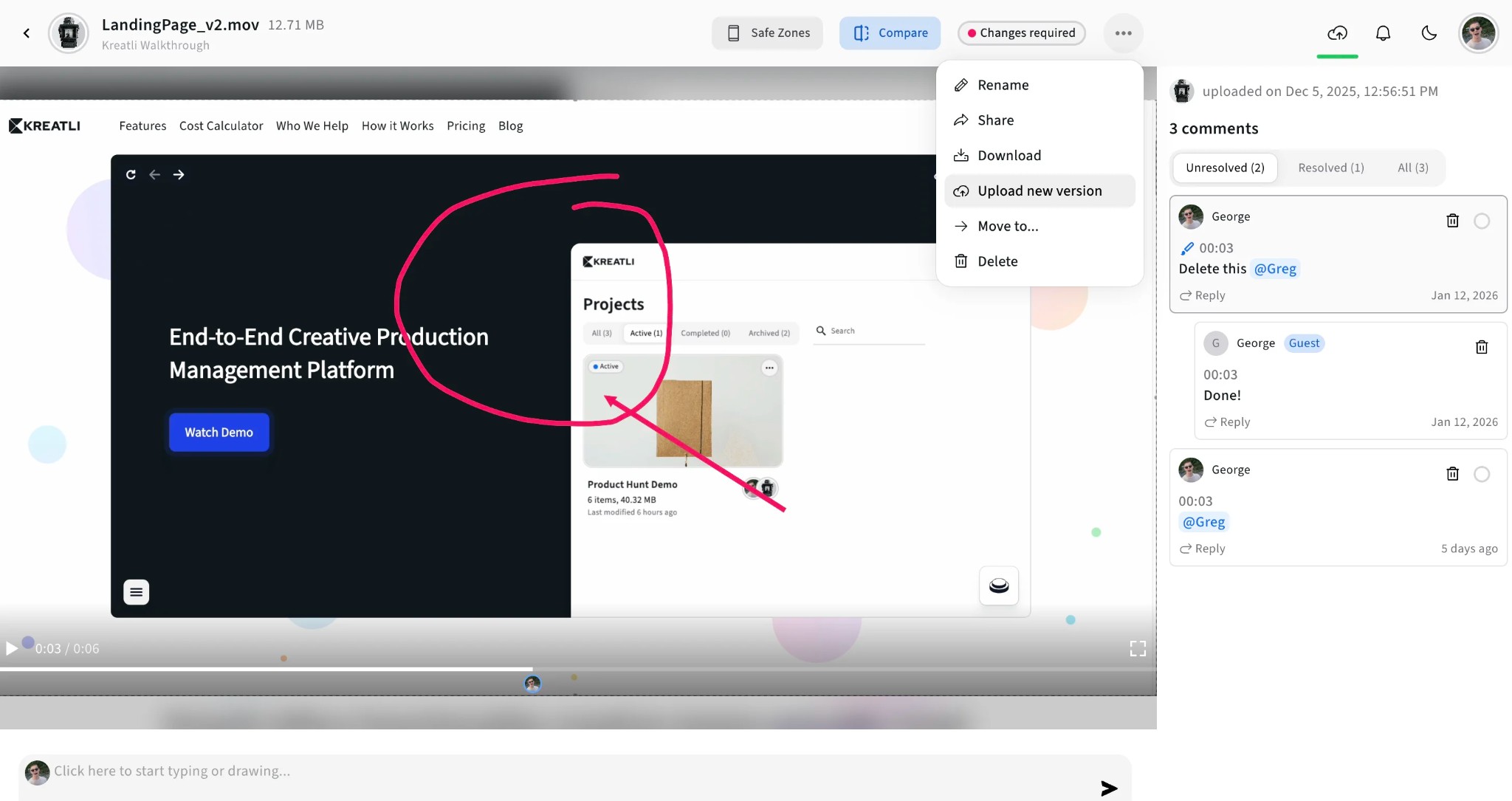
Upload new versions to keep the review going
When you’re ready to share an updated video, open the file menu (⋯) and choose Upload new version. The new file appears in the same project so you can compare it with the previous version and track resolution.
Read Our Complete Guide
Learn how proofing and creative review work in one place with your video, PDFs, and other assets.
Read Complete GuideMore Tools for Video Teams
Sign up free — no credit card required — and try these tools in Exploration Mode. Start a 7-day free trial when you’re ready for unlimited access.
Video Feedback Tool
Give frame-accurate feedback on videos with comments, annotations, and markup. Share review links with clients; recipients do not need a Kreatli account.
Video Reviewer
Review videos online with frame-accurate comments, visual annotations, and approval workflows. Share with clients; recipients do not need a Kreatli account.
Video Link Maker
Create secure, shareable video review links in seconds. Recipients watch, comment, and approve without a Kreatli account.
PDF Reviewer
Review PDFs online with location-pinned comments, annotations, and approvals. Share with clients; recipients do not need a Kreatli account.
Frequently Asked Questions
Get detailed answers about comparing videos and review workflows in Kreatli.
More Resources
Explore other Kreatli platform features for comparing videos, review workflows, and collaboration.
Compare Videos
Compare two cuts side by side with comments on each version.
Video Review Workflow
Team video review: frame-accurate comments, versions, and guest links in one workspace.
Video Annotation
Add frame-accurate annotations, drawings, and markup directly to video frames. Pin comments to exact timestamps and collaborate with precise visual feedback.
How to review a video
Step-by-step video review for creative teams.
Ready to compare videos with your team?
Kreatli lets you compare video versions side by side with frame-accurate comments and approval workflows. Keep all feedback in one place with your creative assets.