PDF Reviewer
A PDF reviewer is an online tool for commenting on pages instead of emailing a marked-up file. Kreatli pins notes to a location on the page and can share a guest review link. Use this DIY reviewer for a single document; use PDF review for the team workspace.
Upload a PDF to get started
Drag and drop a PDF here, or click the button below
What is a PDF reviewer?
A PDF reviewer is an online tool for commenting on pages instead of emailing a marked-up file. Kreatli pins notes to a location on the page and can share a guest review link. Use this DIY reviewer for a single document; use PDF review for the team workspace.
When teams use this
- A freelancer comments on a one-off deck without setting up a full workspace.
- A client marks a typo on page 4 from a phone.
- A producer QC’s a call sheet PDF before a shoot.
DIY document review. Team workflow is PDF review. Creating a URL only is the PDF link generator. Proofing language is the video/PDF proofing pages.
Use this page when you searched for PDF reviewer. For PDF review for teams, see PDF review for teams. The cluster pillar is review and approval. See Kreatli pricing or read how to proofread a PDF.
How to Review PDFs Online
Streamline your PDF review process with location-pinned comments, visual annotations, and approval workflows—all in your browser.
Upload Your PDF for Review
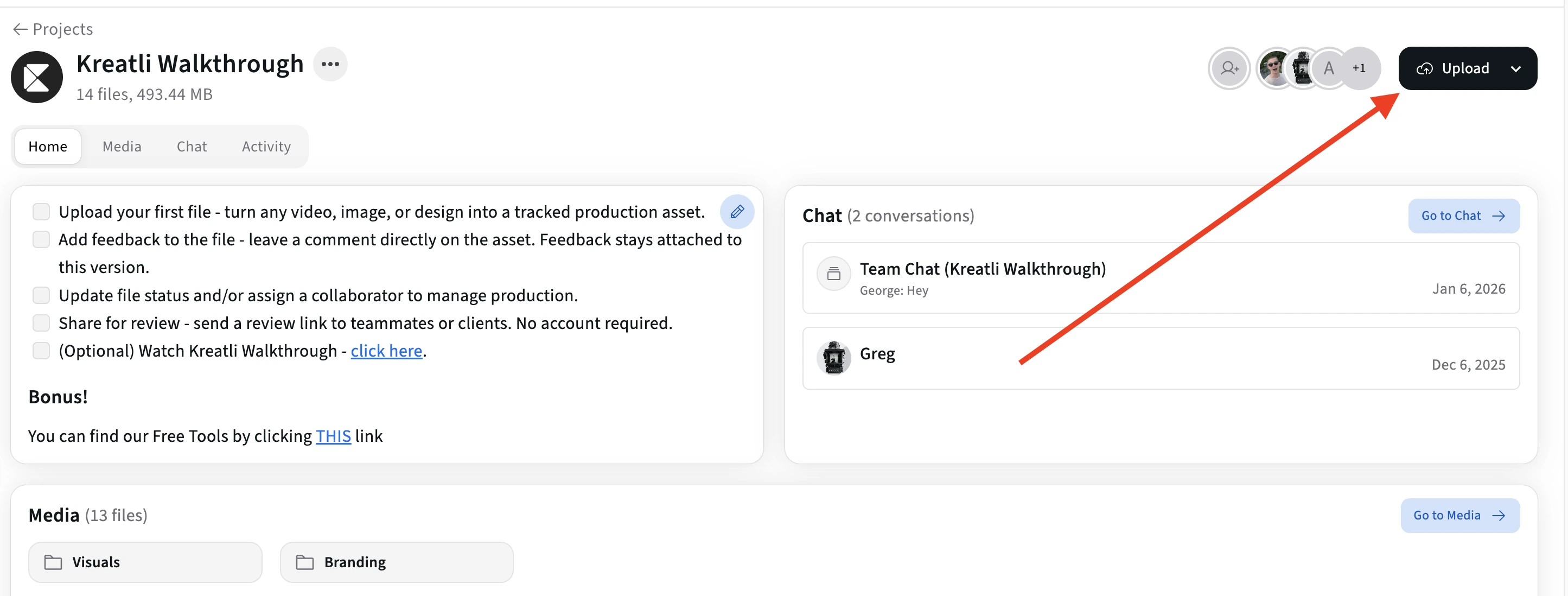
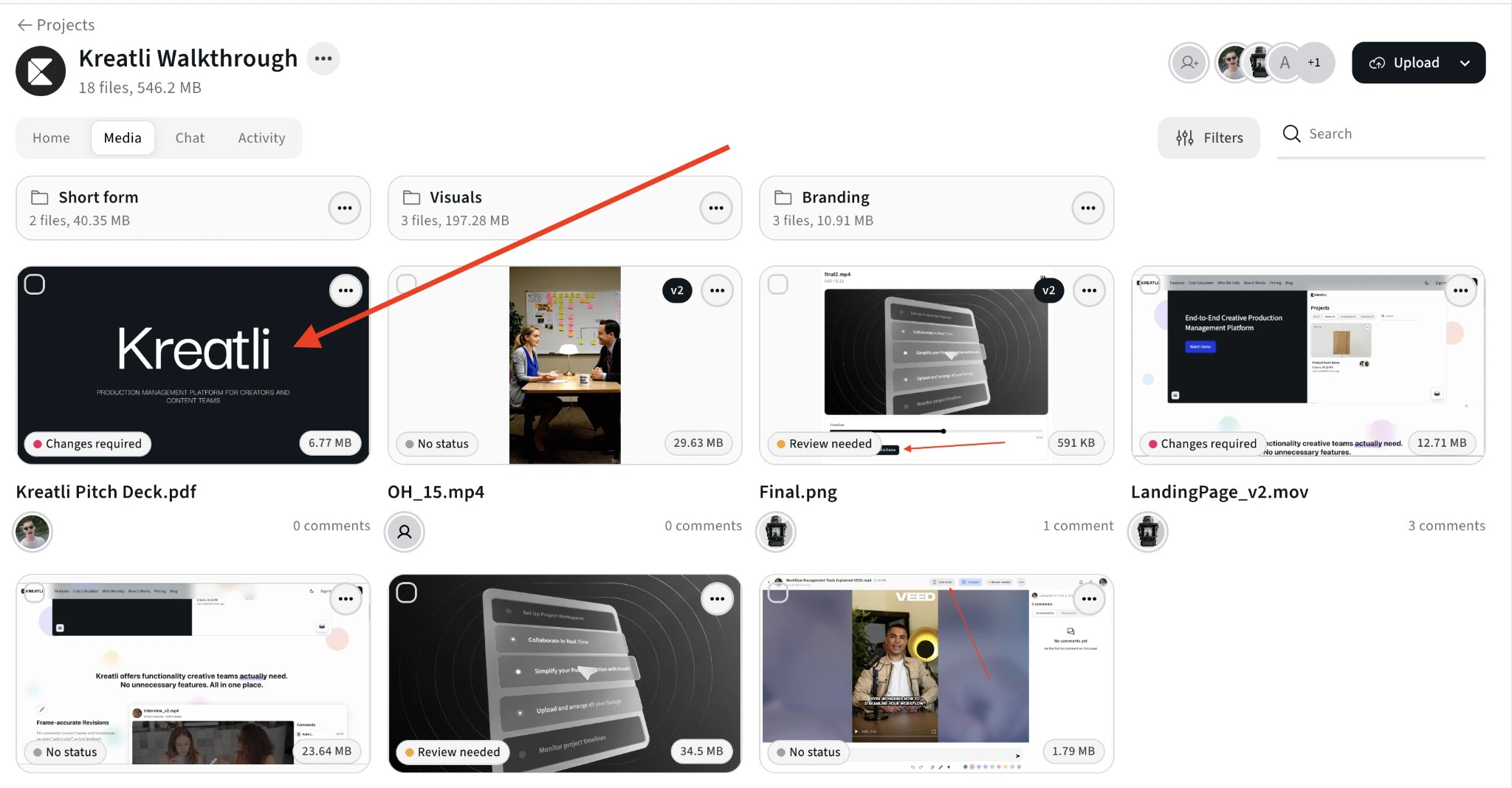
Upload your PDF to start the review process. Drag and drop or click to browse. Your document is ready for review in seconds.
Open the PDF in the review interface
Open the asset to enter the review view. Navigate page by page and click or select any area where you want to add comments, highlights, or feedback.
Add Comments and Visual Markup
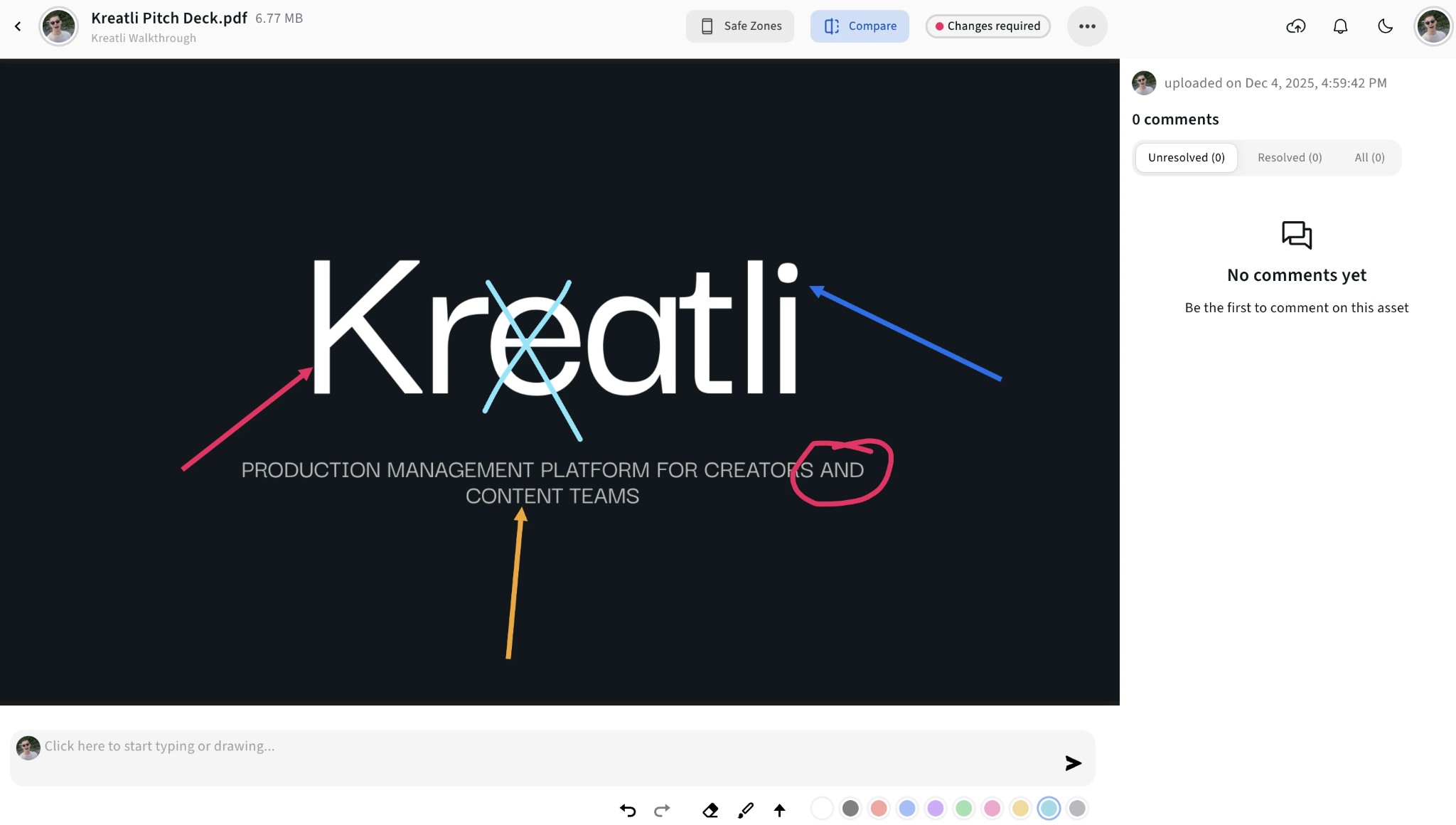
Leave comments pinned to specific spots on a page. Use highlights, shapes, arrows, and freehand drawing to mark exactly what needs to change.
Share with Reviewers
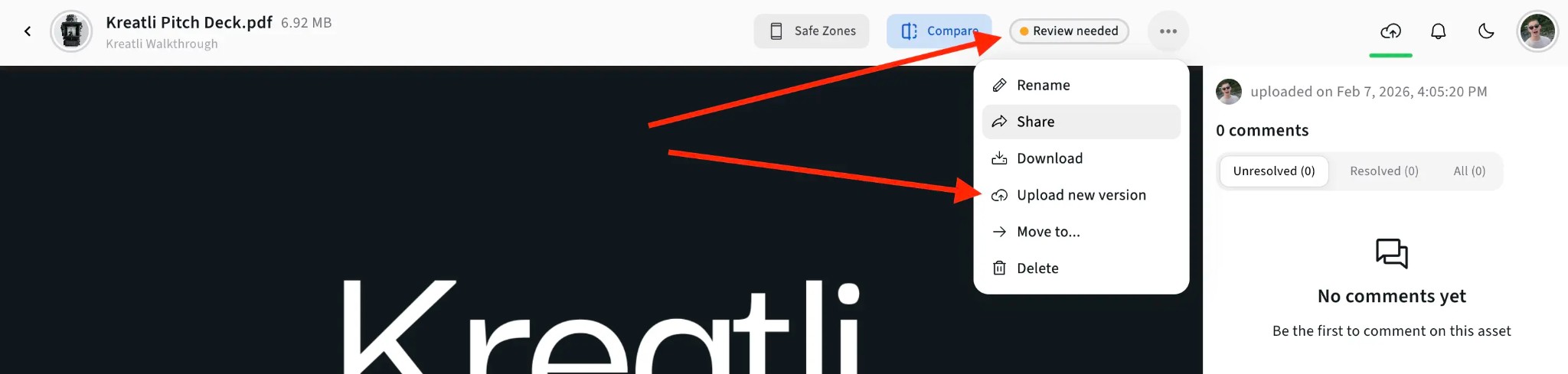
Generate a shareable review link. Clients, stakeholders, and team members can open the PDF and add their own feedback without creating an account.
Approve or Request Changes
Reviewers can approve the document or request changes. Track approval status, see who approved which version, and maintain a complete audit trail.
PDF Reviewer Features
Everything you need to review PDFs efficiently—from location-pinned feedback to final approval.
Location-Pinned Comments
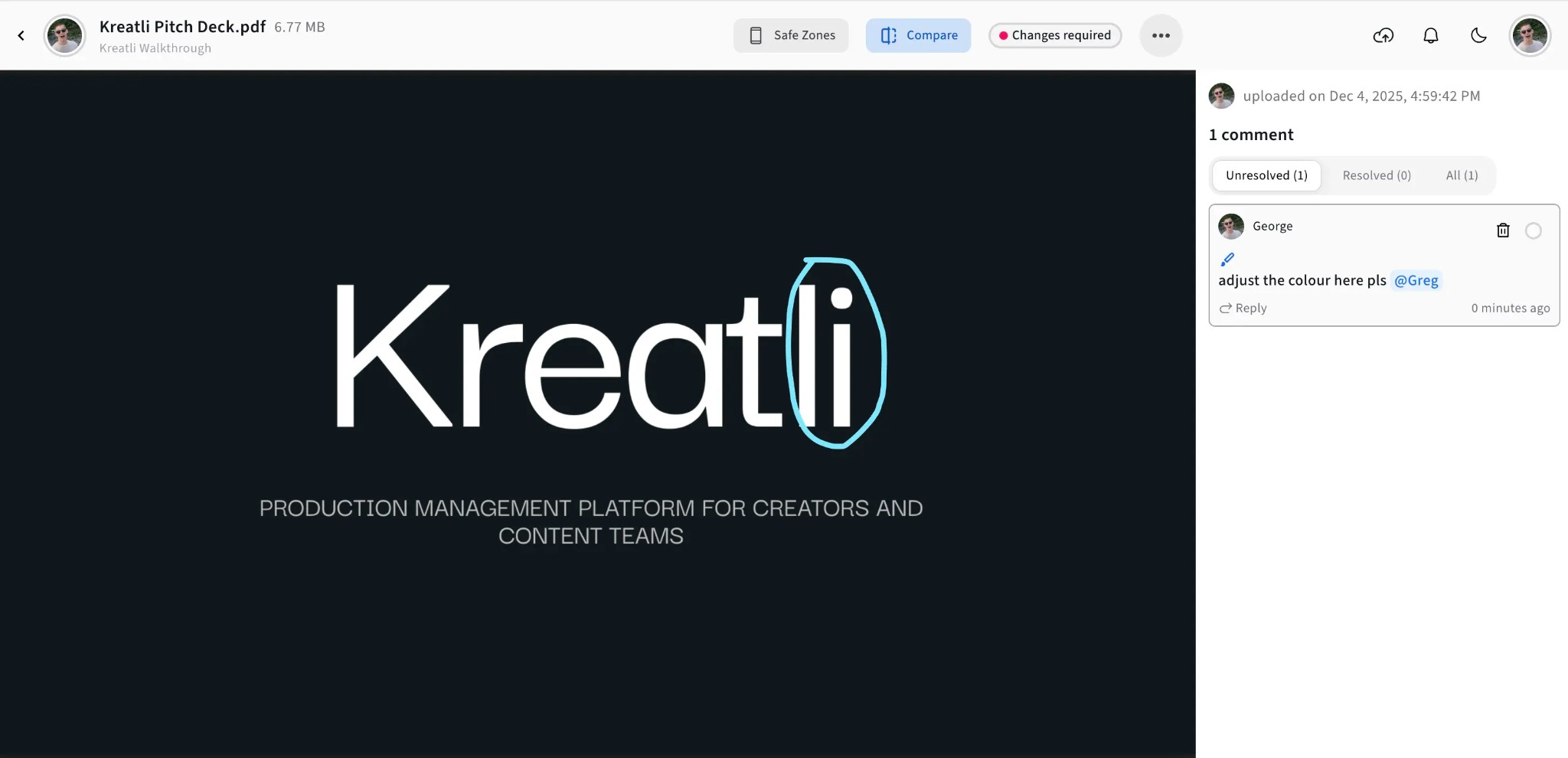
Every comment is tied to the exact page and spot. Designers and writers see precisely what to change—no more guessing which paragraph or element you mean.
Visual Annotations
Highlight text, draw shapes, add arrows, and use freehand markup directly on the PDF. Communicate changes visually for clearer feedback than text alone.
Guest Review Links
Share secure review links with anyone. Clients and stakeholders can review and comment without creating an account—reducing friction in the approval process.
Approval Workflows
Reviewers can approve or request changes. Track who approved what, when, and maintain a complete audit trail for every version.
Resolution Tracking
Mark comments as resolved or unresolved. Filter to show only what still needs attention and keep a clear record across review rounds.
Multi-Reviewer Support
Multiple reviewers can comment on the same PDF. See who wrote each comment, filter by reviewer, and consolidate all stakeholder feedback in one place.
Who Uses PDF Reviewers?
PDF reviewers streamline workflows for creative teams, agencies, and marketing departments.
Agencies & Studios
Review layouts, decks, and creative briefs with clients. Share review links so clients can add feedback without installing software or creating accounts.
Marketing & Brand Teams
Review campaign copy, brochures, and PDF deliverables with stakeholders. Consolidate feedback from legal, brand, and creative in one place before final approval.
Design & Editorial
Review PDFs with location-pinned comments and visual markup. Writers and designers see exactly what to change, reducing revision cycles and missed feedback.
Explore Kreatli's PDF Review Features
Learn more about PDF review, annotations, and approval workflows in Kreatli.
More Tools for Video Teams
Sign up free — no credit card required — and try these tools in Exploration Mode. Start a 7-day free trial when you’re ready for unlimited access.
PDF Annotator
Add location-pinned comments, highlights, drawings, and markup to PDFs. Share with clients; recipients do not need a Kreatli account.
PDF Highlighter
Highlight PDF text and regions with location-pinned markup. Share with clients; recipients do not need a Kreatli account.
PDF Comparer
Compare two PDF versions side by side with comments and annotations. Share with clients; recipients do not need a Kreatli account.
Document Annotator
Add location-pinned comments, highlights, drawings, and markup to documents (e.g. PDFs). Share with clients; recipients do not need a Kreatli account.
Frequently Asked Questions
Common questions about PDF reviewers, online PDF review, annotations, and collaboration.
Still Have Questions?
If you didn't find what you were looking for, contact us at support@kreatli.com.
More Resources
Learn more about PDF review workflows, annotations, and team collaboration.
PDF Review
Review PDFs in the same workspace as video with markup and approvals.
Review & Approval
Frame-accurate revisions and approvals for video content. Streamline your feedback workflow.
Annotate PDF
Annotate and review PDFs with comments and markup. Add feedback directly on PDFs for precise, location-pinned review.
Add Comments to PDF
Add comments to PDF with location-pinned, threaded feedback. Collaborate on PDFs without drawing tools.
Ready to streamline PDF reviews?
Kreatli is a Video Collaboration & Review Platform for creative teams. Review PDFs, collect location-pinned feedback, manage approvals, and deliver projects faster.