PDF Markup Tool
A PDF markup tool is DIY visual markup on a page. Kreatli stores it with the review thread. Use the PDF highlighter for highlight-only searches.
Upload a PDF to get started
Drag and drop a PDF here, or click the button below
What is a PDF markup tool?
A PDF markup tool is DIY visual markup on a page. Kreatli stores it with the review thread. Use the PDF highlighter for highlight-only searches.
Use this page when you searched for PDF markup tool. For PDF markup, see PDF markup. The cluster pillar is PDF annotator. See Kreatli pricing or read how to mark up a PDF.
PDF markup is how agencies collect legal, brand, and client notes on scripts, storyboards, and one-pagers. This free tool is ideal when you want a quick pass in the browser. When rounds stack up, switch to proof PDF on the platform and use compare PDF files to show what changed between versions. For a guided walkthrough, see how to mark up a PDF.
How to Annotate PDFs Online
Add location-pinned comments, highlights, drawings, and markup to your PDFs. Follow these steps to upload, annotate, and share with your team or clients—all in your browser.
Upload Your PDF
Upload your PDF to a Kreatli project. Your file is stored with version history so you can annotate and share for review in one place.
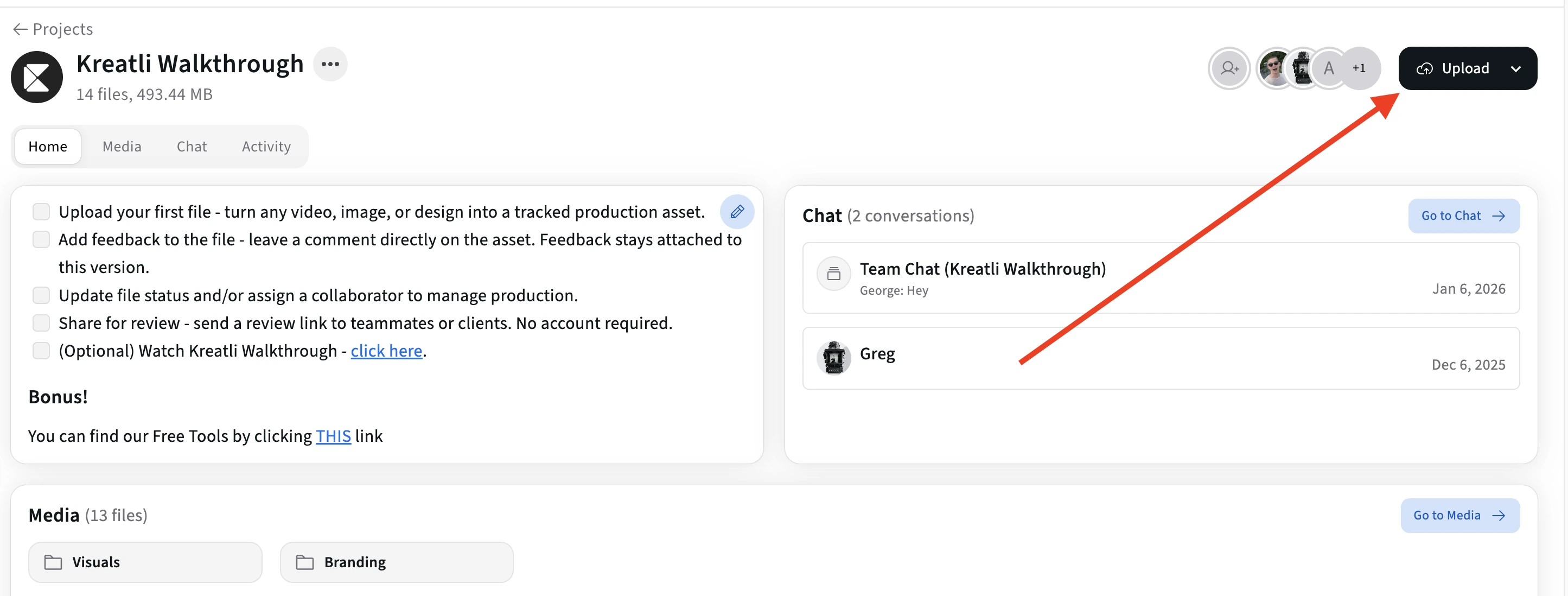
Open the PDF in the Review Interface
Open the asset to enter the review view. Navigate page by page and click or select any area where you want to add comments, highlights, or drawings.
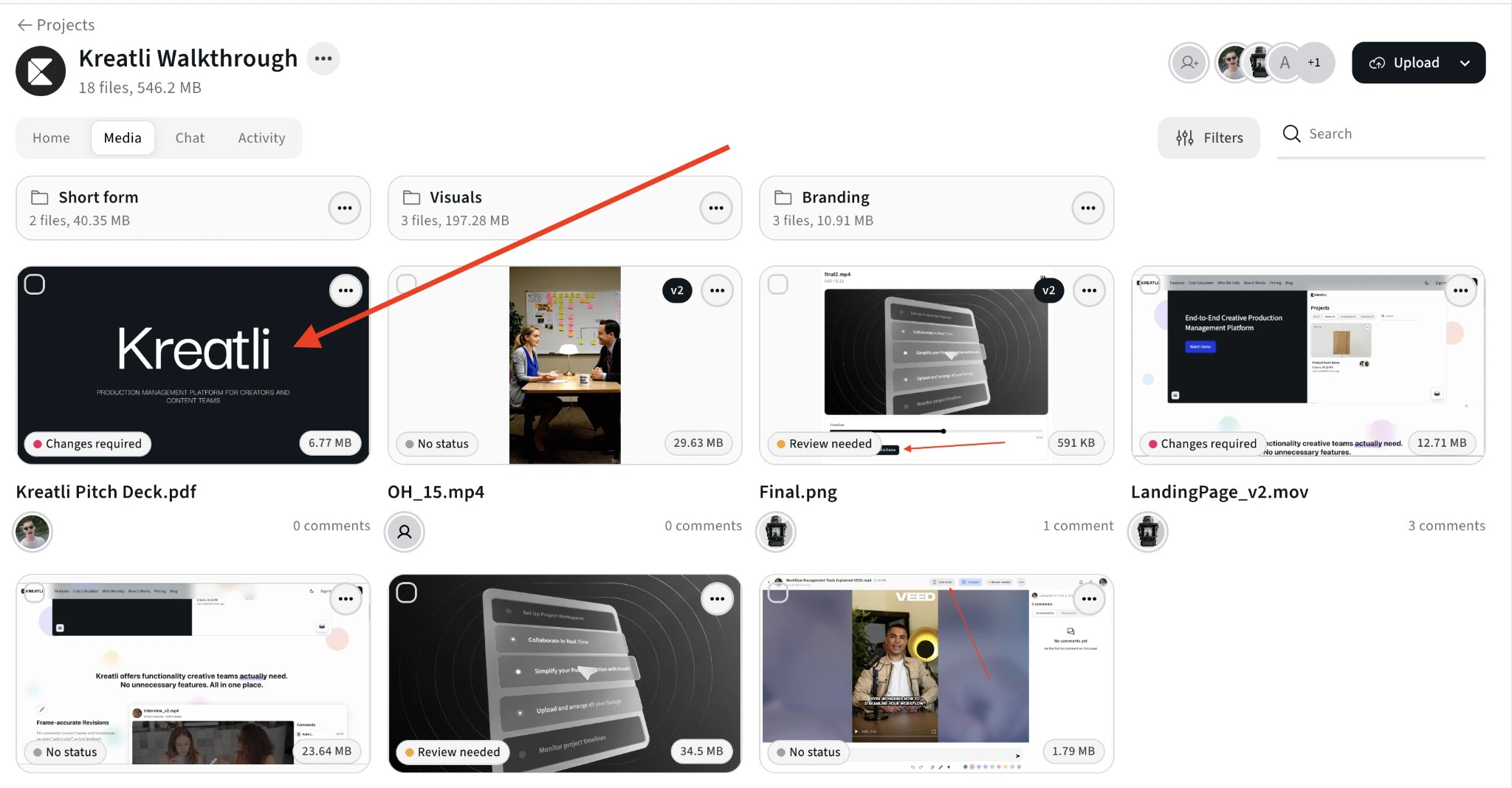
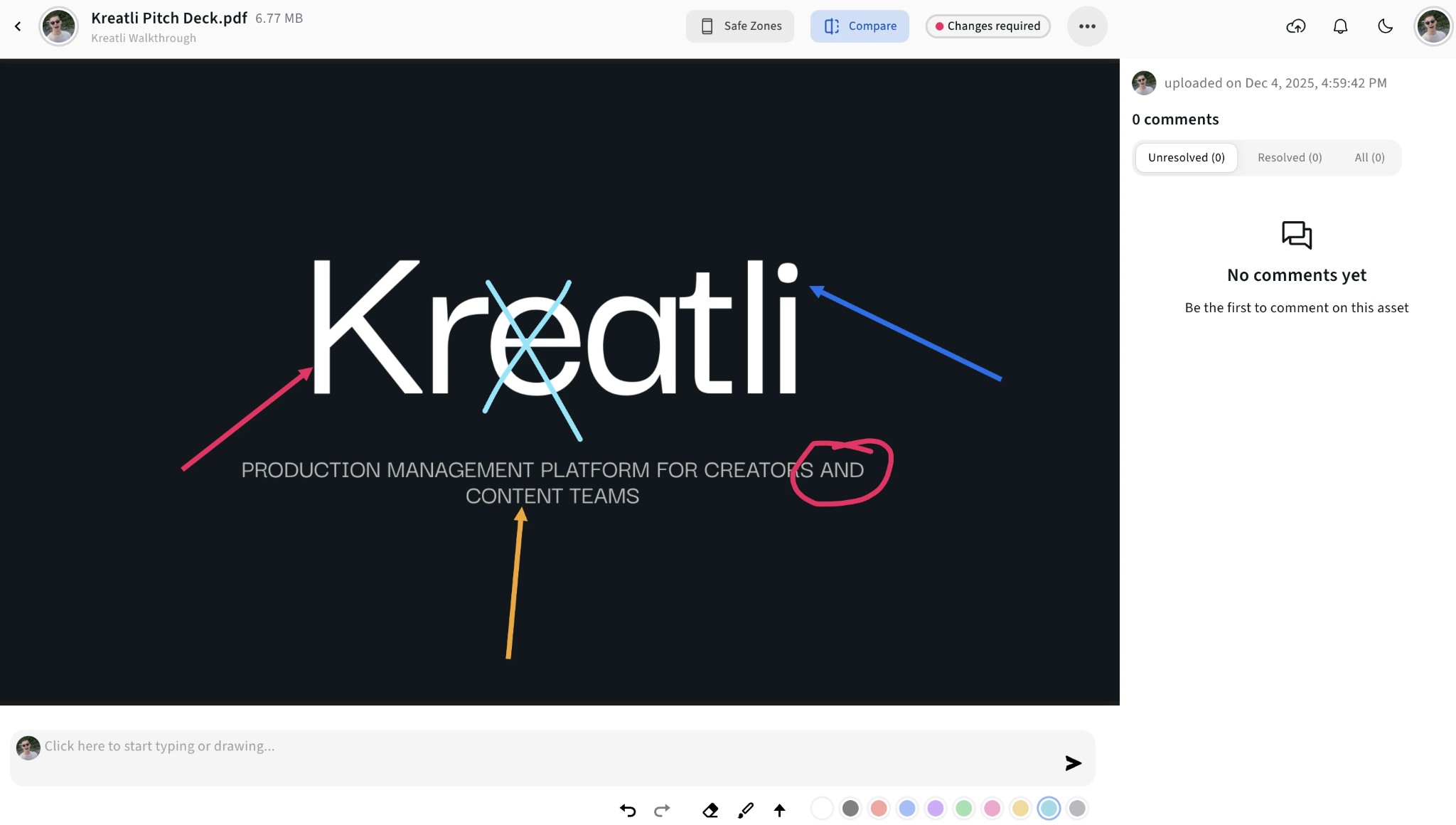
Add Annotations on the PDF
Add comments pinned to exact spots, use highlights and shapes to mark regions, and draw or use arrows to point to elements. All feedback stays tied to the right page and position.
See All Feedback and Jump to Spots
View all annotations in one place, filter by reviewer, and jump to any comment or markup. Track what’s resolved and what still needs attention.

Share for Approval or Track Resolution
Share a review link so clients can annotate without signing up. Mark comments resolved as you address them and upload new versions when needed.

PDF Annotator Features
Location-pinned comments, highlights, shapes, and drawings—everything you need to give precise feedback on PDFs.
Comments & Markup
Pin comments to exact spots on a page. Use highlights, shapes, arrows, and freehand drawing to mark regions and point to elements so designers and writers know precisely what to change.
Guest Annotator Links
Share secure links so clients and stakeholders can open the PDF, add comments and markup, and submit feedback without creating an account.
Resolution Tracking
Mark annotations as resolved or unresolved. Filter to show only what still needs attention and keep a clear record of what’s done and what’s pending across review rounds.
Multi-Reviewer Annotation
Multiple people can annotate the same PDF. Each person’s comments and markup are visible to everyone, with indicators for who added what. Filter by reviewer and consolidate feedback in one place.
Explore PDF Annotation in Kreatli
Learn more about annotating PDFs, drawing on PDFs, and review workflows.
More Tools for Creative Teams
Sign up free — no credit card required — and try these tools in Exploration Mode. Start a 7-day free trial when you’re ready for unlimited access.
PDF Annotator
Add location-pinned comments, highlights, drawings, and markup to PDFs. Share with clients; recipients do not need a Kreatli account.
PDF Reviewer
Review PDFs online with location-pinned comments, annotations, and approvals. Share with clients; recipients do not need a Kreatli account.
PDF Highlighter
Highlight PDF text and regions with location-pinned markup. Share with clients; recipients do not need a Kreatli account.
Document Annotator
Add location-pinned comments, highlights, drawings, and markup to documents (e.g. PDFs). Share with clients; recipients do not need a Kreatli account.
Frequently Asked Questions
Common questions about PDF annotators, location-pinned markup, and collaboration.
Still Have Questions?
Contact us at support@kreatli.com.
More Resources
Explore PDF proofing on the platform, comparison workflows, and step-by-step guides.
Annotate PDF
Annotate and review PDFs with comments and markup. Add feedback directly on PDFs for precise, location-pinned review.
Draw on PDF Document
Draw and markup directly on PDFs for precise feedback. Freehand, shapes, and annotations on PDFs.
Proof PDF
Run client-ready PDF review with markup and approvals tied to each page—alongside your video and creative assets.
Compare PDF files
Put two document versions side by side so reviewers can spot changes and approve with confidence.
How to mark up a PDF
Step-by-step markup workflows for creative and client PDF review.
Help center
FAQs, workflows, and pointers to guides and platform features.
Ready to mark up PDFs with your team?
Kreatli offers location-pinned PDF markup, drawing on PDFs, and approval workflows in one workspace with your video and creative assets.