PDF Annotator
A PDF annotator is a DIY tool for leaving location-pinned notes on a PDF. Kreatli can share a guest link. Use PDF reviewer for “review” searches; use this for “annotator.”
Upload a PDF to get started
Drag and drop a PDF here, or click the button below
What is a PDF annotator?
A PDF annotator is a DIY tool for leaving location-pinned notes on a PDF. Kreatli can share a guest link. Use PDF reviewer for “review” searches; use this for “annotator.”
Use this page when you searched for PDF annotator. For annotate PDF, see annotate PDF. The cluster pillar is PDF reviewer. See Kreatli pricing or read how to annotate a document.
How to Annotate PDFs Online
Add location-pinned comments, highlights, drawings, and markup to your PDFs. Follow these steps to upload, annotate, and share with your team or clients—all in your browser.
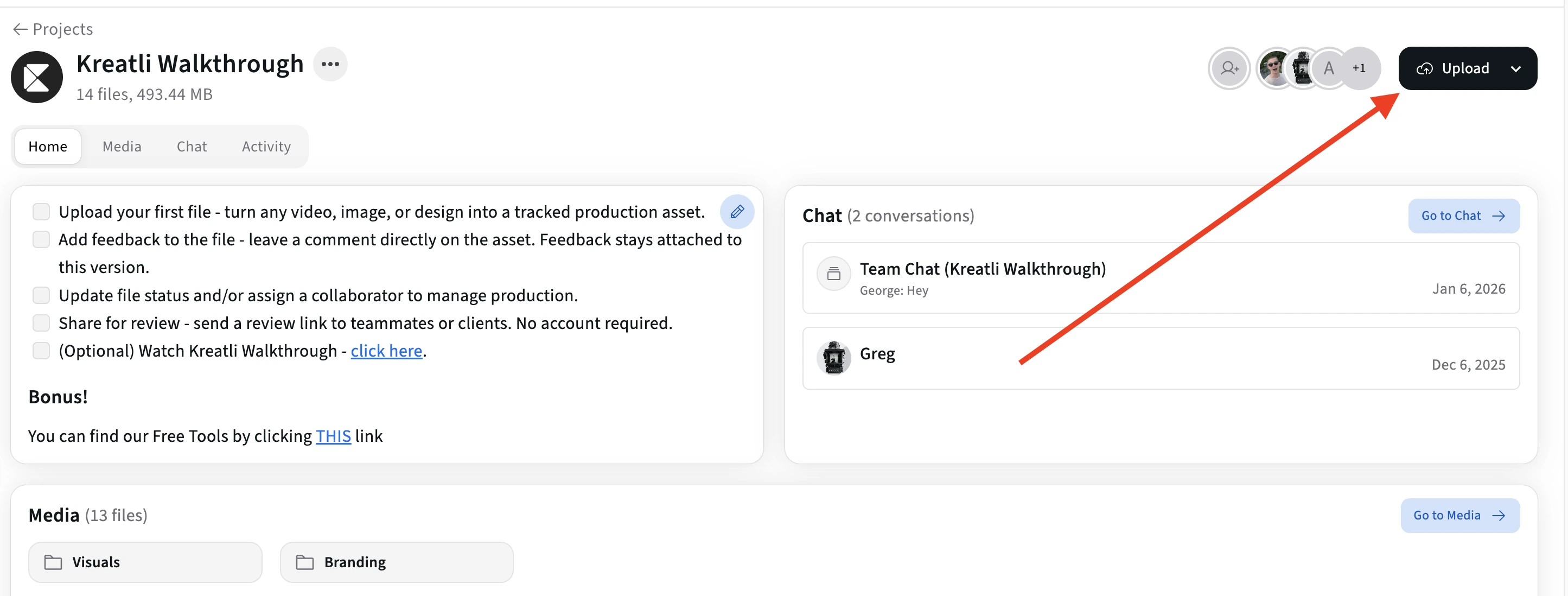
Upload Your PDF
Upload your PDF to a Kreatli project. Your file is stored with version history so you can annotate and share for review in one place.
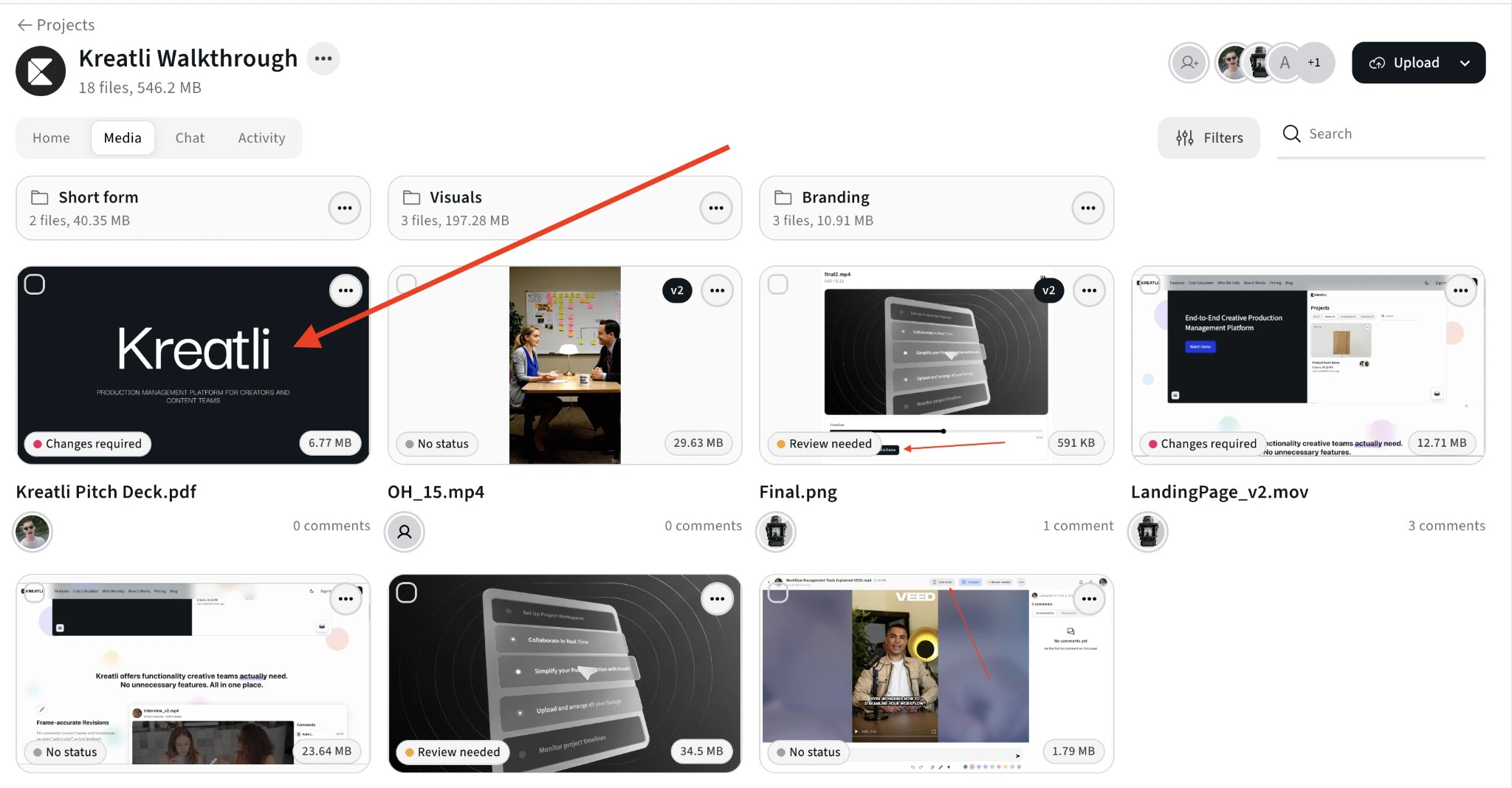
Open the PDF in the Review Interface
Open the asset to enter the review view. Navigate page by page and click or select any area where you want to add comments, highlights, or drawings.
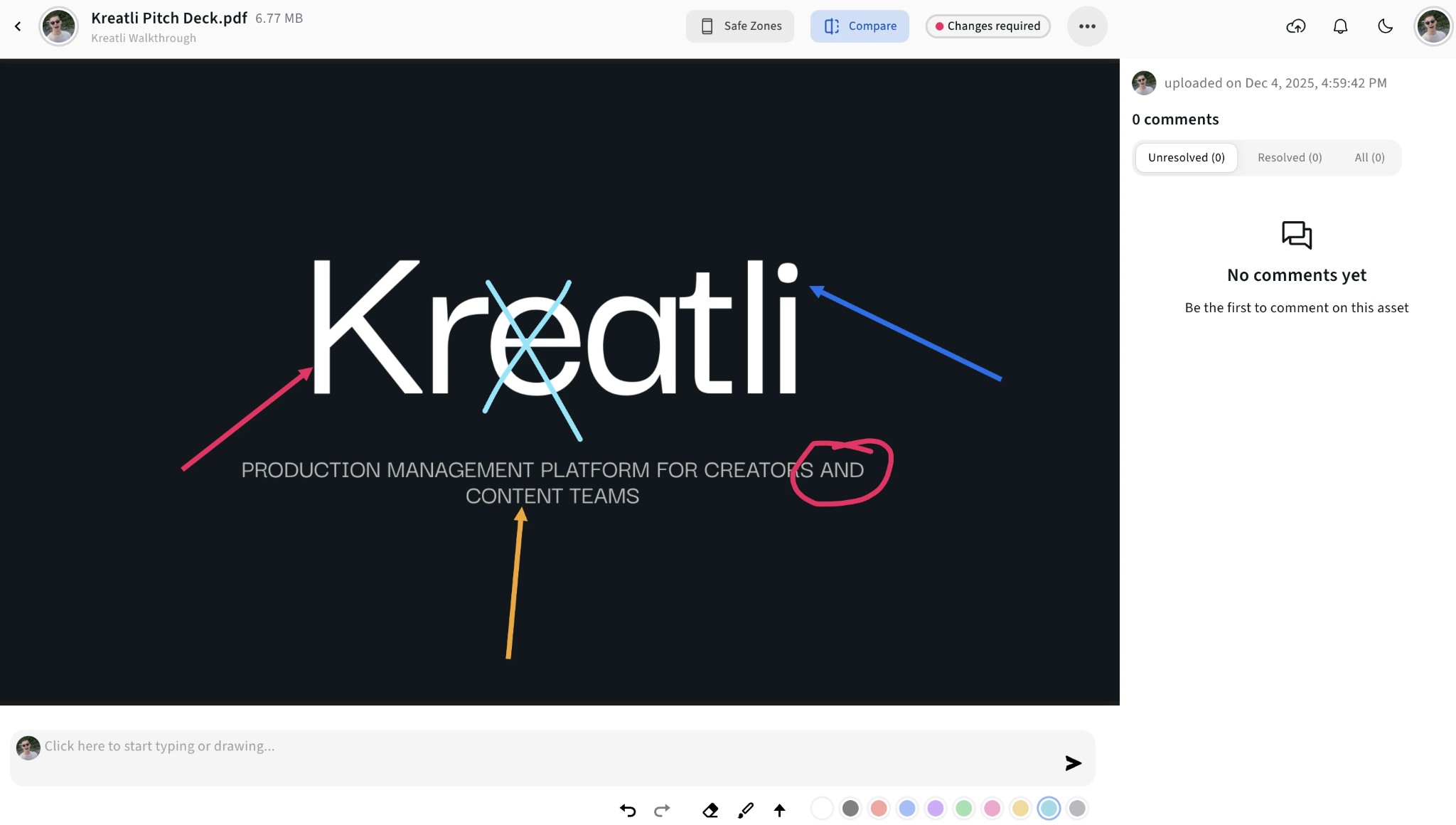
Add Annotations on the PDF
Add comments pinned to exact spots, use highlights and shapes to mark regions, and draw or use arrows to point to elements. All feedback stays tied to the right page and position.
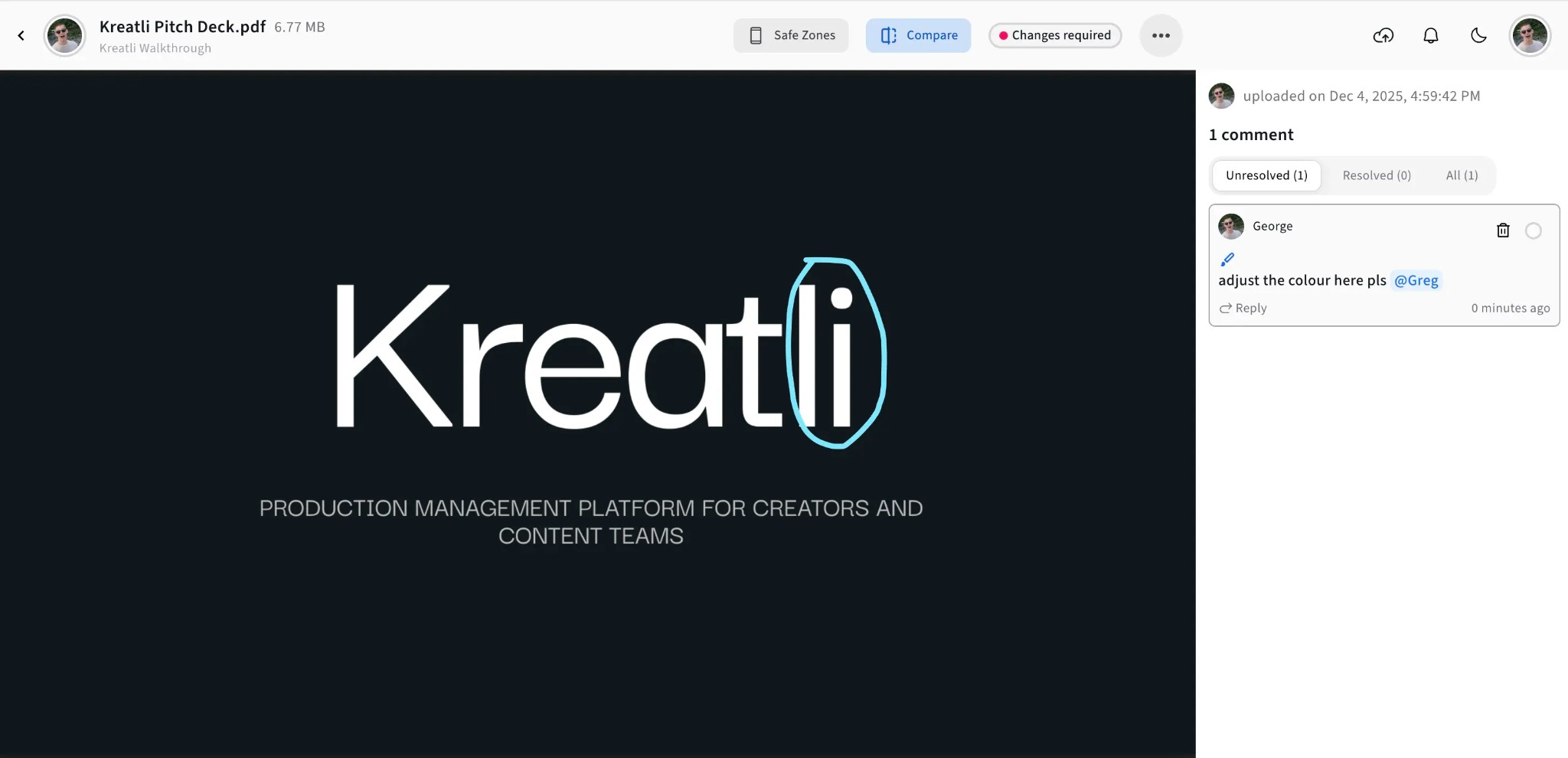
See All Feedback and Jump to Spots
View all annotations in one place, filter by reviewer, and jump to any comment or markup. Track what’s resolved and what still needs attention.
Share for Approval or Track Resolution
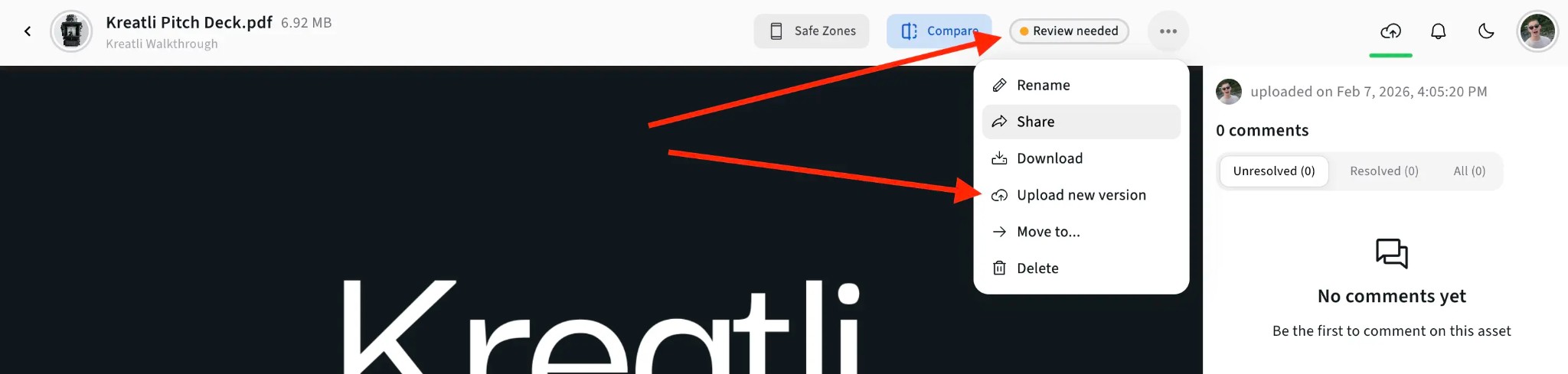
Share a review link so clients can annotate without signing up. Mark comments resolved as you address them and upload new versions when needed.
PDF Annotator Features
Location-pinned comments, highlights, shapes, and drawings—everything you need to give precise feedback on PDFs.
Comments & Markup
Pin comments to exact spots on a page. Use highlights, shapes, arrows, and freehand drawing to mark regions and point to elements so designers and writers know precisely what to change.
Guest Annotator Links
Share secure links so clients and stakeholders can open the PDF, add comments and markup, and submit feedback without creating an account.
Resolution Tracking
Mark annotations as resolved or unresolved. Filter to show only what still needs attention and keep a clear record of what’s done and what’s pending across review rounds.
Multi-Reviewer Annotation
Multiple people can annotate the same PDF. Each person’s comments and markup are visible to everyone, with indicators for who added what. Filter by reviewer and consolidate feedback in one place.
Explore PDF Annotation in Kreatli
Learn more about annotating PDFs, drawing on PDFs, and review workflows.
More Tools for Creative Teams
Sign up free — no credit card required — and try these tools in Exploration Mode. Start a 7-day free trial when you’re ready for unlimited access.
PDF Reviewer
Review PDFs online with location-pinned comments, annotations, and approvals. Share with clients; recipients do not need a Kreatli account.
PDF Highlighter
Highlight PDF text and regions with location-pinned markup. Share with clients; recipients do not need a Kreatli account.
Document Annotator
Add location-pinned comments, highlights, drawings, and markup to documents (e.g. PDFs). Share with clients; recipients do not need a Kreatli account.
PDF Comparer
Compare two PDF versions side by side with comments and annotations. Share with clients; recipients do not need a Kreatli account.
Frequently Asked Questions
Common questions about PDF annotators, location-pinned markup, and collaboration.
Still Have Questions?
Contact us at support@kreatli.com.
More Resources
Explore other Kreatli platform features for PDF annotation, review, and collaboration.
Annotate PDF
Annotate and review PDFs with comments and markup. Add feedback directly on PDFs for precise, location-pinned review.
Draw on PDF Document
Draw and markup directly on PDFs for precise feedback. Freehand, shapes, and annotations on PDFs.
Add Comments to PDF
Add comments to PDF with location-pinned, threaded feedback. Collaborate on PDFs without drawing tools.
Secure Asset Storage
Enterprise-grade storage for creative assets. Organize files, track versions, and protect your media with reliable infrastructure.
Ready to annotate PDFs with your team?
Kreatli offers location-pinned PDF annotation, drawing on PDFs, and approval workflows. Add comments and markup in one place with your video and creative assets.