Video Feedback Tool
Timestamped comments, drawings on the frame, and one guest link. Agencies and PR teams collect client notes on a cut without Slack threads or extra accounts. This video feedback tool is the review surface—not a generic chat widget.
Upload a video or image to get started
Drag and drop a file here, or click the button below
What is a video feedback tool?
A video feedback tool is software for leaving timestamped comments and drawings on a cut. Reviewers pin notes to a frame, share a link, and keep the thread with the file instead of in email. Kreatli’s video feedback tool is built for online video review and approval—not generic chat.
When teams use this
- A PR agency sends a campaign spot to a client; stakeholders leave timestamped notes without creating accounts.
- A creative director leaves timestamped notes on a brand film instead of a paragraph in email.
- A producer filters unresolved comments before the next edit round.
Use this when the job is commenting. Use the video reviewer when you searched “video review,” and the team comment-on-video page when the whole workspace needs threaded review.
Use this page when you searched for video feedback tool. For team video feedback, see team video feedback. The cluster pillar is comment on video. See Kreatli pricing or read how to comment on a video.
How to Give Video Feedback
Frame-accurate feedback in minutes—perfect for creative reviews, client approvals, and team collaboration on video projects.
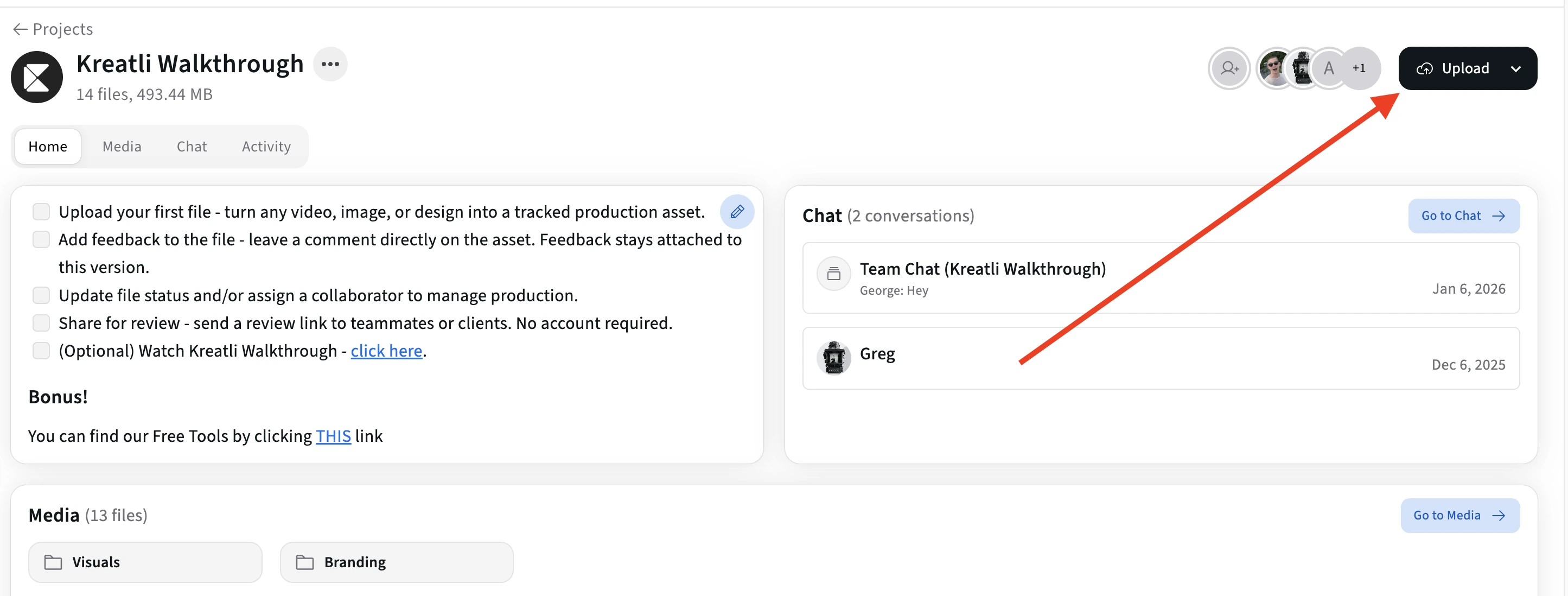
Upload Your Video
Drag and drop a video file or click to browse. Supports MP4, MOV, and WebM formats. Your video loads instantly for review.
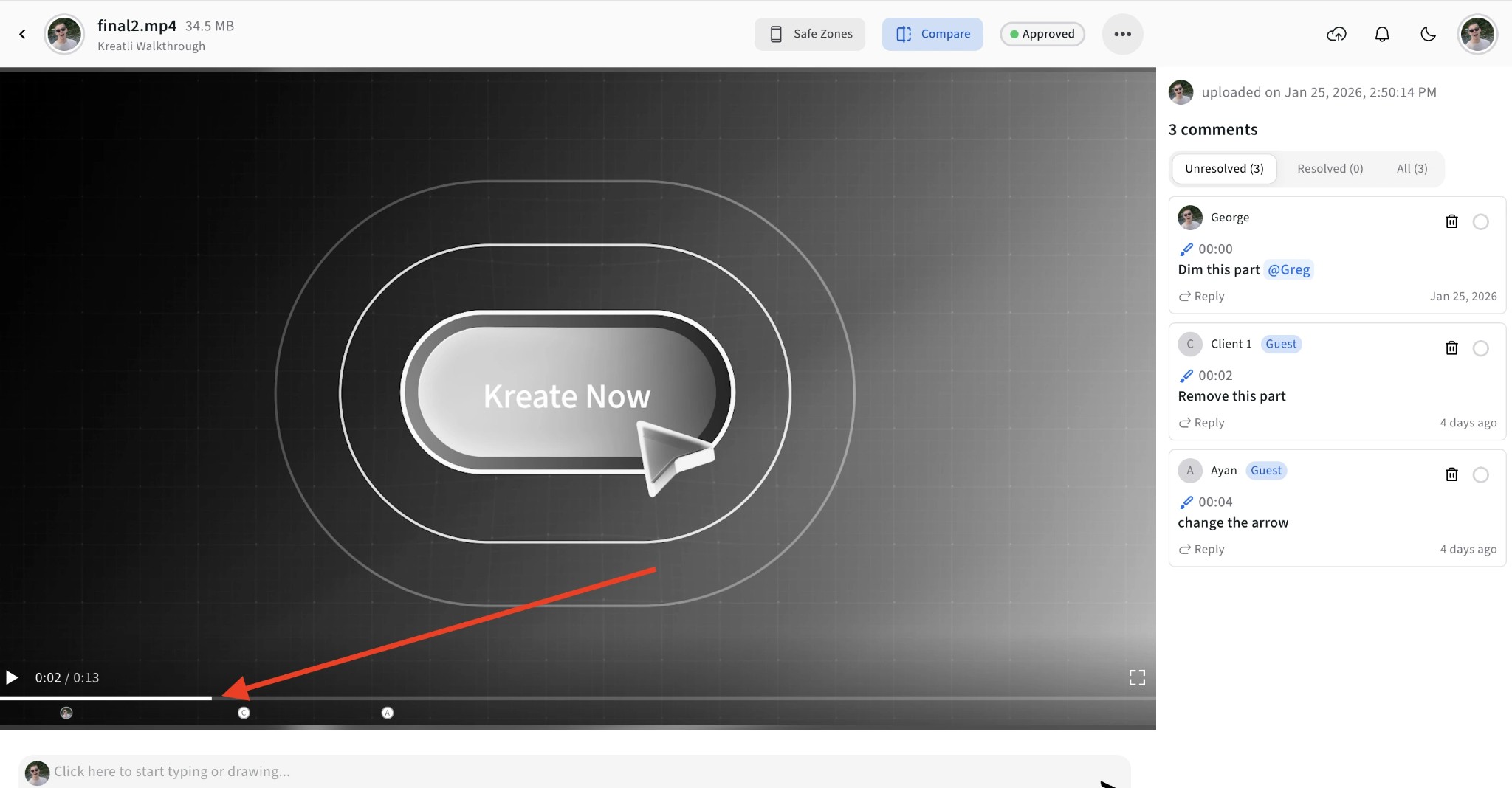
Scrub to the Exact Frame
Use the timeline to navigate to any moment in the video. Every comment and annotation you add will be pinned to that exact frame and timestamp.
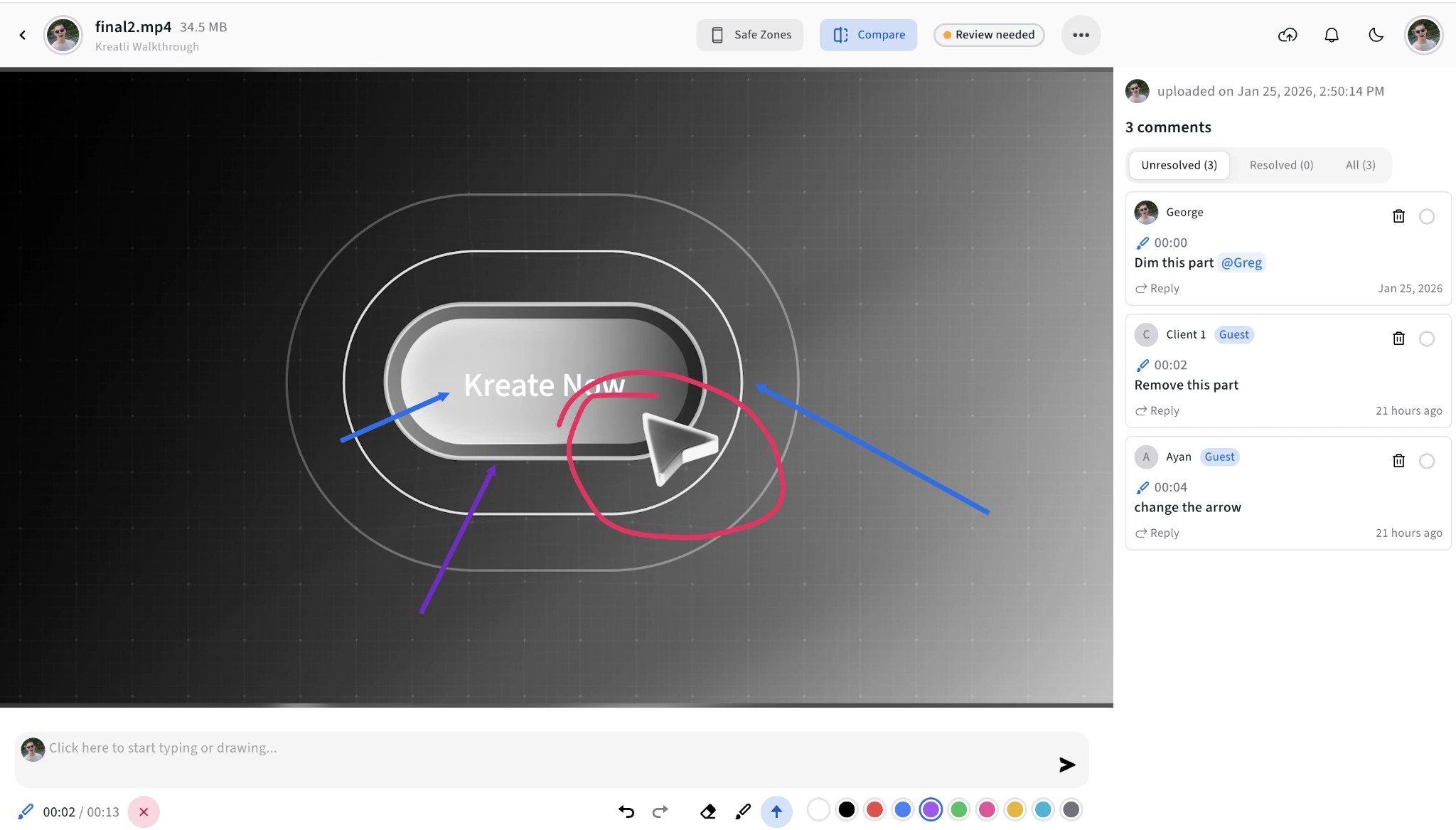
Add Comments and Annotations
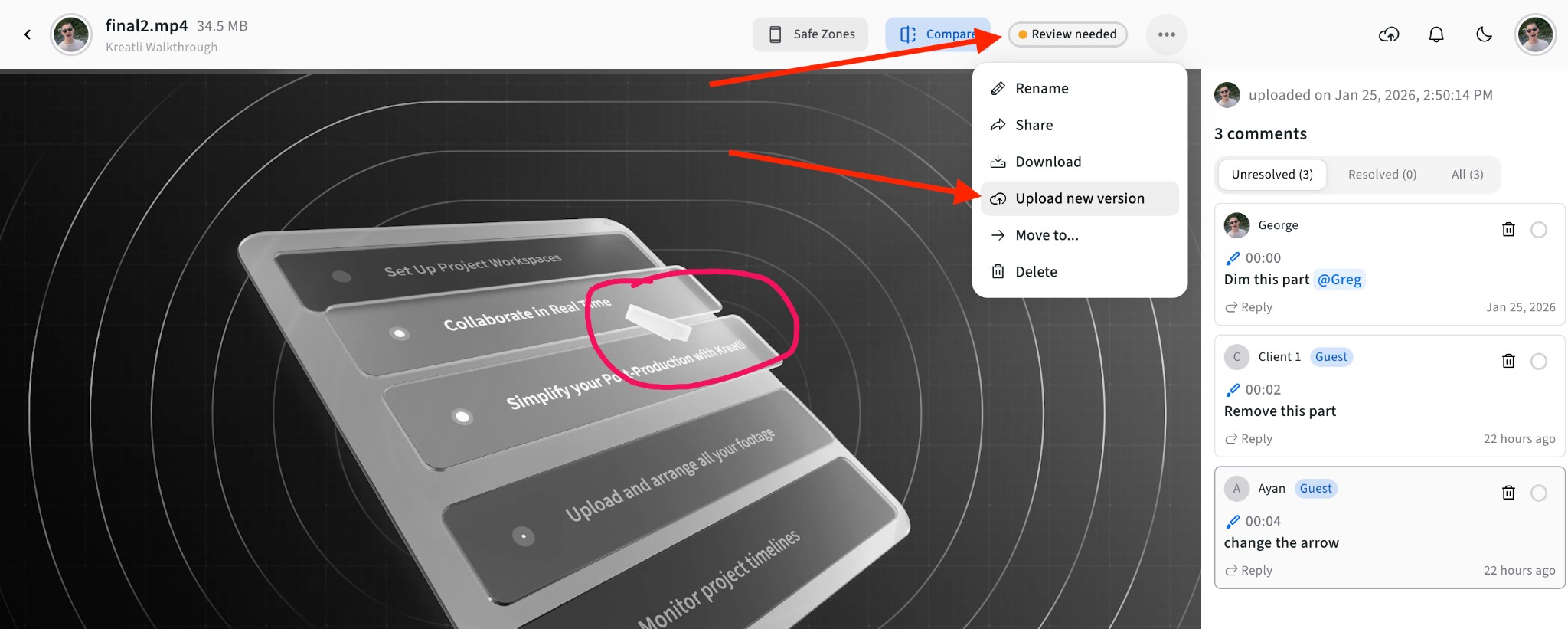
Click anywhere on the video to add a comment. Use drawing tools to highlight specific areas with freehand, shapes, or arrows. Your feedback is tied to the exact moment.
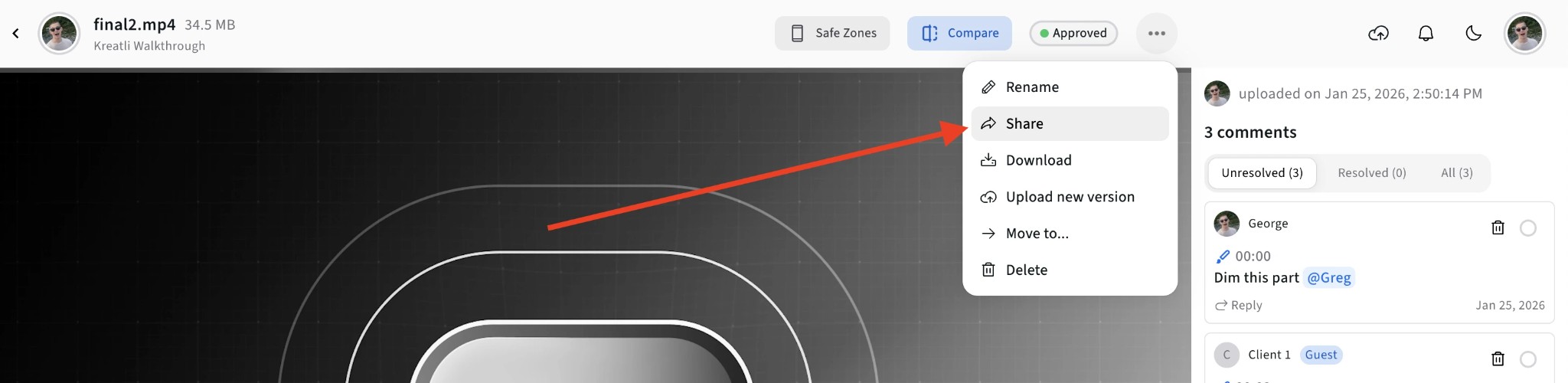
Share with Your Team or Clients
Generate a shareable review link. Clients and collaborators can view the video and add their own feedback without creating an account.
Track Versions and Resolve Feedback
See all feedback in one place. Mark comments as resolved as you address them. Track versions and compare feedback across revisions.
Video Feedback Tool Features
Everything you need to collect, organize, and act on video feedback—from first draft to final approval.
Frame-Accurate Comments
Every comment is pinned to an exact frame and timestamp. Editors can jump directly to the moment that needs attention—no more vague descriptions like "around the 2-minute mark."
Visual Annotations
Draw directly on video frames with freehand, shapes, arrows, and markers. Highlight exactly what needs to change with visual markup that leaves no room for misinterpretation.
No-Signup Review Links
Share a secure link with clients or collaborators. They can watch the video, add comments and annotations, and submit feedback without creating an account—reducing friction in approval workflows.
Resolution Tracking
Mark feedback as resolved or unresolved. Filter to show only pending items. Track which comments have been addressed across multiple review rounds and versions.
Version Comparison
Upload new versions of your video and compare them side by side. See feedback from previous versions, track what changed, and maintain a complete revision history.
Team Collaboration
Multiple reviewers can add feedback simultaneously. See who wrote each comment, filter by reviewer, and keep all stakeholder input organized in one threaded conversation.
Common Use Cases
Video feedback software for agencies, PR teams, and production studios—one link per cut, not another Slack thread.
Agencies & PR teams
Send a campaign spot or press cut as one guest link. Clients leave timestamped notes without creating accounts. The account team sees unresolved comments before the next round. After the first cut, grow into the agency review tool.
Client Approvals
Share videos with clients for review and approval. Collect frame-accurate feedback, request changes, or get sign-off—all in one place with a clear audit trail.
Creative Reviews
Review rough cuts, edits, and work-in-progress with your team. Add visual annotations to communicate changes clearly and speed up revision cycles.
Post-Production QA
Document issues at exact timecodes for color correction, audio sync, visual effects, and final delivery. Track fixes across multiple review rounds.
Explore Kreatli's Video Feedback Features
Learn more about frame-accurate video feedback, annotation tools, and approval workflows in Kreatli.
More Tools for Video Teams
Sign up free — no credit card required — and try these tools in Exploration Mode. Start a 7-day free trial when you’re ready for unlimited access.
Video Reviewer
Review videos online with frame-accurate comments, visual annotations, and approval workflows. Share with clients; recipients do not need a Kreatli account.
Video Comparer
Compare two video versions side by side with frame-accurate comments and annotations. Share with clients; recipients do not need a Kreatli account.
Video Annotator
Add frame-accurate comments, drawings, and markup to video. Pin feedback to exact timestamps and share with clients; recipients do not need a Kreatli account.
Video Frame Extractor
Extract still frames from a video and download them as PNG/JPG. Processing runs locally in your browser for fast exports. Sign in to use the tool; start a trial or choose a plan if your subscription isn’t active.
Frequently Asked Questions
Common questions about video feedback tools, video feedback software, and agency client review.
Still Have Questions?
If you didn't find what you were looking for, contact us at support@kreatli.com.
More Resources
Learn more about video feedback workflows, annotation tools, and team collaboration.
Comment on Video
Comment on video with frame-accurate, timestamp-pinned feedback. Threaded discussions tied to exact frames.
Agency Review Tool
Multi-project review and approval built for creative agency workflows.
Video Reviewer
Review videos online with frame-accurate comments, visual annotations, and approval workflows. Recipients do not need a Kreatli account on shared review links.
How to comment on a video
Leave timestamped comments on a cut without emailing timecodes.
Wondering how Kreatli compares? See how Kreatli compares to Frame.io →
Ready to streamline video feedback?
Kreatli is a Video Collaboration & Review Platform for creative teams. Upload videos, collect frame-accurate feedback, manage approvals, and move projects forward faster.