Updated for TikTok 2026 specs — validate in the checker before you publish.
TikTok safe zone vs Reels safe zone
TikTok safe zone and tiktok safe zones searches land here: 1080×1920 with a typical text safe area around 1080×1420px. Instagram Reels overlays differ — use the Reels guide for side-by-side planning.
Need an instant overlay preview? Open the TikTok safe zone checker. Deep CapCut and editor steps stay in the guide body below.
Quick answers
Short answers to common searches—see the full guide below for depth, templates, and workflows.
TikTok Safe Zone Guide (2026)
Learn TikTok safe zones, text placement rules, and best practices to avoid UI overlap and scale high-performing short-form video production.
Article summary
Learn TikTok safe zones, text placement rules, and best practices to avoid UI overlap and scale high-performing short-form video production.
TikTok Safe Zone Checker
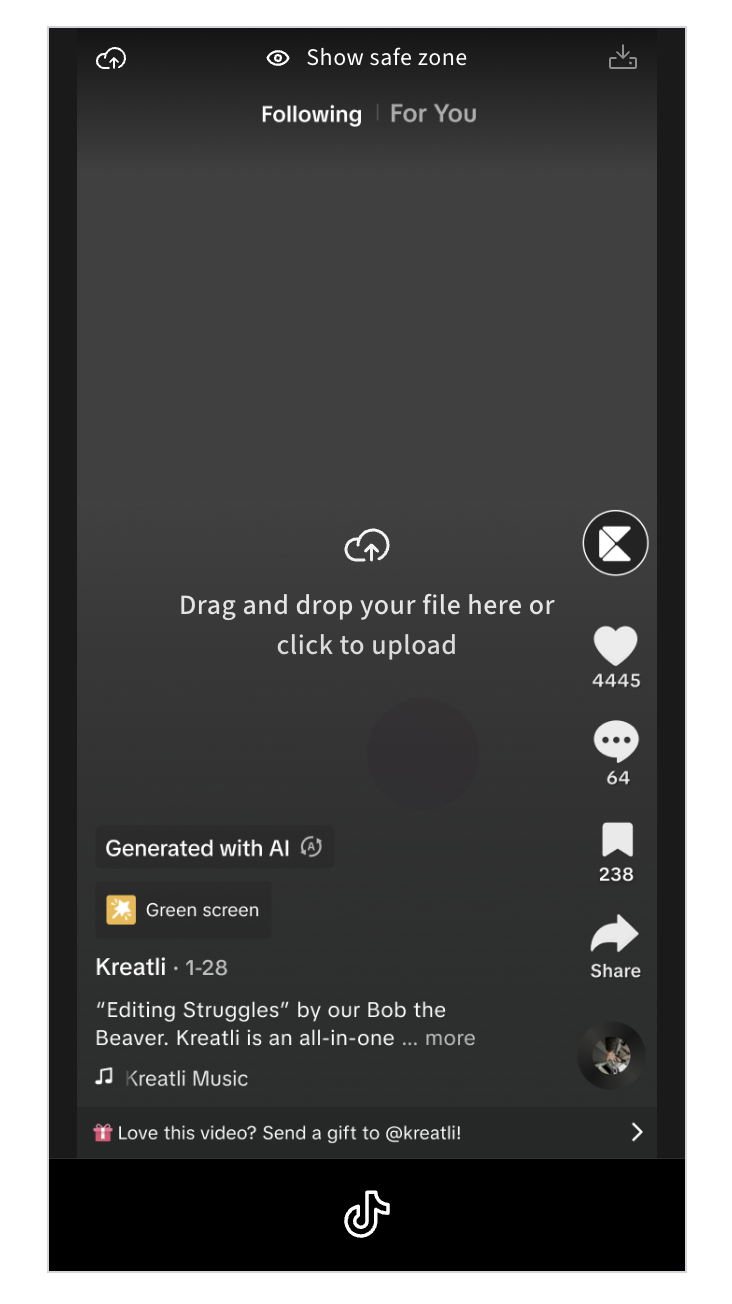
If you want to ensure your captions, subtitles, and key visuals never get buried under TikTok’s UI, use our free TikTok Safe Zone Checker. It overlays TikTok-accurate safe zones so you can catch issues before publishing.
Upload your video, apply the safe zone template, and export with confidence. No sign-up required.
TikTok Safe Zone Checker:
https://kreatli.com/social-media-safe-zone-checker/tiktok-safe-zone-checker
How to Use Safe-Zone Checker in Your Workflow
Step-by-step guide:
Step 1. Upload Your Video in Kreatli
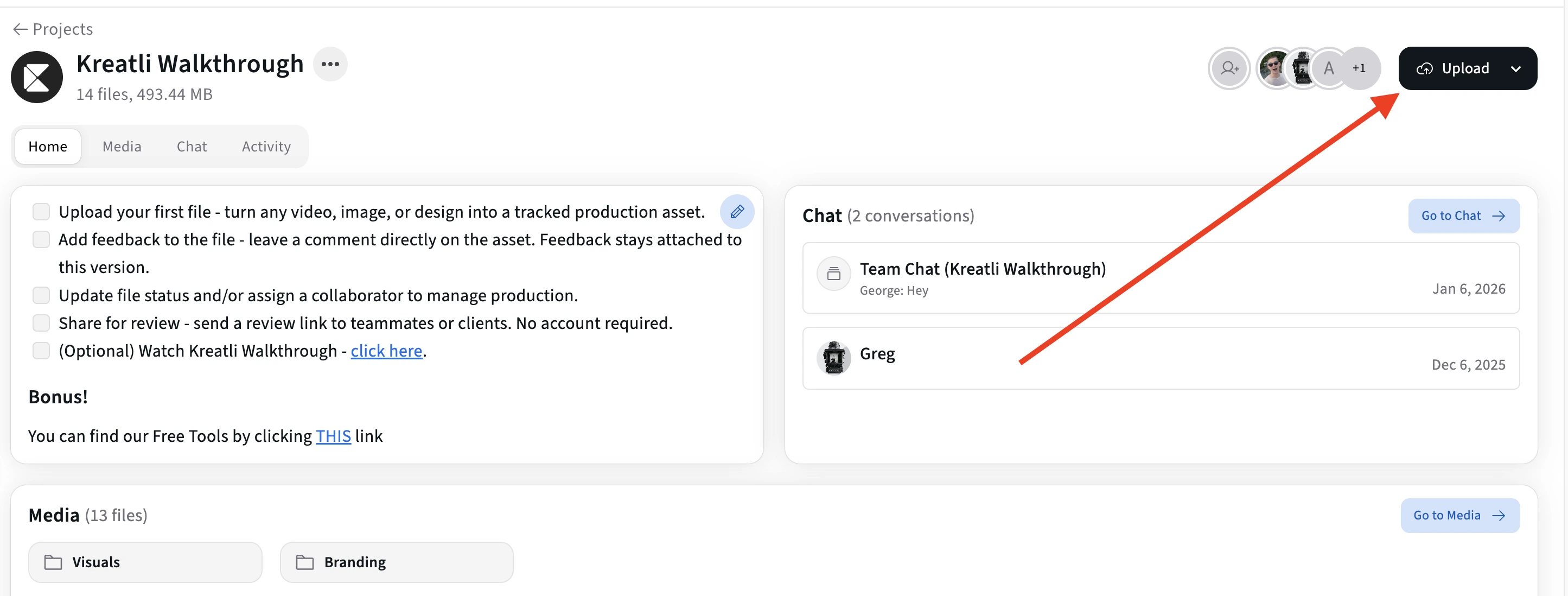
Drag and drop your file to see safe zone overlays showing where UI elements appear on your content.
You can use the Safe Zone Checker with any type of creative asset, not just finished videos. This includes:
Videos
Static images
Thumbnails
Storyboards or design drafts
Early-stage mockups
While we recommend a 1080 × 1920 (9:16) canvas size because it aligns with most vertical social platforms, Kreatli does not restrict you to this format. The tool is intentionally flexible so you can validate layouts at any stage of production and with any dimensions that fit your workflow.
Step 2. Open It and Turn On the Safe Zone Overlay
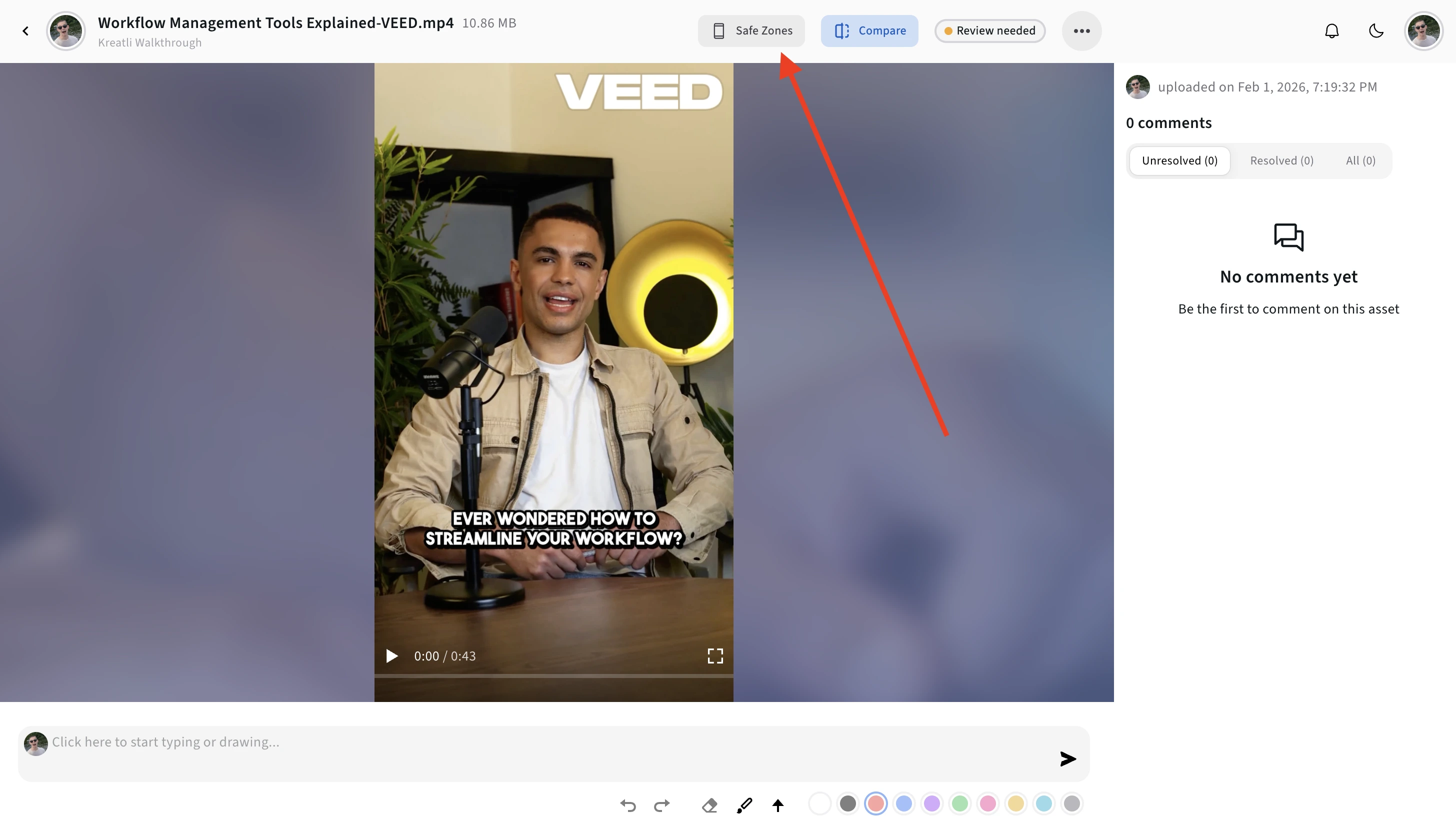
Open the video in the player, then activate the safe zone overlay to see where each platform's UI elements (buttons, captions, profile bars) will appear on your content.
This helps you keep important text, logos, and CTAs in the visible area.
Step 3. Choose Your Platform and Toggle Overlays
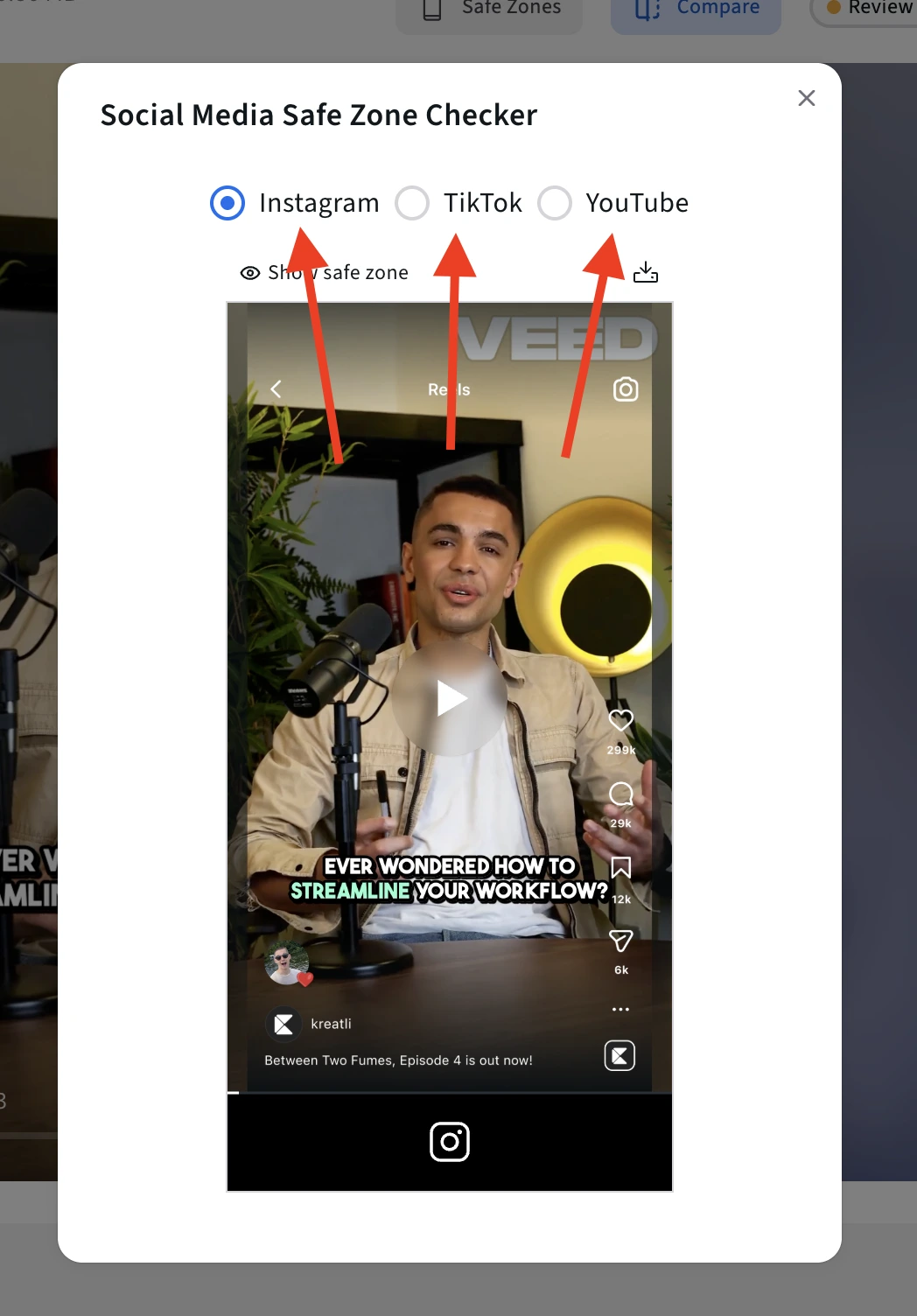
Use the platform selector to switch between:
TikTok
Instagram Reels
YouTube Shorts
Each overlay reflects where key UI elements typically appear, allowing you to quickly spot differences between platforms and ensure your layout works everywhere you plan to publish.
Step 4. Turn the Platform Overlay On or Off as Needed
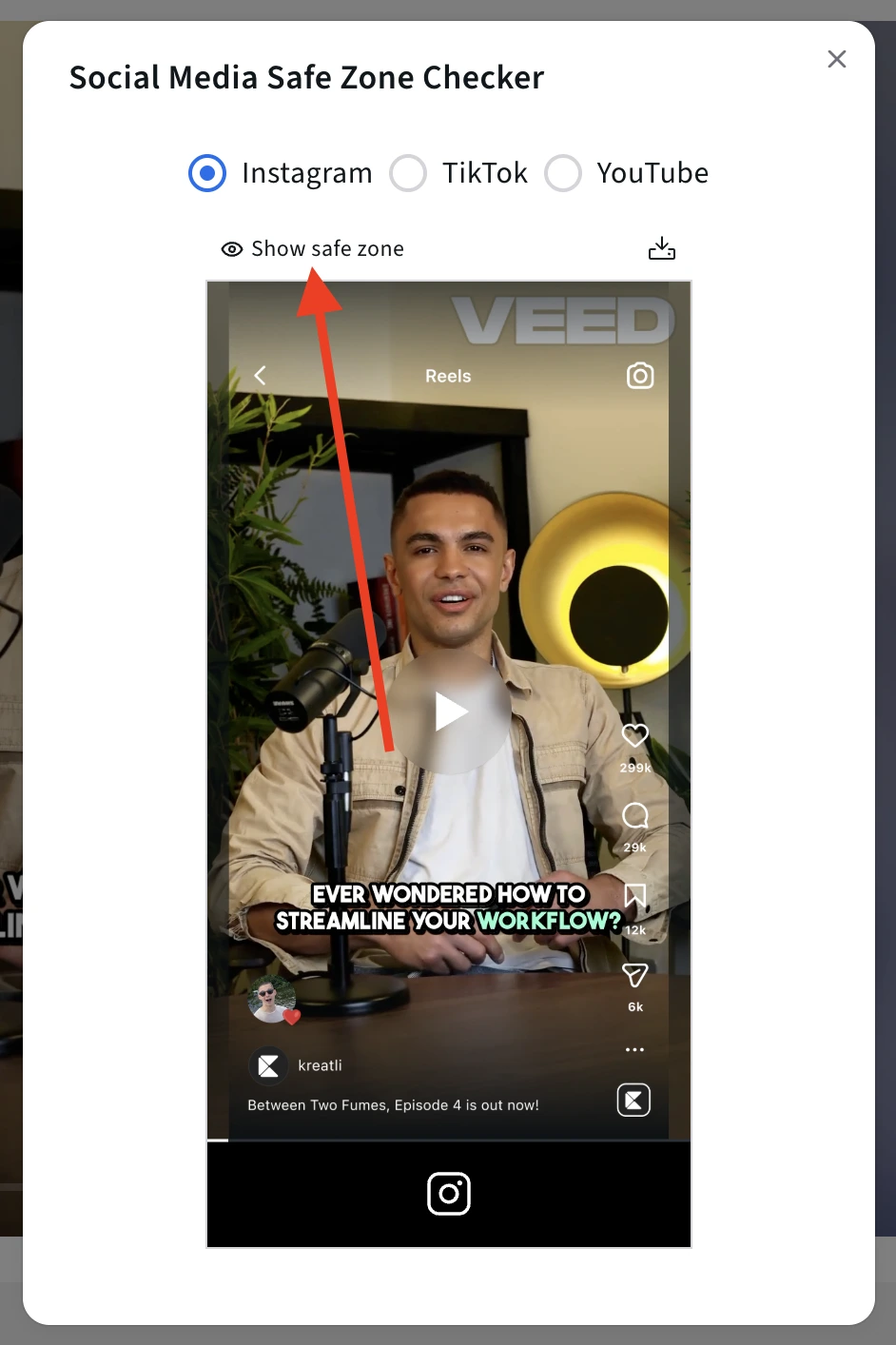
Once you are satisfied with how your content looks across all platform overlays, you can export it directly from the Safe Zone Checker.
Download the asset with the safe zone overlays applied, so everyone involved clearly understands which areas are safe and which are at risk.
Use this exported version to:
Share with stakeholders for final sign-off
Align editors, designers, and social managers on layout constraints
Document safe zone guidelines for future iterations
This exported file acts as a single source of truth for your team, ensuring that when the final version is published, all critical elements remain visible and compliant with platform UI requirements.
Step 5. Review, Get Feedback, Share for Approval, or Download
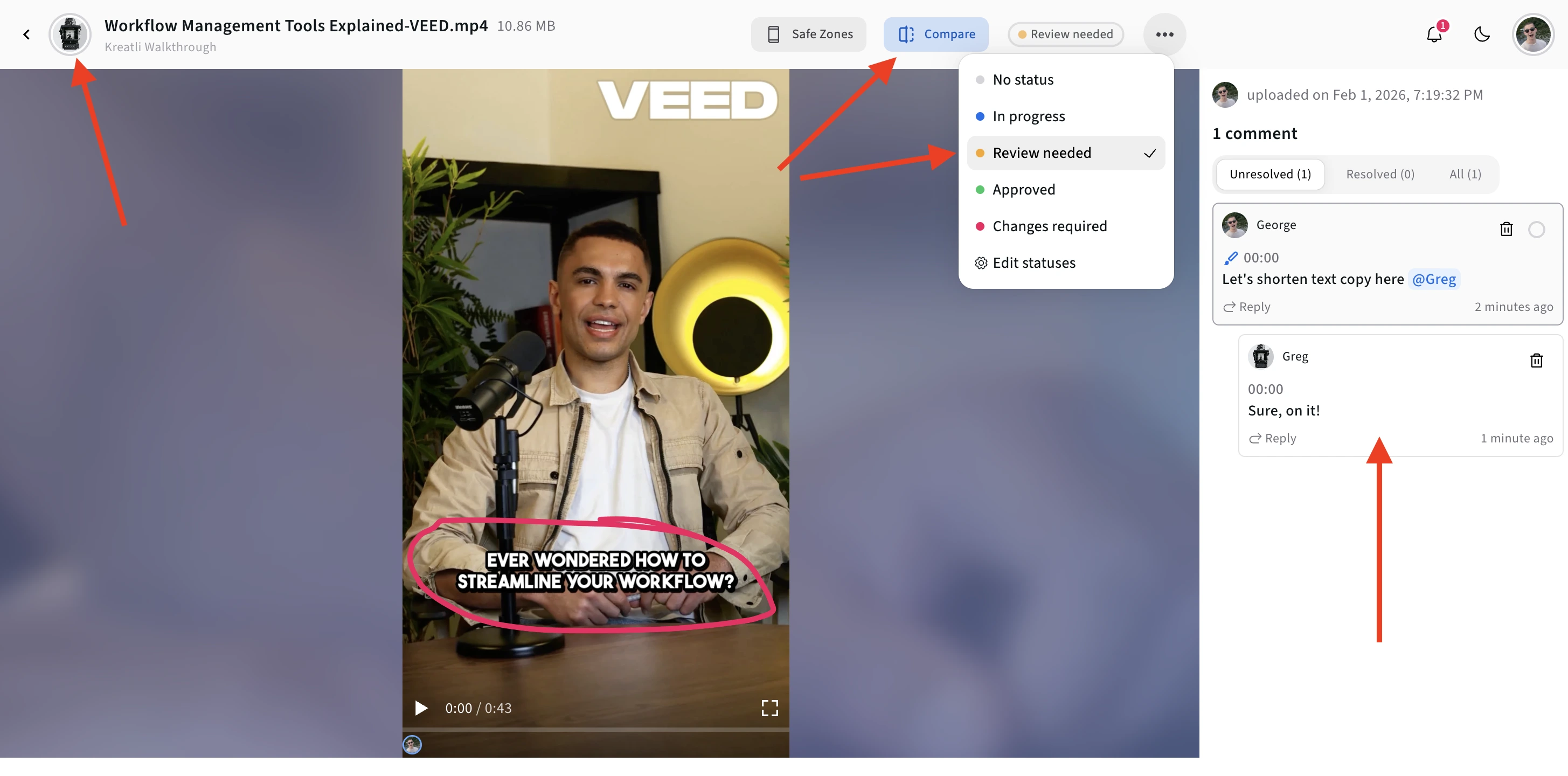
This is where Kreatli goes beyond a simple checker. You can use Kreatli as a production management platform to review this asset with your team, share feedback, and align on changes before publishing.
Instead of passing screenshots around or relying on external messages, teams can review the same visual context and make decisions faster and more clearly.
Start here: https://kreatli.com/
What Is a TikTok Safe Zone?
A TikTok safe zone is the portion of the video frame guaranteed to remain visible regardless of UI overlays.
Anything outside the safe zone may be partially or fully hidden by:
Caption text
Creator name and description
Like, comment, share, and save buttons
Dynamic TikTok prompts and stickers
For production teams, safe zones are not aesthetic guidelines - they are distribution constraints.
TikTok Video Dimensions and Aspect Ratio (2026)
Aspect ratio: 9:16
Resolution: 1080 × 1920 px
Orientation: Vertical
Although TikTok uses full-frame vertical video, only a central portion is consistently unobstructed.
TikTok UI Overlay Areas to Avoid
TikTok’s UI is heavier than Instagram or YouTube, especially on the right side.
Right Side (Critical Risk)
Engagement stack (like, comment, share, save)
Profile avatar and follow button
Bottom Area (High Risk)
Caption text
Hashtags and expandable descriptions
Top Area (Moderate Risk)
Creator name and sponsored labels
Rule of thumb:
If text or faces touch the right third of the frame, they are at risk.
Where to Place Text on TikTok Videos
To ensure clarity and retention:
Safe placement rules
Center text horizontally
Keep subtitles higher than Instagram Reels
Avoid right-aligned CTAs entirely
Common TikTok-specific mistakes
Subtitles placed too low for caption expansion
Faces cropped near the engagement stack
Logos placed vertically on the right
These issues are amplified when content is generated quickly using AI tools.
Related: Optimizing Short-Form AI Video Production.
Other Free Tools
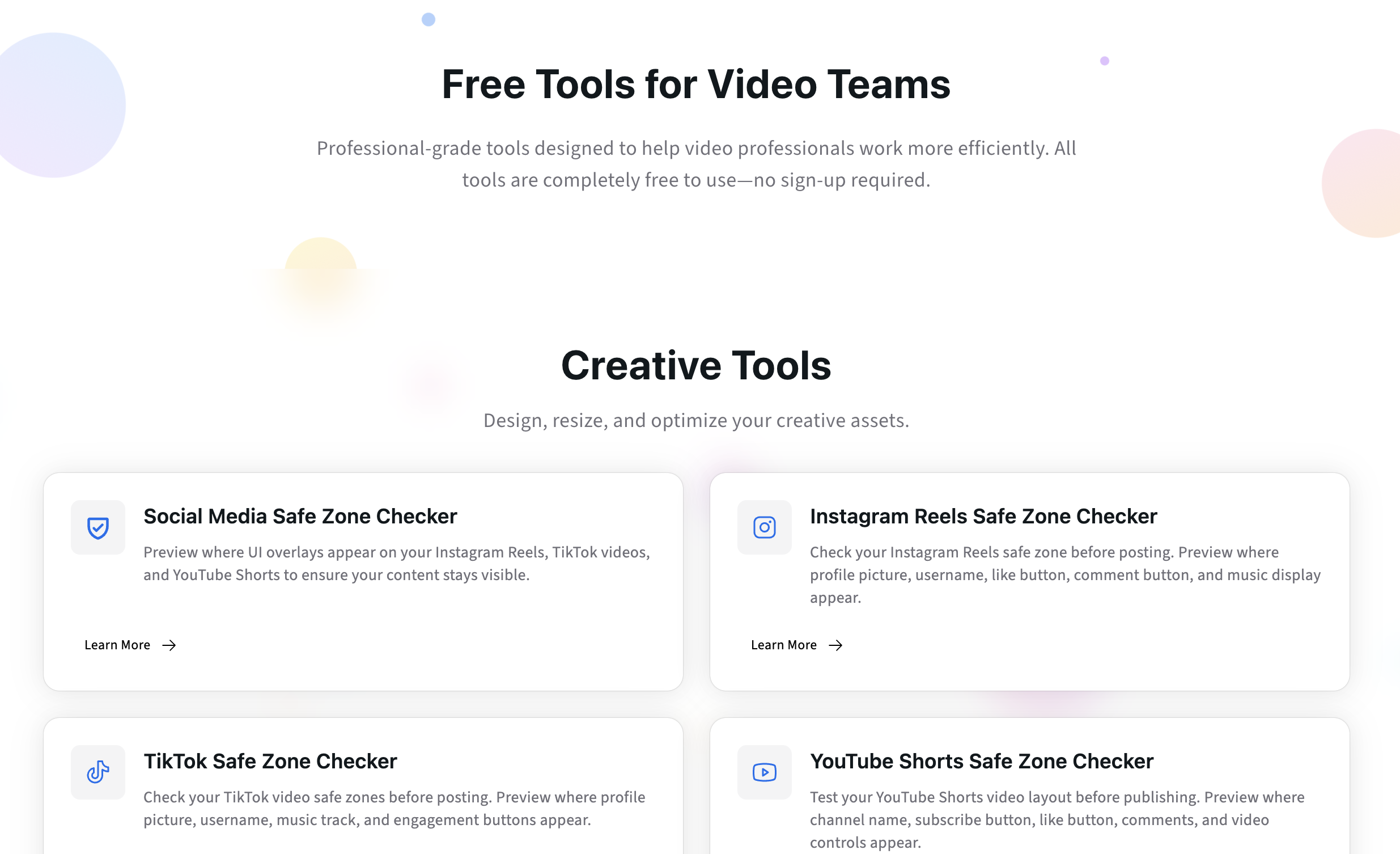
Designing for vertical video doesn’t stop at safe zones.
Creative teams also need to make sure assets are correctly sized, transferable, and ready for review before publishing or client approval
In addition to our Free Safe Zone Checkers, we offer complementary tools like the YouTube Banner Resizer for properly formatting channel banner and a Data Transfer Calculator to estimate upload and download times for large video files.
All tools are free to use and help reduce avoidable revisions before assets enter review.
Explore all free tools:
https://kreatli.com/free-tools
Safe Zones and AI / UGC TikTok Content
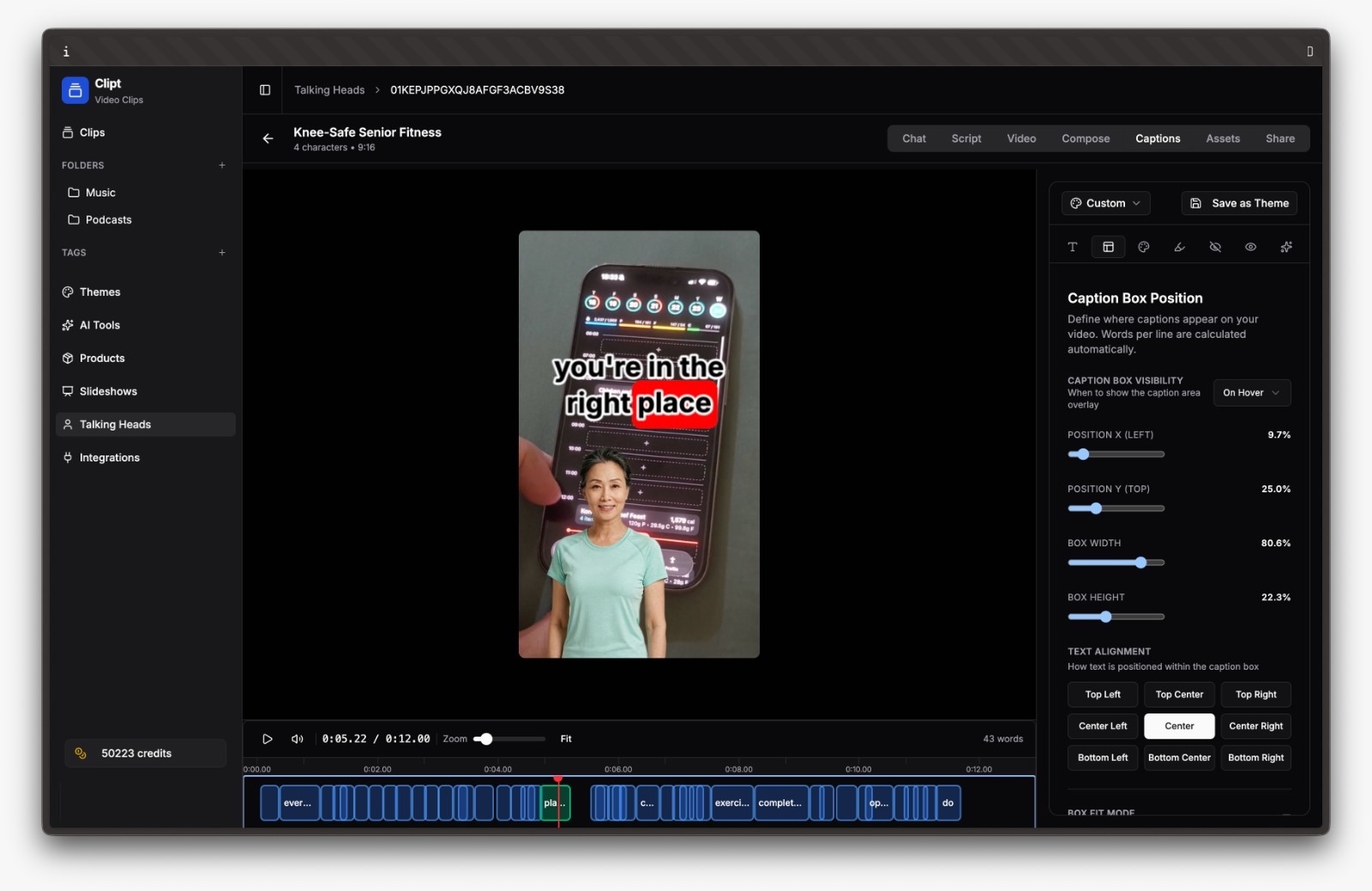
Tools like Clipt enable rapid generation of TikTok-native UGC and AI-assisted videos. While this accelerates output, it also introduces structural risk when videos move straight from generation to publishing.
Common AI/UGC failure points
Baked-in subtitles in unsafe areas
Talking-head framing too far right
No TikTok-specific review step
Best practice
AI generation should be followed by a platform-aware production step that validates:
Text placement
Framing
TikTok-specific variants
This separation between creation and production is essential at scale.
This is how Clipt solves it:
Managing TikTok Variants at Scale
High-performing teams rarely publish a single TikTok:
Multiple hooks
Subtitle variations
Different captions and CTAs
Without structure, safe-zone violations slip through approvals.
Effective workflows
Treat TikTok as its own deliverable type
Separate TikTok, Reels, and Shorts versions
Gate approvals on platform readiness
Kreatli supports this by allowing teams to manage TikTok videos as distinct deliverables with clear review stages and ownership.
How Kreatli Helps Teams Enforce TikTok Safe Zones
Kreatli is production management software designed for creative teams operating across tools, platforms, and formats.
For TikTok production, Kreatli helps teams:
Centralize TikTok-specific feedback
Prevent unsafe variants from being approved
Maintain consistency across high-volume output
Safe zones become part of the approval logic - not a last-minute check.
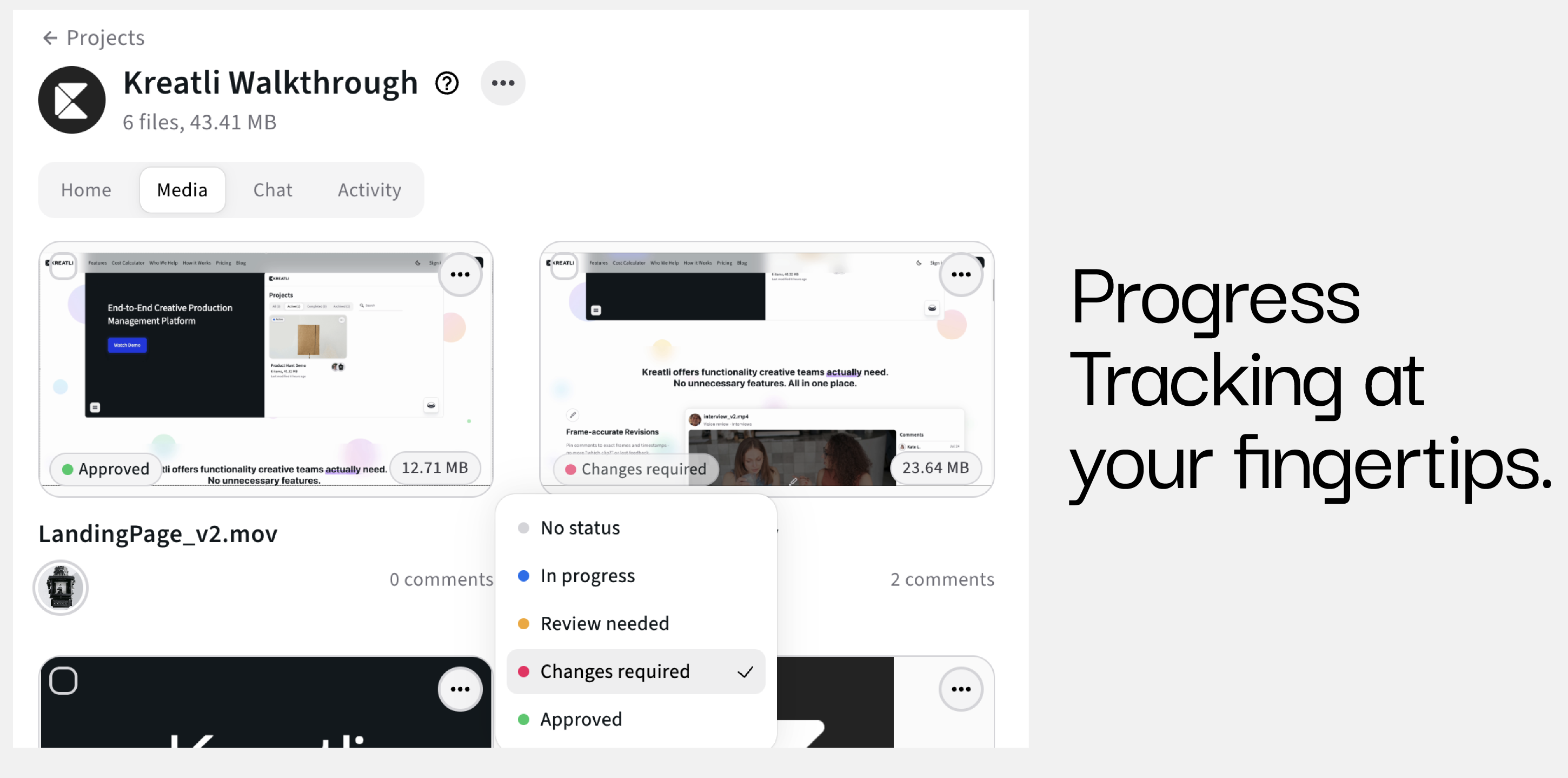
TikTok vs Other Short-Form Platforms
Safe zones are not interchangeable.
TikTok → Right-side UI is the most restrictive
Instagram Reels → Bottom overlays are more dominant
YouTube Shorts → Lightest UI, but still center-biased
For detailed guidance, reference:
Frequently Asked Questions (FAQ)
What is the TikTok safe zone?
The TikTok safe zone is the central area of the video frame not covered by UI elements like captions and engagement buttons.
Where should subtitles go on TikTok?
Subtitles should be centered and positioned higher than on Instagram Reels to avoid caption overlap.
Can I reuse Instagram Reels for TikTok?
Yes, but right-side framing and subtitle placement usually need adjustment.
Do AI-generated TikToks follow the same rules?
Yes. AI and UGC videos are especially prone to safe-zone errors if overlays are baked in early.
How do teams enforce TikTok safe zones consistently?
By managing TikTok videos as platform-specific deliverables within a structured production workflow.
Can Kreatli become your Production Management Platform?
Book a 30-minute workflow audit and we will map your current processes to the Kreatli production template.