Video Link Generator
Upload a video and get a link you can send to anyone. They watch it in the browser and can comment on the exact moment that needs a change, without creating an account. Your first 2 videos are free.
interview_v2.mp4
Vision review - Interviews
Share File
or
0/5 emails
How to Turn a Video Into a Link
It takes about a minute, plus the upload time for your file.
Step 1
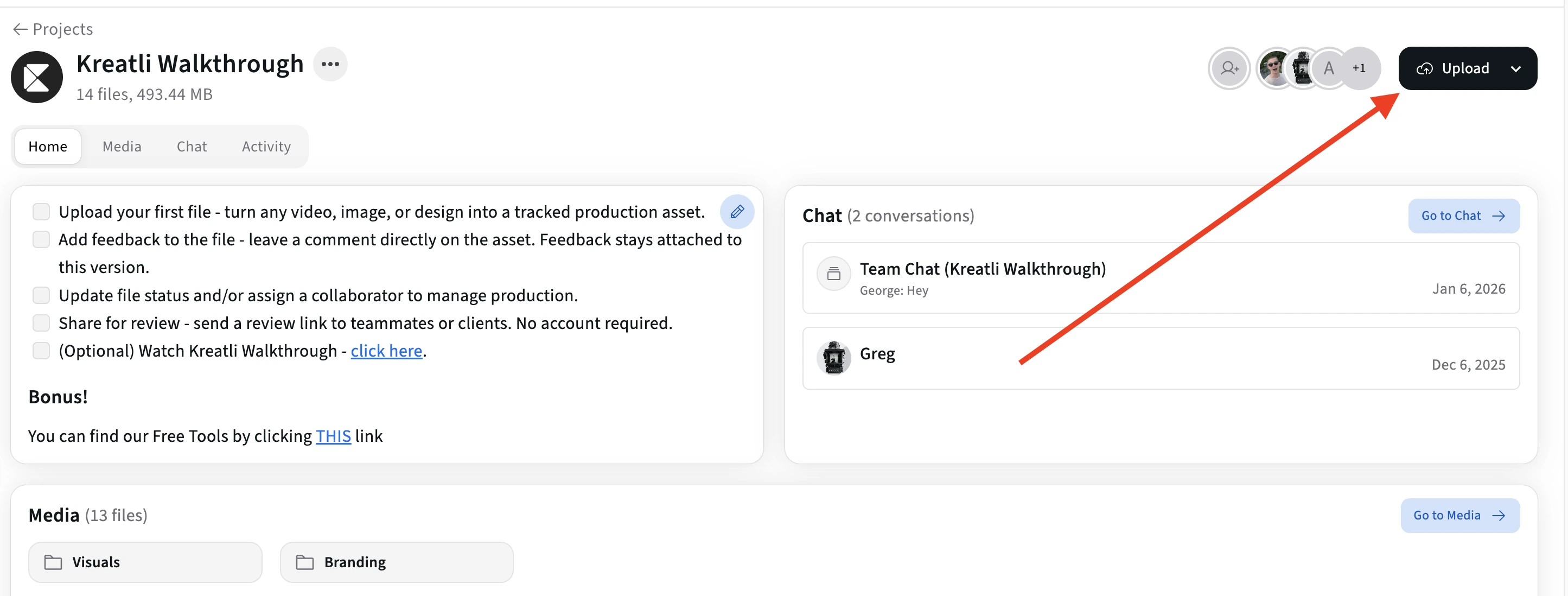
Upload your video in Kreatli
Sign in to Kreatli, open a project and upload your video. MP4, MOV and WebM all work. Your first 2 files are free, with no credit card.
Step 2
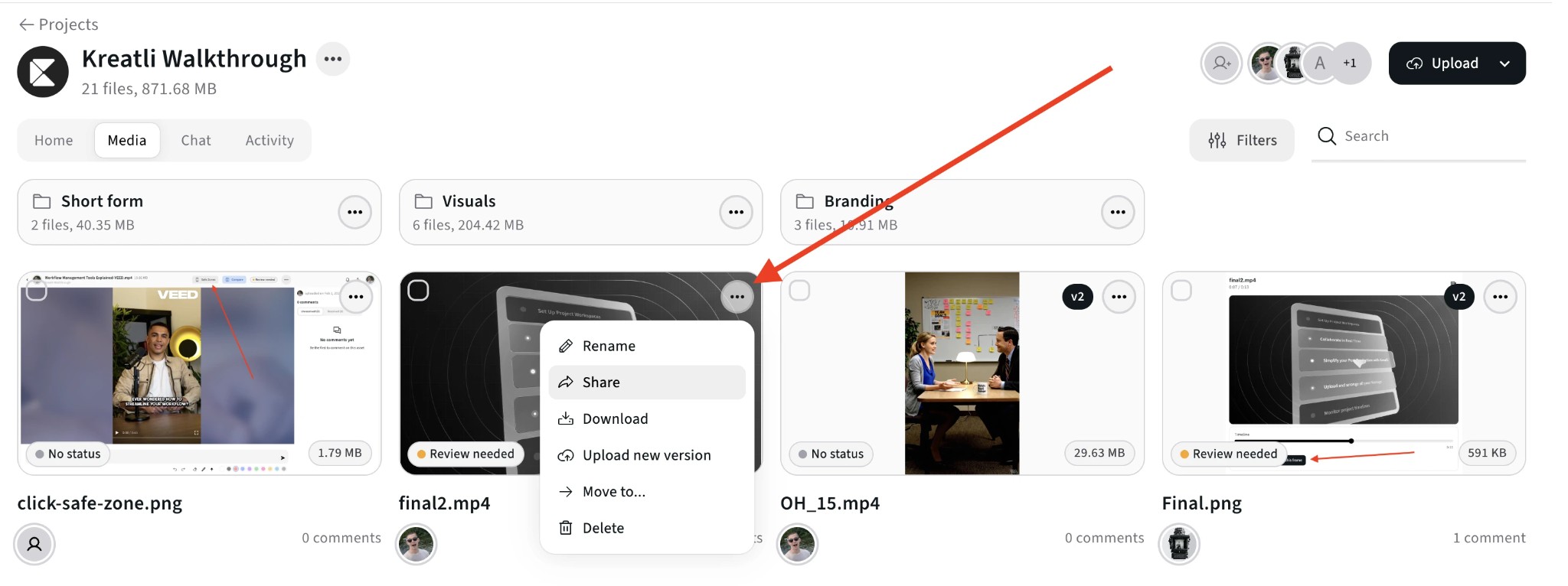
Generate a shareable video link
Open the video and click Share. Copy the link, or enter an email address and Kreatli sends it for you. You can choose whether people with the link can download the file.
Step 3
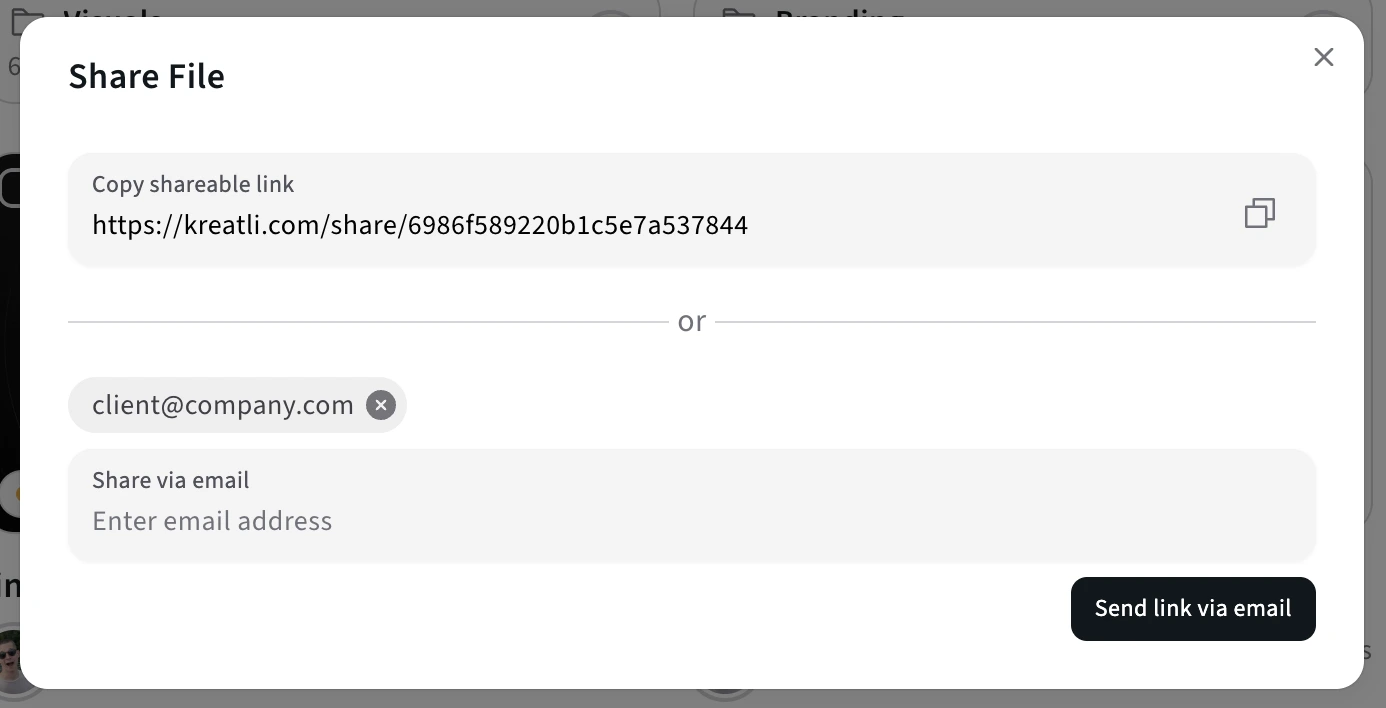
Share the link with clients or collaborators
Paste the link into an email, Slack or a chat. People open it, type their name, and watch. They can pin comments to a timecode or draw on the frame. No account or app needed.
Step 4
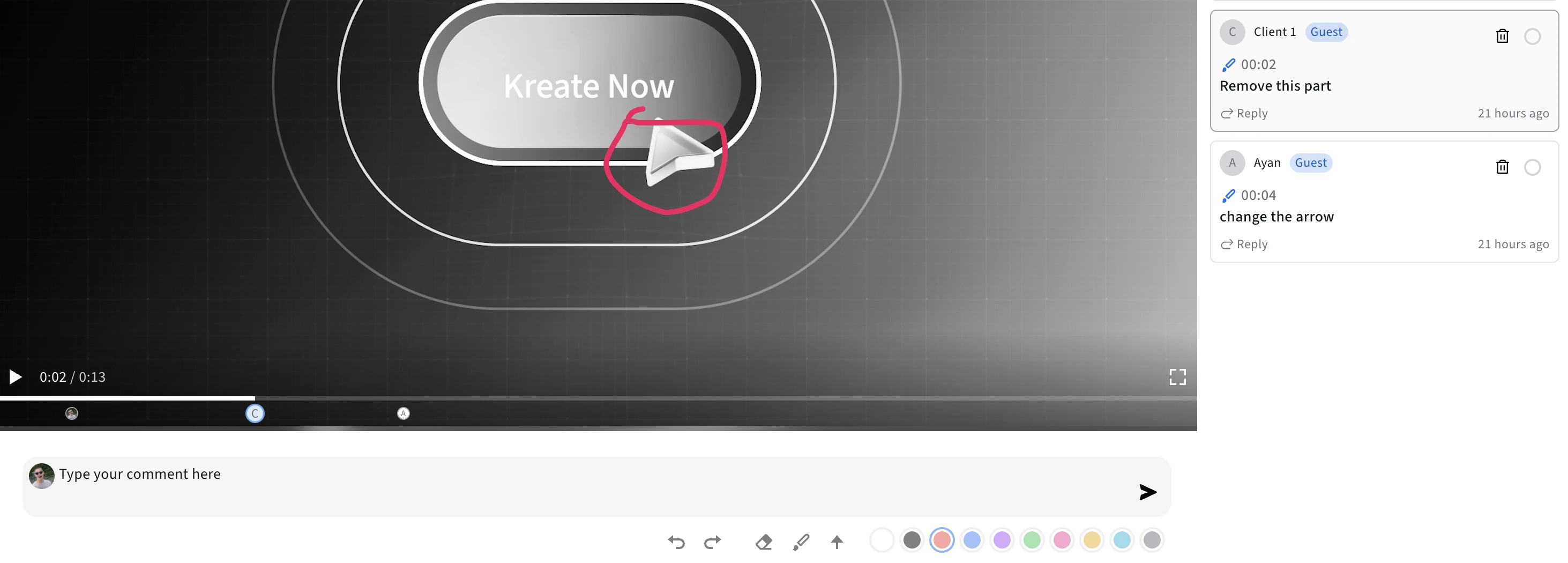
See feedback on the timeline
All comments and feedback appear on the timeline. Jump to any moment, track what’s resolved, and keep every review round in one place.
Step 5
Track approvals and versions
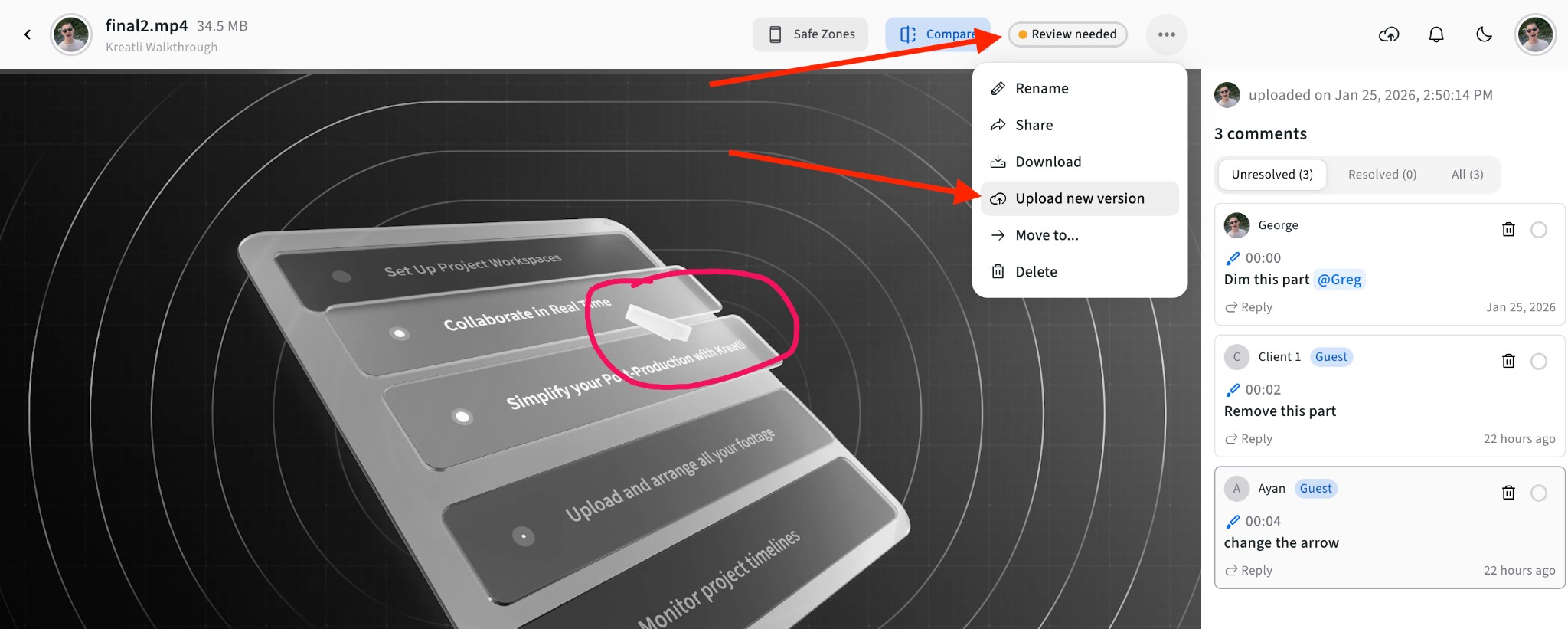
Upload the next cut as a new version of the same file and compare the two side by side. Mark each version with your own statuses, such as "In review" or "Approved".
Read Our Complete Guide
A longer walkthrough, with other free ways to make a video link and when each one fits.
Read Complete GuideWhich Kind of Video Link Do You Need?
Most ways of sharing a video give you a link. They differ in who can watch and what people can do with it.
| Option | Best for | Viewer needs an account? | Feedback |
|---|---|---|---|
| Kreatli review link | Getting feedback and sign-off on a cut | No, viewers type their name | Comments pinned to a timecode, plus drawing on the frame |
| YouTube unlisted video | Publishing to an audience | No to watch, yes to comment | General comments under the video |
| Google Drive or Dropbox link | Storing and handing over files | Depends on the sharing setting | Comments on the file, not on a moment in the video |
| Quick upload-and-share sites | A fast public link with no setup | Usually no | Varies by site, often none |
If you only need someone to watch, any of these works. If you need notes on a cut, a link that collects comments on the timeline saves the back-and-forth of "at about 1:20, the logo is too small" emails. That is what Kreatli is for. See how it fits into a full video review and approval process.
Sending an MP4 specifically? See how to share an MP4 as a link. Need a link for other files, like images or PDFs? Use the file to link converter.
What People Can Do With a Kreatli Video Link
Everything below works today on every plan, including the free one.
Guest review without login
People open the link, type their name and watch. They don’t need an account or a paid seat.
Timecoded and time-range comments
Pin a note to a timecode or a range of the timeline so the editor jumps straight to the moment.
Drawn markup
Circle, arrow or sketch on a frame or image to show exactly what needs to change.
Share-link download and edit controls
Decide per link whether people can download the original file.
Version stacks and version compare
Upload each round onto the same asset and compare two versions side by side.
Custom approval statuses
Define your own statuses, such as "In review" or "Approved". Guests see them on the review link.
When Teams Use a Video Link
- An agency sends a client a link to a 4K ad instead of a 3 GB WeTransfer.
- An editor shares a rough cut and gets notes pinned to the right second.
- A client watches on a phone without installing anything.
Want to send the file itself instead? Read how to share a video, or start from a client approval email template to send with your link.
Free Tools for Video Teams
Other free tools for sharing work and collecting feedback.
Video Feedback Tool
Give timecoded feedback on videos with comments, annotations, and markup. Share review links with clients; recipients do not need a Kreatli account.
Learn more
Video Reviewer
Review videos online with timecoded comments, visual annotations, and approval workflows. Share with clients; recipients do not need a Kreatli account.
Learn more
Video Manager
Organize, store, and track video assets with version control and client share links. Manage feedback and approvals in one workspace.
Learn more
Data Transfer Calculator
Calculate how long it takes to upload or download large files. Perfect for video editors and post-production teams.
Learn more
Guides on Sharing Video
Step-by-step guides for sending cuts to clients and collecting their notes.
Choose the Perfect Plan for Your Creative Journey
Sign up free, no credit card required. Upgrade to any plan when you're ready for full access.
Creator
$14per user
per month
per month
Designed for solo creators and teams who want to organize projects, review work, and create faster.
- Up to 3 members
- 500GB Storage
- Unlimited projects & reviewers
- Timecoded video review
- Guest review links
- Shared asset libraries
Best Cost/Value Ratio
Team
$29per user
per month
per month
Built for established teams running multiple projects with shared assets, structured reviews, and consistent workflows.
- Everything in Creator
- Up to 10 members
- 2TB Storage
- File organization and management
- Versioning and comparison
- Asset-linked conversations
- Comment threads and annotations
Enterprise
Custom
Tailored for enterprise organizations that need advanced controls, custom workflows, and dedicated support.
- Everything in Team
- Custom members
- Custom storage
- Single Sign-On (SSO)
- Dedicated Account Manager
- Custom Integrations & Features
Frequently Asked Questions
Still Have Questions?
Email us at support@kreatli.com and we'll help you set up your first link.
More Resources
More ways to share video and collect feedback in Kreatli.
Share MP4
Create an MP4 link for review instead of emailing a download.
Learn more
Send a Video
Send a video with a secure review link. Recipients watch and comment without an account.
Learn more
How to generate a video link
Turn an upload into a shareable video review URL.
Learn more
How to share video
Share a cut as a review link instead of an attachment.
Learn more
Make Your First Video Link
Upload a video, copy the link, and see the comments come in on the timeline. Your first 2 videos are free.