Video Manager
A video manager is a DIY library for organizing cuts and review status without standing up a full studio workspace first. Kreatli’s manager is for production files with comments attached—not a public channel. Use manage videos when the whole team needs the library.


What is a video manager?
A video manager is a DIY library for organizing cuts and review status without standing up a full studio workspace first. Kreatli’s manager is for production files with comments attached—not a public channel. Use manage videos when the whole team needs the library.
Use this page when you searched for video manager. For manage videos, see manage videos. The cluster pillar is creative workspace. See Kreatli pricing or read how to manage videos.
How to Manage Videos Online
Organize, store, and track all your video assets in one secure workspace—with version control, feedback tracking, and client-ready share links.
Create a Project and Upload Your Videos
Create a project in Kreatli and upload your videos. Files are stored securely with no size limits and are accessible from anywhere. Your video library is ready in one workspace.
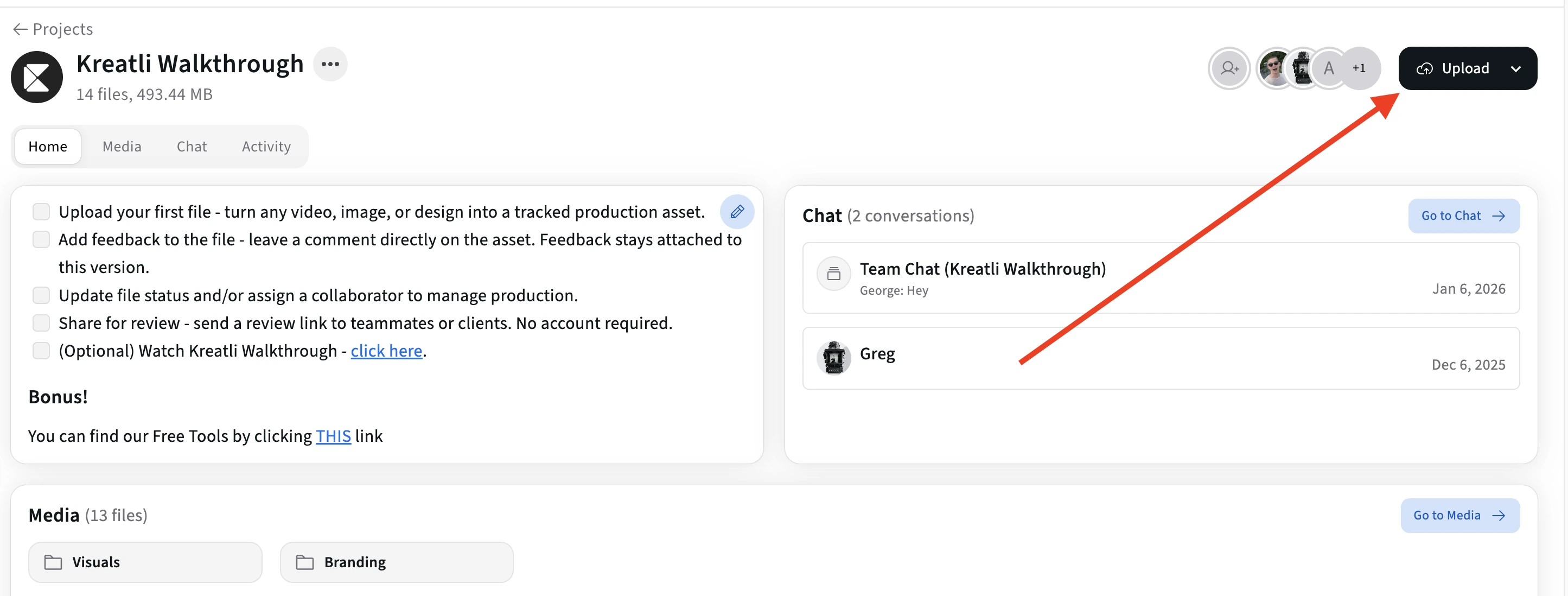
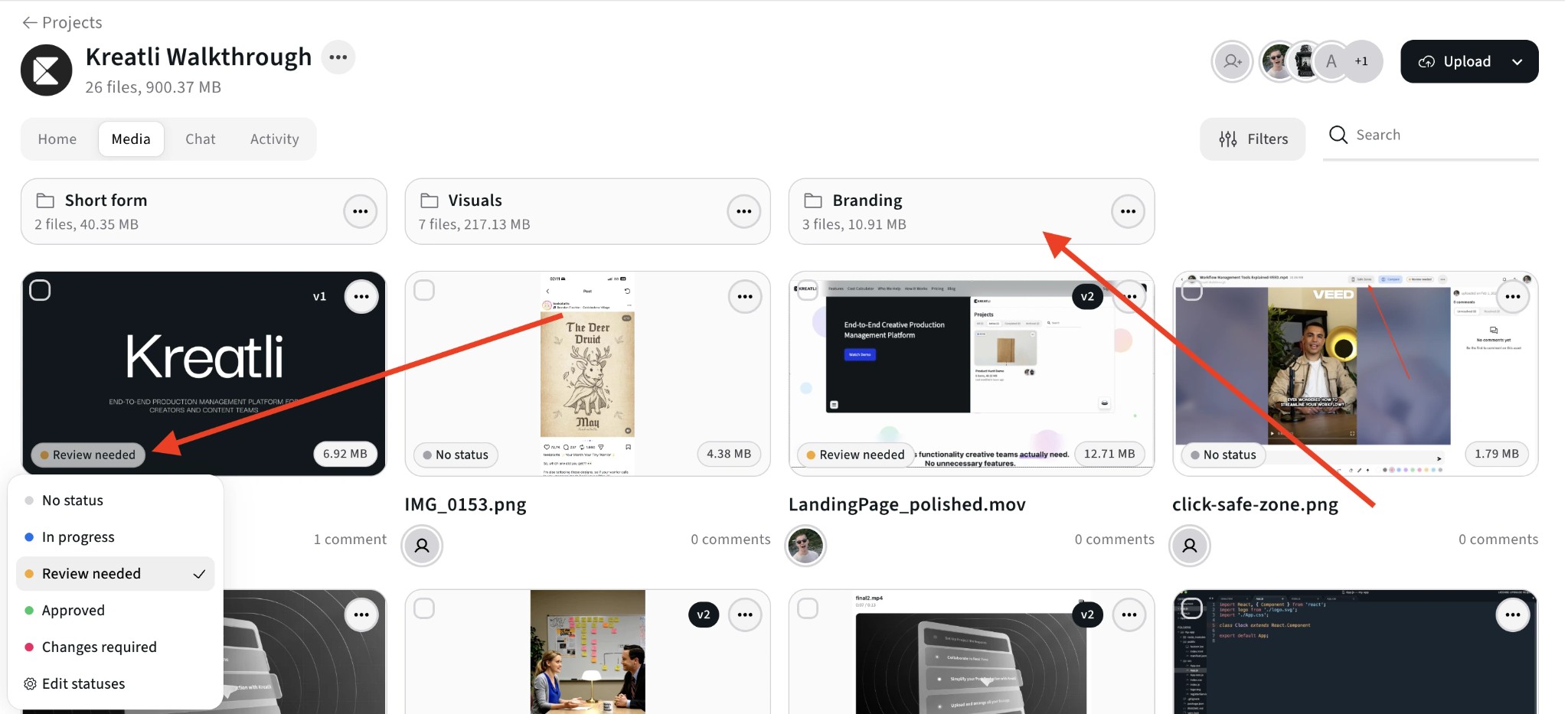
Organize Assets with Folders and Status
Structure your video library with folders and status labels. Keep raw footage, edits, and exports organized so your team can find what they need without searching through email or drives.
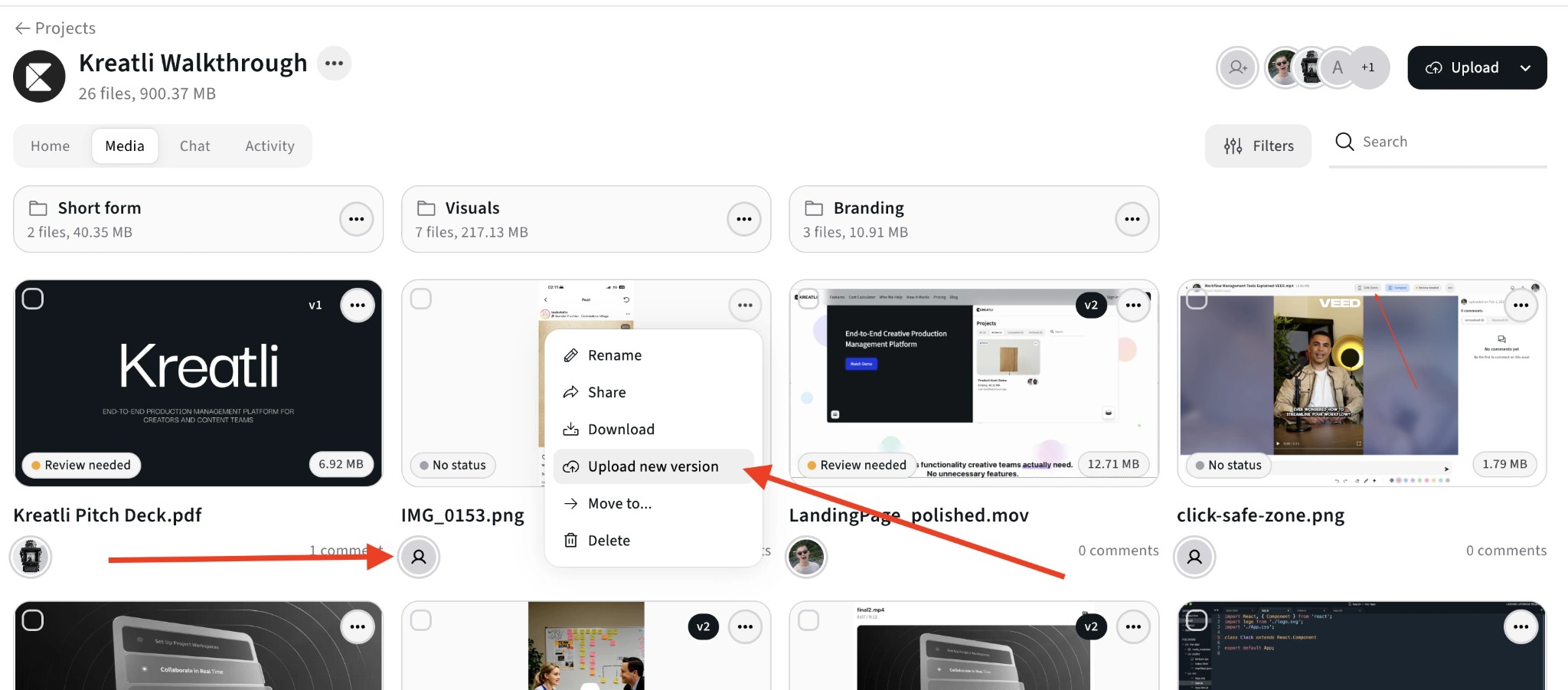
Track New Versions and Compare Cuts
Upload new versions to the same asset and switch between cuts. Version history is tracked so you can compare side by side and see who approved which version.
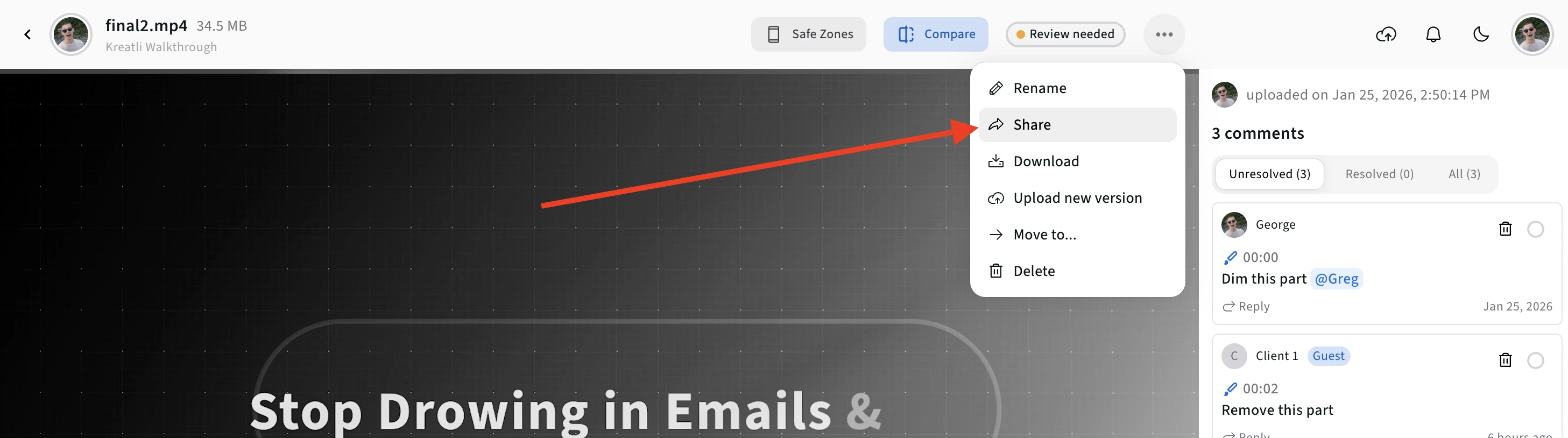
Share Securely with Clients and Stakeholders
Generate secure share links for videos and projects. Clients can view, comment, and approve without signing up. Control access and revoke links anytime.
Video Manager Features
Everything you need to manage video assets—from secure storage and organization to version control and client sharing.
Secure Media Storage
Upload videos of any size to secure cloud storage. No file size limits, no compression—your media is stored reliably and accessible from anywhere.
Folders & Organization
Organize videos with folders, subfolders, and status labels. Find what you need quickly without digging through email or shared drives.
Version Control
Upload new versions to the same asset. Switch between cuts, compare side by side, and track who approved which version—no more file naming chaos.
Client Share Links
Generate secure review links for any video. Clients can watch, comment, and approve without creating an account. Control access and revoke links anytime.
Feedback in One Thread
All feedback on a video lives with the asset. Comments are pinned to frames, tracked as resolved or unresolved, and visible across versions.
Approval Tracking
See approval status at a glance—pending, approved, or changes requested. Track who approved which version and when for a clear audit trail.
Who Uses Video Managers?
Video managers streamline workflows for production teams, agencies, and in-house creative teams.
Production & Post Teams
Organize raw footage, edits, and exports in one place. Track versions, collect frame-accurate feedback, and deliver approved cuts without switching tools.
Agencies & Studios
Manage multiple client projects and deliverables. Share review links with clients, track approvals, and keep every version and comment in one workspace.
In-House Creative Teams
Store and organize video assets with your team. Assign files, track deliverable status, and get stakeholder approvals without email threads or lost feedback.
Explore Kreatli's Video Management
Learn more about managing videos, version control, and team collaboration in Kreatli.
More Tools for Video Teams
Sign up free — no credit card required — and try these tools in Exploration Mode. Start a 7-day free trial when you’re ready for unlimited access.
Video Reviewer
Review videos online with frame-accurate comments, visual annotations, and approval workflows. Share with clients; recipients do not need a Kreatli account.
Video Feedback Tool
Give frame-accurate feedback on videos with comments, annotations, and markup. Share review links with clients; recipients do not need a Kreatli account.
Video Proofing Tool
Proof videos with frame-accurate comments, annotations, and approvals. Share proofing links; recipients do not need a Kreatli account.
Video Frame Extractor
Extract still frames from a video and download them as PNG/JPG. Processing runs locally in your browser for fast exports. Sign in to use the tool; start a trial or choose a plan if your subscription isn’t active.
Frequently Asked Questions
Common questions about video managers, organizing videos, version control, and team collaboration.
Still Have Questions?
If you didn't find what you were looking for, contact us at support@kreatli.com.
More Resources
Explore other Kreatli platform features to streamline your video management and collaboration workflow.
Review & Approval
Frame-accurate revisions and approvals for video content. Streamline your feedback workflow.
Creative Proofing
Review creative work and turn feedback into trackable work. Every upload creates a new version for easy comparison.
Video Annotation
Add frame-accurate annotations, drawings, and markup directly to video frames. Pin comments to exact timestamps and collaborate with precise visual feedback.
Secure Asset Storage
Enterprise-grade storage for creative assets. Organize files, track versions, and protect your media with reliable infrastructure.
Ready to manage videos with your team?
Kreatli combines reliable media storage with project management. Organize, track, and deliver video projects in one secure workspace.