Remote Collaboration for Video Editing Teams
Learn how remote video editing teams collaborate effectively using structured workflows, centralized feedback, and production management tools.
Article summary
Learn how remote video editing teams collaborate effectively using structured workflows, centralized feedback, and production management tools.
Remote work is no longer an exception for video editing teams. Editors, producers, motion designers, and reviewers are increasingly distributed across cities, countries, and time zones.
While remote setups unlock global talent and flexibility, they also introduce coordination challenges that traditional post-production workflows were not designed to handle.
This guide explains how video editing teams can collaborate remotely without sacrificing speed, quality, or creative alignment.
Why Remote Video Editing Is Harder Than It Looks
Editing itself is often asynchronous. Collaboration is not.
Remote video teams struggle when:
Files are large and hard to share
Feedback is fragmented across tools
Versions multiply without clarity
Review cycles slow down due to time zones
Producers lose visibility into progress
Without intentional workflow design, remote collaboration quickly becomes reactive and inefficient.
Common Challenges in Remote Video Collaboration
1. Scattered Feedback and Notes
Editors receive comments via:
Email threads
Chat messages
Marked-up documents
Calls and screen recordings
This makes it difficult to:
Track decisions
Understand priority
Apply feedback accurately
For teams solving review bottlenecks, see our article on Proofing Software vs Production Management.
2. Version Confusion
Remote teams often juggle:
Multiple cuts
Platform-specific exports
Client and internal versions
Without clear version control, teams risk reviewing outdated files or overwriting approved work.
3. Slow Review Cycles Across Time Zones
When reviewers and editors work in different time zones:
Feedback arrives late
Context is missing
Clarification takes days instead of minutes
Remote-friendly workflows must be designed for asynchronous collaboration by default.
4. Limited Visibility for Producers and Leads
Creative leads often struggle to answer simple questions:
What is currently in review?
What is blocked?
What is approved and ready to deliver?
This lack of visibility becomes a major constraint as teams scale remotely.
Building an Effective Remote Video Editing Workflow
Remote collaboration works best when structure replaces proximity.
Step 1: Centralize Video Deliverables
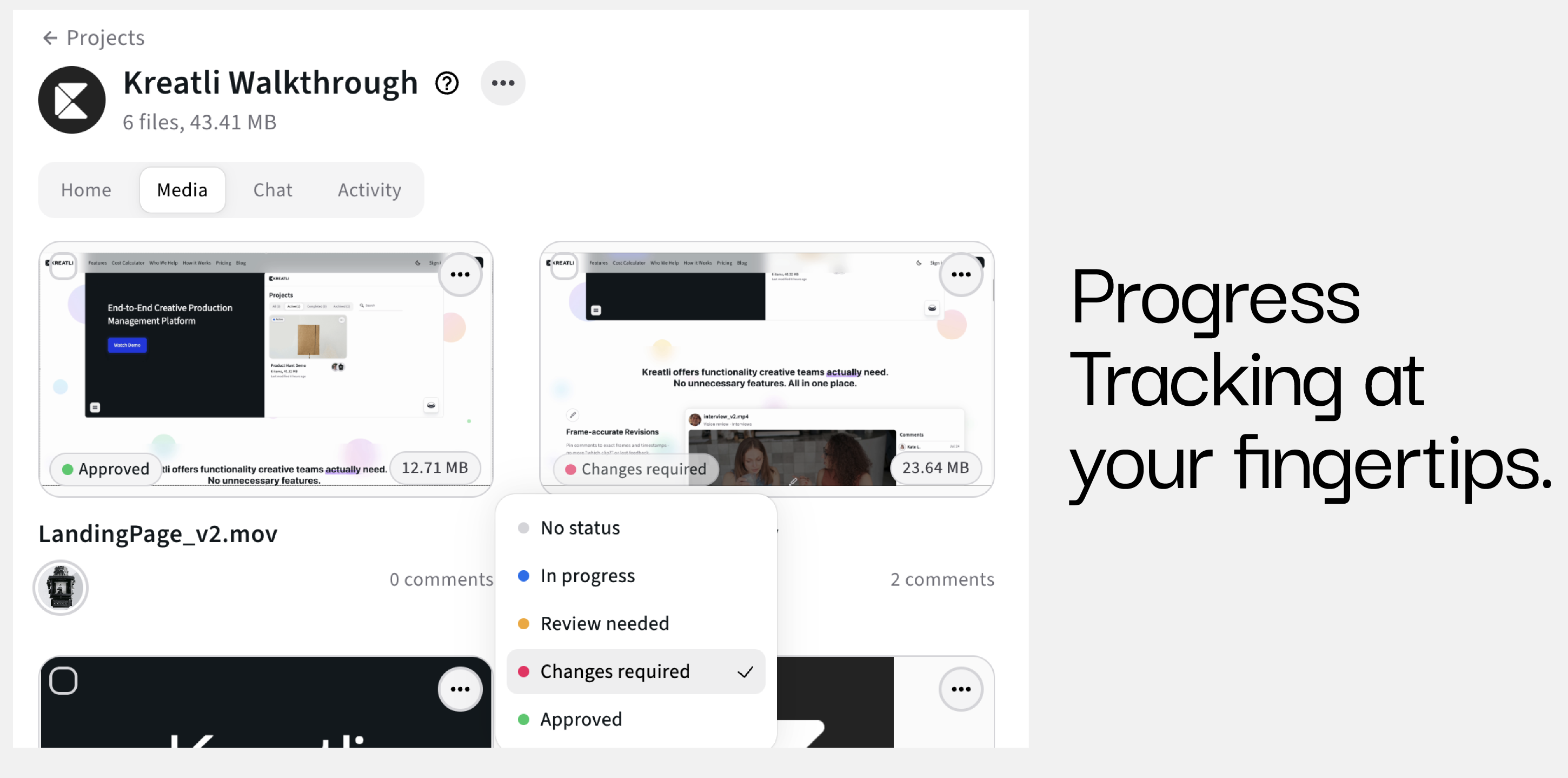
Every video should live in one clearly defined place, with:
Files
Versions
Comments
Status
Ownership
This eliminates the need to chase context across tools.
Step 2: Separate Tasks From Deliverables
Tasks support work. Deliverables represent outcomes.
For video teams:
Tasks include editing, sound design, color, and export
Deliverables are cuts, trailers, social versions, or final masters
Linking tasks to deliverables keeps execution aligned with outputs.
For a deeper explanation, see Creative Operations vs Project Management.
Step 3: Design for Asynchronous Reviews
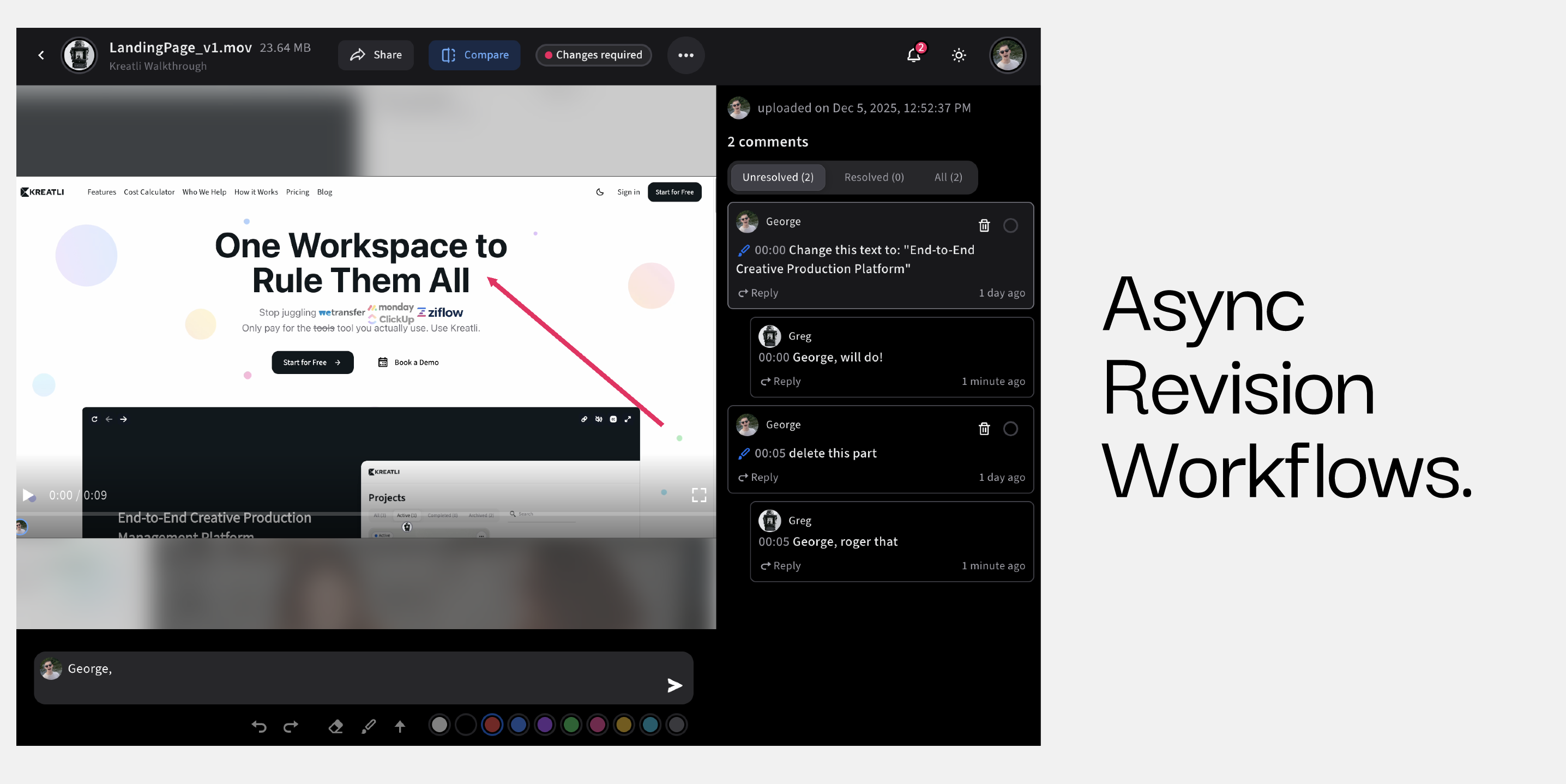
Remote teams should assume reviewers are not available in real time.
Best practices include:
Clear review deadlines
Structured feedback requests
Defined approval roles
Written decisions documented at the asset level
This reduces back-and-forth and speeds up review cycles.
Step 4: Standardize Review and Approval Stages
Consistency creates predictability.
A typical remote video workflow includes:
Internal review
Stakeholder review
Client or brand approval
Final delivery
Standard stages allow editors and producers to work independently without losing alignment.
File Sharing and Storage Considerations
Remote video teams deal with large files daily.
Key requirements include:
Reliable file access
Clear ownership
Contextual feedback
Integration with workflows
Generic file-sharing tools often solve storage but not collaboration.
See File Sharing vs File Transfer: What Creative Teams Need for a deeper breakdown.
Why Traditional Tools Fall Short for Remote Video Teams
Most tools were not built for distributed post-production.
Common gaps include:
No deliverable-level structure
Feedback disconnected from assets
Poor visibility across projects
Limited support for asynchronous workflows
This is why many teams move beyond general collaboration tools toward production-focused platforms.
How Kreatli Supports Remote Video Editing Teams
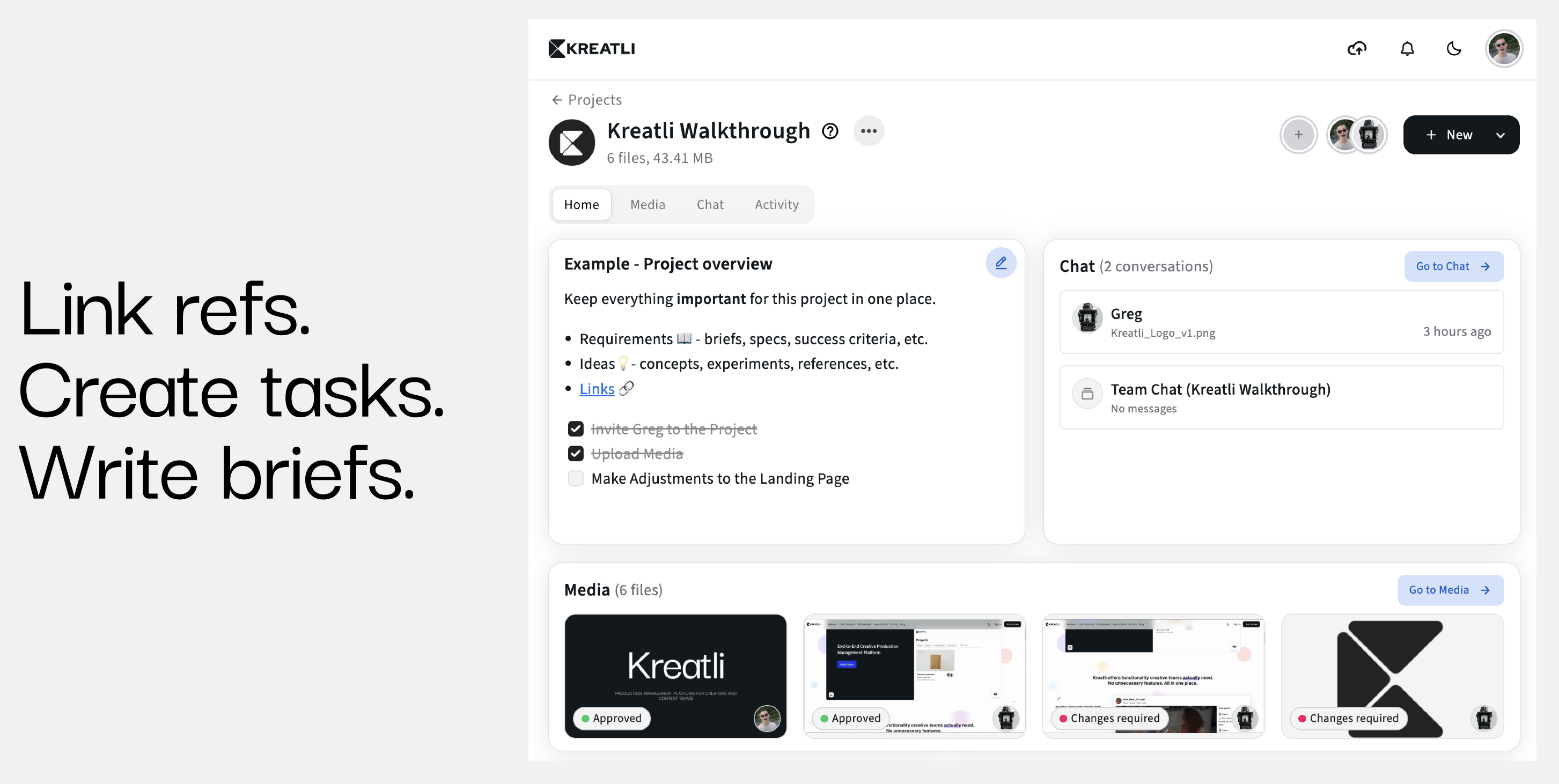
Kreatli is designed to support distributed creative production.
As a production management platform, it enables:
Centralized video deliverables
Linked execution tasks
Structured review and approval workflows
Clear ownership and status visibility
Collaboration without requiring real-time overlap
This allows remote video teams to operate with the same clarity as co-located teams.
Best Practices for Remote Video Collaboration
Default to written communication and documented decisions
Keep feedback tied to specific versions
Limit reviewers to reduce noise
Use clear approval checkpoints
Design workflows that do not depend on meetings
Remote success is built into the system, not enforced manually.
FAQ: Remote Video Editing Collaboration
How do remote video editing teams collaborate effectively?
By centralizing deliverables, structuring feedback, and using asynchronous workflows.
What is the biggest challenge for remote video editors?
Fragmented feedback and unclear version control.
Are general collaboration tools enough for video teams?
They often lack deliverable-centric workflows and review capabilities.
What tools support remote video collaboration best?
Production management platforms built for creative workflows provide the most structure and visibility.
Ready to see how it works?
Visit Kreatli to explore project templates, playback reviews, and file exchange views that streamline creative production.