Free Creative Tools for Video Teams & Creators
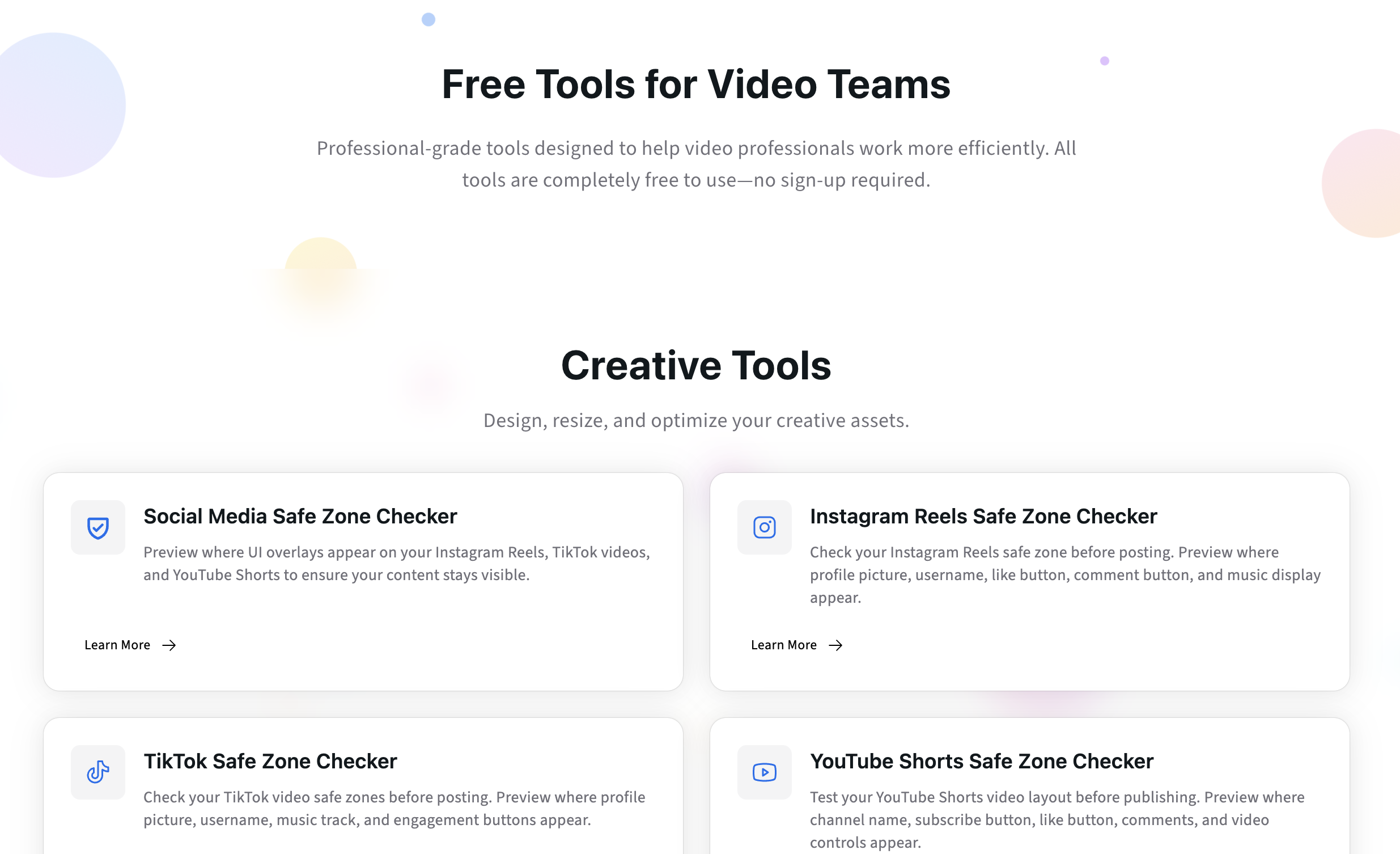
Discover Kreatli’s free creative tools for video and social teams - safe zone checkers, banner resizer, and transfer calculator to reduce rework before review.
Article summary
Discover Kreatli’s free creative tools for video and social teams - safe zone checkers, banner resizer, and transfer calculator to reduce rework before review.
Introducing Kreatli’s Free Creative Tool Collection
Creative production doesn’t usually fail because of bad ideas. It fails because of avoidable technical friction.
Misplaced captions. Cropped banners. Uploads that take hours longer than expected. These problems show up late - often during review - when they’re most expensive to fix.
That’s why we launched a growing collection of free creative tools: lightweight utilities designed to help teams validate assets before they enter review and approval workflows.
Explore all free tools
https://kreatli.com/free-tools
No sign-up. No paywalls. Just tools built for real production scenarios.
1. Instagram Reels Safe Zone Checker
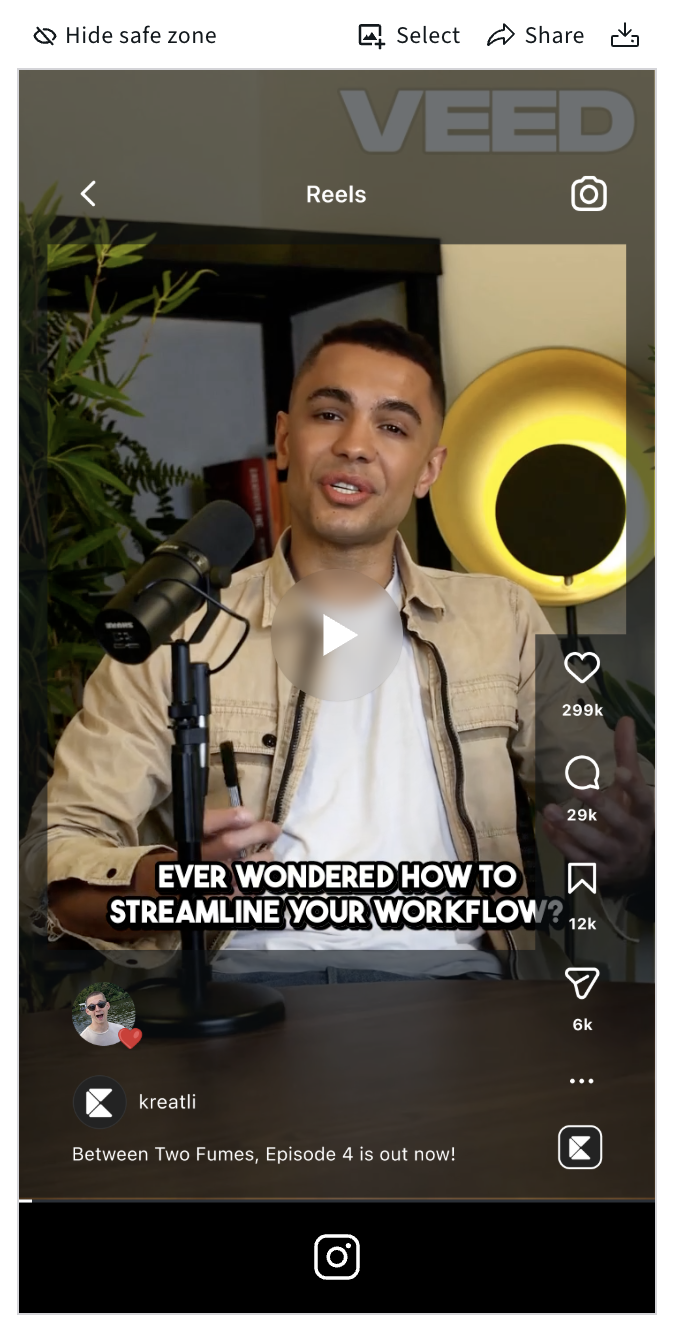
Instagram overlays UI elements (captions, buttons, profile info) directly on top of your video. Anything placed too close to the edges risks being hidden.
This tool overlays platform-accurate Instagram UI safe zones, allowing you to preview exactly where text, logos, and key visuals will remain visible.
Best for:
Social media managers
Short-form video editors
Agencies delivering Reels to clients
Test it out for yourself:
https://kreatli.com/social-media-safe-zone-checker/instagram-safe-zone-checker
2. TikTok Safe Zone Checker
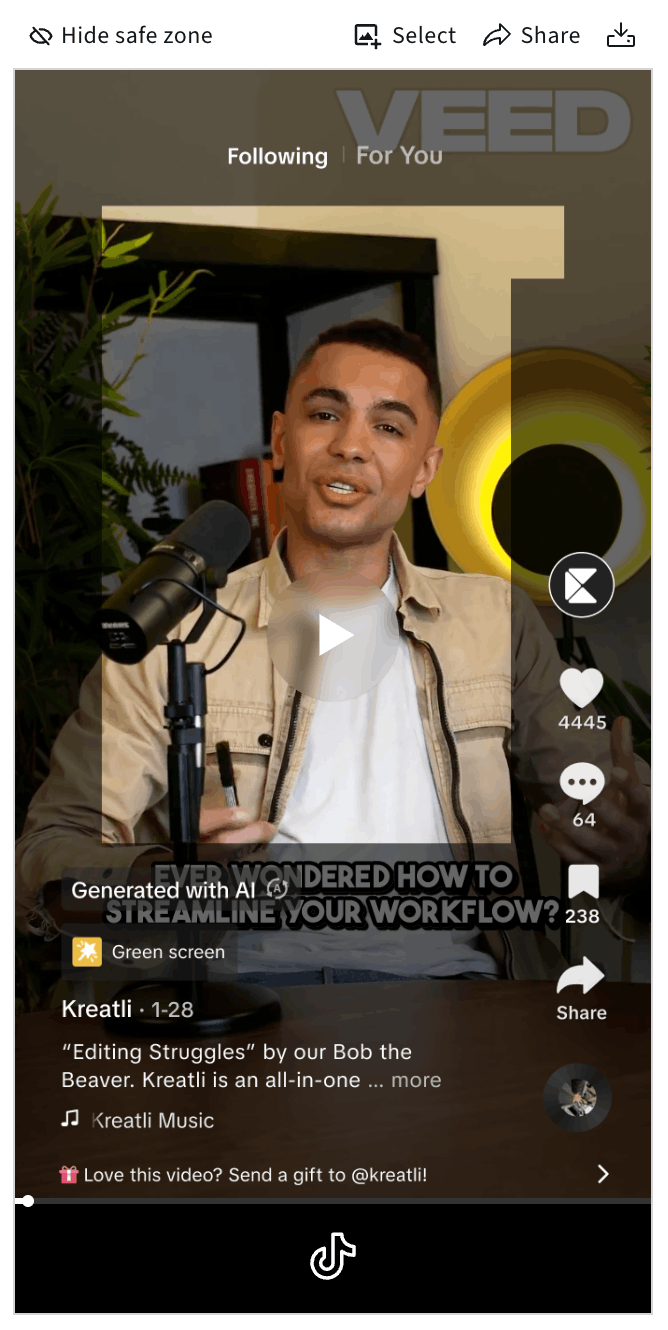
TikTok’s UI is even more aggressive than Instagram’s, with persistent overlays on the right and bottom of the screen.
The TikTok Safe Zone Checker ensures your captions, CTAs, and branding are not blocked by likes, comments, or profile elements.
Best for:
TikTok-first creators
Performance marketing teams
UGC and influencer campaigns
Test it out for yourself:
https://kreatli.com/social-media-safe-zone-checker/tiktok-safe-zone-checker
3. YouTube Shorts Safe Zone Checker
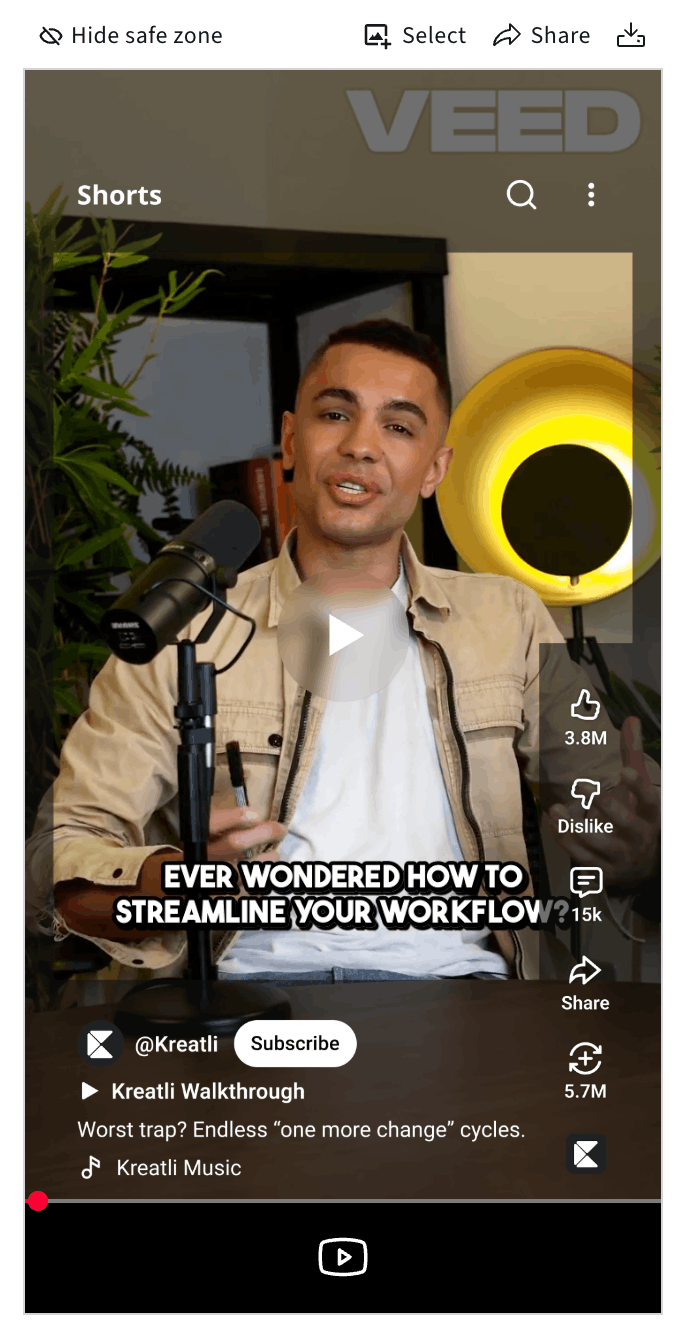
YouTube Shorts combine elements of traditional YouTube and vertical social UI. Without safe zones, key information can easily disappear behind overlays.
This tool applies YouTube Shorts-specific UI boundaries, helping teams design Shorts that remain legible across devices.
Best for:
YouTube-first teams expanding into Shorts
Brands repurposing Reels or TikToks
Editors managing cross-platform delivery
Test it out for yourself:
https://kreatli.com/social-media-safe-zone-checker/youtube-safe-zone-checker
You can find all Safe Zone Checkers here:
https://kreatli.com/social-media-safe-zone-checker
4. YouTube Banner Resizer
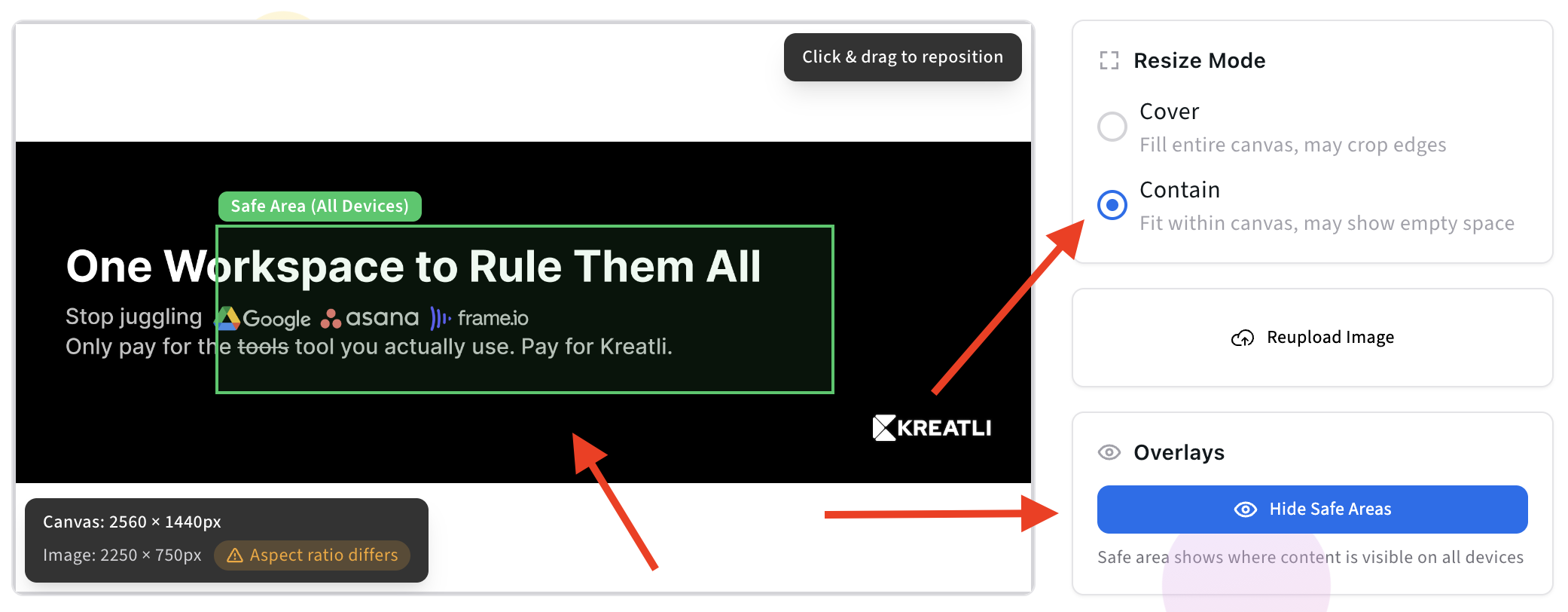
YouTube channel banners display differently on mobile, desktop, and TV. Designing without safe zones often leads to cropped logos or unreadable text.
The YouTube Banner Resizer applies correct dimensions and safe zones so your banner works everywhere from the start.
Best for:
Brand and marketing teams
YouTube creators and channels
Agencies managing channel branding
Test it out for yourself:
https://kreatli.com/free-tools/youtube-banner-resizer
5. Data Transfer Calculator
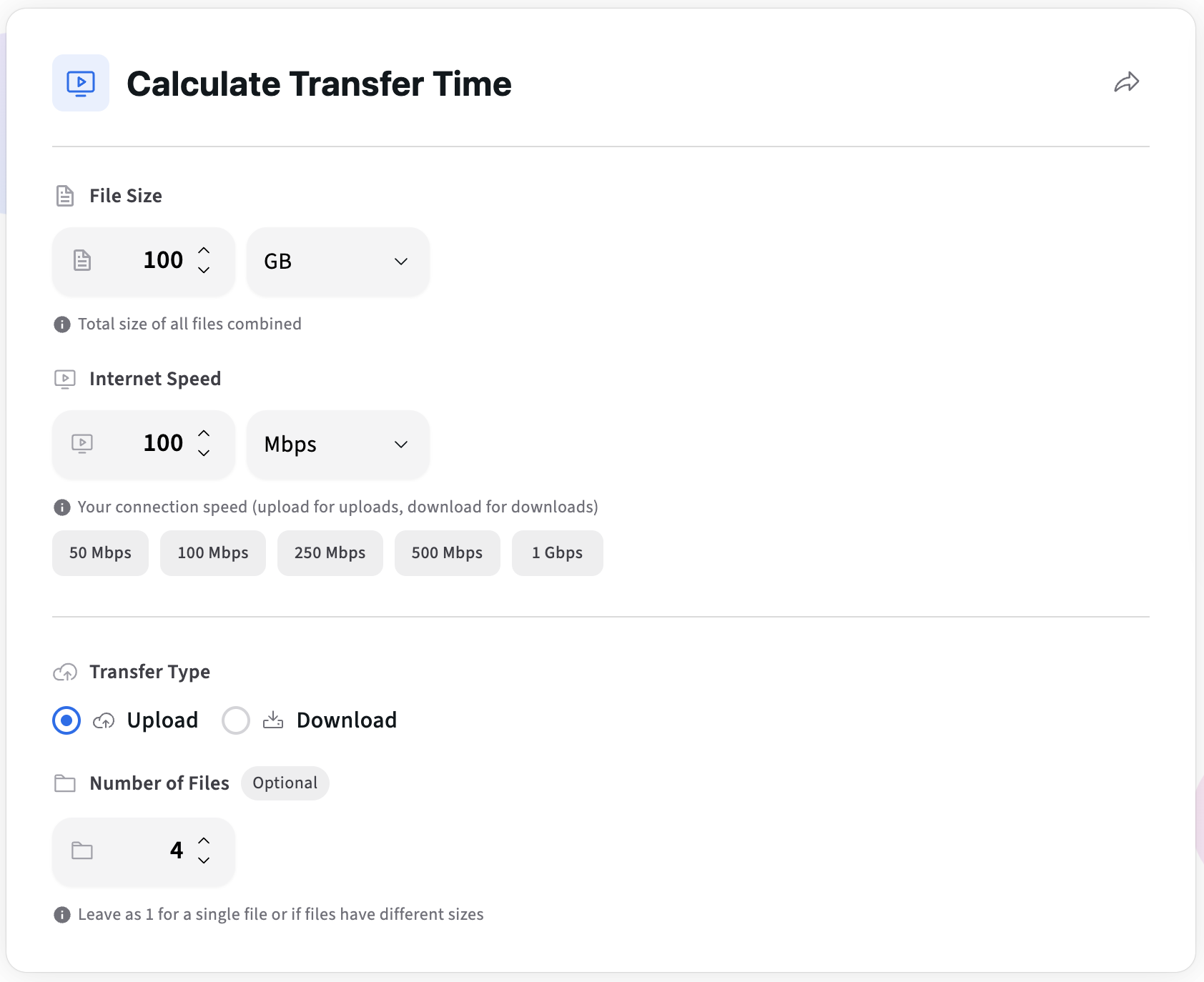
Large files are unavoidable in video production. What’s avoidable is guessing how long transfers will take.
This calculator estimates upload or download time based on file size and connection speed - so teams can plan deliveries realistically.
Best for:
Video production teams
Remote collaboration workflows
Client handoffs and deadlines
Test it out for yourself:
https://kreatli.com/free-tools/data-transfer-calculator
Why We Built These Free Tools
Creative teams today work across:
Multiple platforms (Instagram, TikTok, YouTube, web)
Multiple formats (short-form, long-form, banners, thumbnails)
Multiple stakeholders (internal teams, clients, external partners)
Yet most production issues still come down to:
Platform UI overlays hiding content
Incorrect asset dimensions
Poor planning around file transfer and delivery
These are not creative problems. They are workflow problems.
Our free tools are designed to:
Eliminate guesswork early
Reduce avoidable review feedback
Improve handoffs between creation and review
Make production workflows more predictable
Who These Tools Are For
Advertising & marketing agencies producing high-volume social and video content
Animation studios and video production companies managing multiple versions and formats
In-house creative and content teams supporting marketing, brand, and growth
Anyone working with video at scale who wants fewer last-minute fixes
How These Tools Fit Into a Modern Workflow
These tools are designed for the pre-review phase of production:
Create or export an asset
Validate layout, size, or delivery constraints using a free tool
Share the asset for review
Collect focused, meaningful feedback
Once assets are technically sound, teams can move into structured review using a Video Collaboration & Review Platform like Kreatli - where feedback, versions, and approvals live in one place.
Free Tools Summary Overview
Tool | Solves | Best For |
|---|---|---|
Instagram Reels Safe Zone Checker | UI overlays hiding content | Social & short-form content teams |
TikTok Safe Zone Checker | Cropped captions and CTAs | TikTok & UGC workflows |
YouTube Shorts Safe Zone Checker | Shorts UI overlap | Cross-platform video teams |
YouTube Banner Resizer | Incorrect banner cropping | Brand & channel management |
Data Transfer Calculator | Unpredictable upload times | Video production & delivery |
FAQ
Are Kreatli’s free tools really free?
Yes. The tools in the free collection are available without payment and without forcing sign‑ups.
Do I need a Kreatli account to use the free tools?
No. You can use the tools independently. A Kreatli account is only required if you want to manage projects, reviews, and collaboration.
Will more free tools be added?
Yes. We’re actively developing additional tools based on feedback from video and content teams.
Are the free tools connected to the Kreatli platform?
They are designed to complement Kreatli, but they work standalone. You can use them without adopting the full platform.
Who is Kreatli best suited for?
Kreatli is ideal for video studios, agencies, and in‑house creative teams that need structured collaboration, version control, and approvals without tool sprawl.
Ready to stop juggling tools and start owning production?
Run a short pilot in Kreatli and measure how much time you reclaim on reviews, approvals, and delivery.