Multi-Channel Campaign Workflows for Creative Teams
Learn how creative teams manage video, social, and web assets in multi-channel campaigns using scalable, production-ready workflows.
Article summary
Learn how creative teams manage video, social, and web assets in multi-channel campaigns using scalable, production-ready workflows.
Multi-channel campaigns are now the default for modern marketing teams. A single initiative often includes long-form video, short-form social content, landing pages, display ads, email assets, and internal collateral, all produced simultaneously and launched on different timelines.
For creative teams, the challenge is not producing individual assets. The real challenge is managing interdependent video, social, and web assets as one coordinated production effort.
This guide explains how creative teams can structure multi-channel campaign workflows that scale, reduce rework, and maintain visibility from intake to launch.
Why Multi-Channel Campaigns Are Operationally Complex
Unlike single-asset projects, multi-channel campaigns introduce:
Parallel production streams
Shared source assets across formats
Different technical requirements per channel
Multiple stakeholder groups
Staggered approvals and launch dates
Without a purpose-built workflow, teams default to fragmented execution, which quickly breaks under scale.
Common Workflow Failures in Multi-Channel Campaigns
1. Treating Assets as Independent Tasks
Many teams manage campaigns as collections of unrelated tasks. Video lives in one board, social posts in another, web assets somewhere else entirely.
This leads to:
Misaligned messaging
Inconsistent visuals
Missed dependencies
Delayed launches
Campaign assets must be managed in relation to one another, not in isolation.
2. No Clear Relationship Between Video, Social, and Web Assets
In most campaigns:
Video assets feed social cutdowns
Social content drives traffic to web pages
Web messaging influences ad creative
When these relationships are not explicit, teams duplicate work or move out of sequence.
For more on structuring output-first workflows, see How Advertising Agencies Manage Creative Production With Kreatli.
3. Fragmented Feedback Across Channels
Video reviews happen in one place. Social feedback happens in another. Web copy approvals live in documents or chat threads.
This fragmentation makes it difficult to:
Track what is approved
Identify blockers
Maintain a single source of truth
4. Inconsistent Intake and Briefing
Multi-channel campaigns often suffer from uneven intake:
Video gets a detailed brief
Social gets a vague request
Web assets are scoped later
This inconsistency delays production and creates rework downstream.
See Building an Effective Creative Brief: Intake Best Practices for how to fix this at the source.
Designing a Multi-Channel Campaign Workflow That Scales
Effective workflows start by changing how teams structure work.
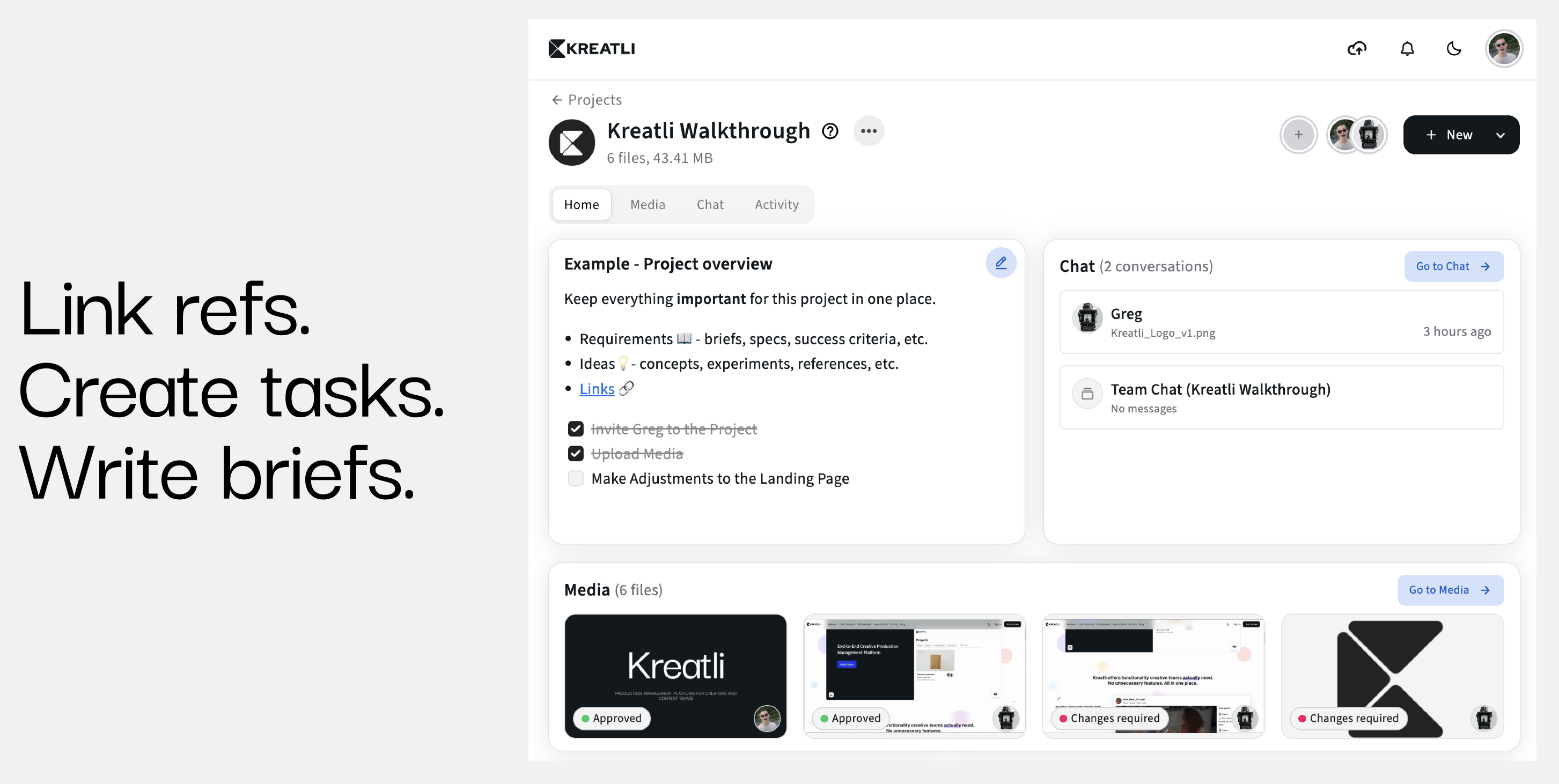
Step 1: Make the Campaign the Primary Production Unit
Instead of organizing work by channel, organize by campaign.
Each campaign should include:
Objectives and messaging
Target channels
Key milestones
Stakeholders
All related deliverables
This ensures that every asset is produced in context.
Here is an example how we solved it for our customers on Kreatli:
Step 2: Define Channel-Specific Deliverables
Within the campaign, create distinct deliverables for:
Long-form video
Social cutdowns
Static social posts
Landing pages
Display ads
Email assets
Each deliverable should include:
Clear requirements
Ownership
Dependencies
Workflow stage
This keeps production structured without losing flexibility.
Step 3: Link Shared Source Assets and Dependencies
Multi-channel campaigns rely heavily on shared assets.
Examples:
A hero video feeds social cutdowns
A master visual informs display ads and landing pages
Core messaging guides copy across channels
Explicitly linking deliverables and tasks prevents teams from working ahead of approvals or recreating assets unnecessarily.
Step 4: Standardize Workflow Stages Across Channels
While formats differ, workflow stages should remain consistent.
A typical multi-channel workflow includes:
Intake
Concept development
Production
Review
Approval
Delivery
Standardization enables predictability, reporting, and scalability.
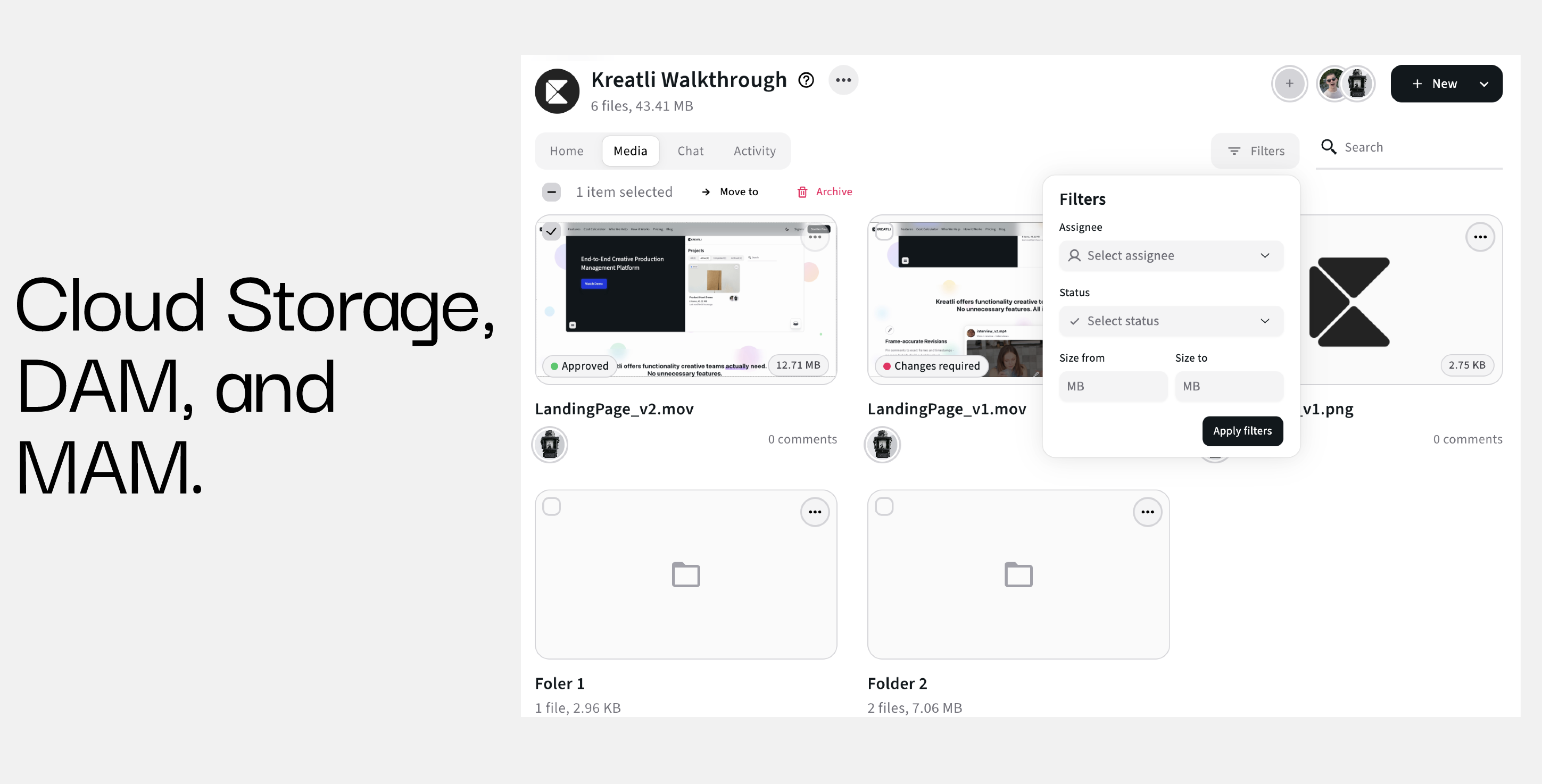
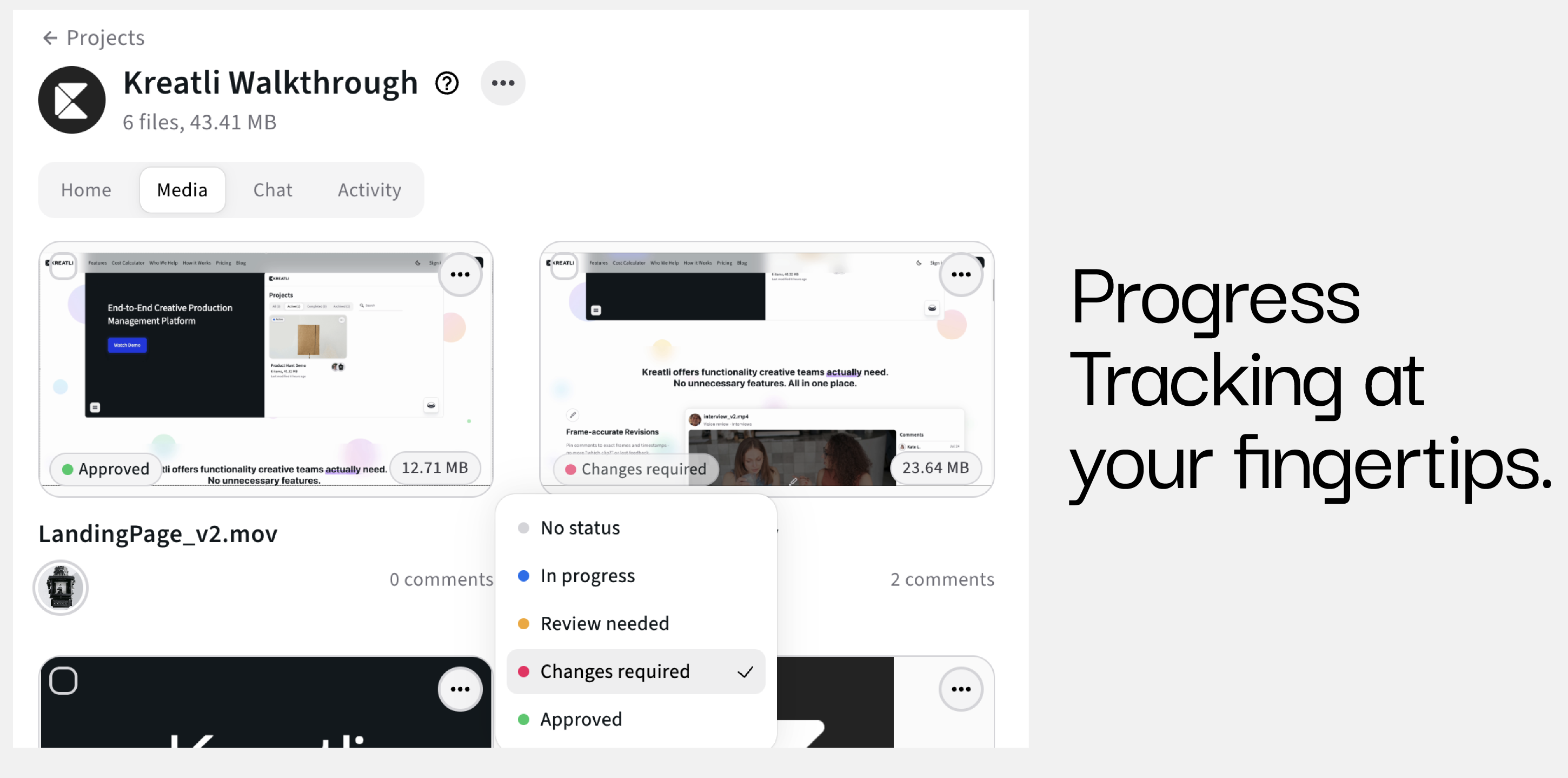
Another example from the Kreatli Media Tab:
Managing Feedback and Approvals Across Channels
Feedback is one of the highest-risk areas in multi-channel production.
Centralize Feedback at the Deliverable Level
Feedback must live where the asset lives.
This allows teams to:
Track decisions
Avoid conflicting feedback
Maintain version clarity
Production management platforms like Kreatli centralize files, comments, and approvals within each deliverable.
Assign Clear Review Roles Per Channel
Not every stakeholder needs to review every asset.
Define:
Required reviewers
Optional reviewers
Final approvers
This reduces noise and accelerates approvals without sacrificing quality.
For more on aligning stakeholders, see Creative Operations vs Project Management: Aligning Your Creative Workflow.
Managing Timelines Across Video, Social, and Web
Multi-channel campaigns rarely launch everything at once.
Align Production to Launch Sequences
Video may need to be finalized before social cutdowns begin. Web pages may depend on final messaging approval.
By mapping dependencies and timelines visually, teams can:
Avoid last-minute crunch
Balance workloads
Adjust priorities proactively
Maintain Visibility Into Workload and Capacity
Campaign visibility enables creative leads to:
Spot bottlenecks early
Reassign work when needed
Prevent burnout
Without visibility, scaling output becomes unsustainable.
Why Generic Project Management Tools Struggle
General PM tools are built for linear task execution, not creative production.
They lack:
Deliverable-centric structures
Native creative review flows
Asset dependency tracking
Campaign-level visibility
This is why creative teams increasingly adopt production management software designed for content-heavy workflows.
How Kreatli Supports Multi-Channel Campaign Workflows
Kreatli is built to support complex creative production across channels.
It enables teams to:
Organize work by campaign
Manage video, social, and web deliverables in one place
Link execution tasks to outputs
Centralize feedback and approvals
Maintain visibility across timelines and teams
For in-house marketing and content teams, this structure enables scale without chaos.
Recap: Managing Multi-Channel Campaign Workflows Effectively
To manage video, social, and web assets at scale:
Treat campaigns as unified production systems
Define channel-specific deliverables
Link shared assets and dependencies
Standardize workflow stages
Centralize feedback and approvals
Use production management software built for creative teams
When workflows are designed for complexity, creative teams can scale output without sacrificing quality or speed.
FAQ
What is a multi-channel campaign workflow?
A structured process for managing creative production across multiple channels within a single campaign.
Why are multi-channel campaigns difficult to manage?
Because assets are interdependent, timelines overlap, and feedback is fragmented without proper workflow design.
How can teams reduce rework across channels?
By linking shared assets, standardizing intake, and managing deliverables in a campaign-centric structure.
Is project management software enough for creative campaigns?
Most general PM tools lack the creative context and deliverable-focused workflows required for multi-channel production.
Ready to see how it works?
Visit Kreatli to explore project templates, playback reviews, and file exchange views that streamline creative production.