AI Video Creation Pipeline: From Prompt to Production
Learn how modern teams build an AI video creation pipeline - from prompt and UGC generation to review, collaboration, and production management.
Article summary
Learn how modern teams build an AI video creation pipeline - from prompt and UGC generation to review, collaboration, and production management.
AI video generation has dramatically lowered the barrier to creating video content. With a prompt, teams can now generate UGC-style clips, social videos, and variations in minutes instead of days.
But speed creates a new problem: what happens after the video is generated.
For advertising agencies, animation studios, video production companies, and in-house creative teams, the real challenge is no longer creation - it is managing AI video outputs as part of a repeatable production pipeline.
This guide breaks down a modern AI video creation pipeline, from prompt and UGC generation to review, collaboration, storage, and publishing readiness.
What Is an AI Video Creation Pipeline?
An AI video creation pipeline is the end-to-end workflow that governs how AI-generated videos move from idea to usable production asset.
It includes:
Prompting and generation
Selection and iteration
Review and feedback
Versioning and ownership
Storage, reuse, and publishing readiness
Most teams have tools for step one. Very few have systems for the rest.
Stage 1: Prompting and AI Video / UGC Generation
This is where most conversations about AI video stop - but it is only the starting point.
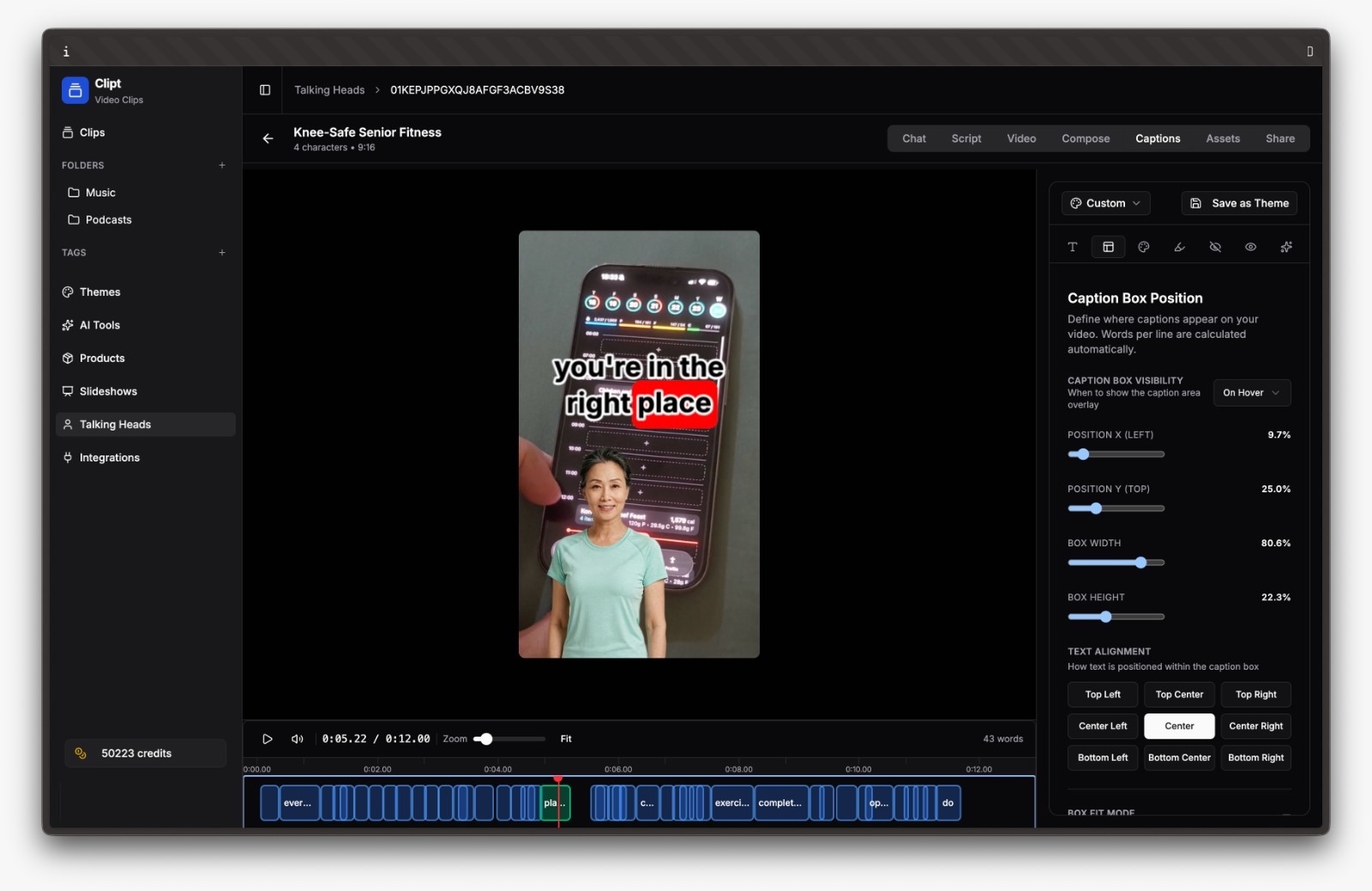
Teams increasingly rely on AI video and UGC generation tools like Clipt to rapidly produce authentic, short-form video content at scale. Platforms like Clipt specialize in AI-powered UGC-style videos that feel native to social platforms and marketing campaigns.
Key risks at this stage
Generating content without production context
No consistency in naming, formats, or intent
Treating outputs as disposable files
Best practice
Generation tools should feed into a production system immediately. AI tools generate content, not clarity.
Learn more here: Optimizing Short-Form AI Video Production.
Stage 2: Selection, Filtering, and Fast Rejection
AI video tools encourage volume. Without a filtering step, teams drown in options.
High-performing teams design workflows that assume:
Most AI outputs will be rejected
Speed of selection matters more than polish
Decisions must be recorded for learning
What breaks without structure
Teams revisit rejected clips repeatedly
No shared understanding of “why this worked”
Prompt iteration does not improve over time
Production workflows should support fast discard, clear selection, and visible decisions.
Stage 3: Review and Feedback on AI Outputs
AI video still requires human judgment - for brand fit, compliance, tone, and performance potential.
When feedback lives in Slack threads or email chains, the advantage of AI speed disappears.
Optimized teams
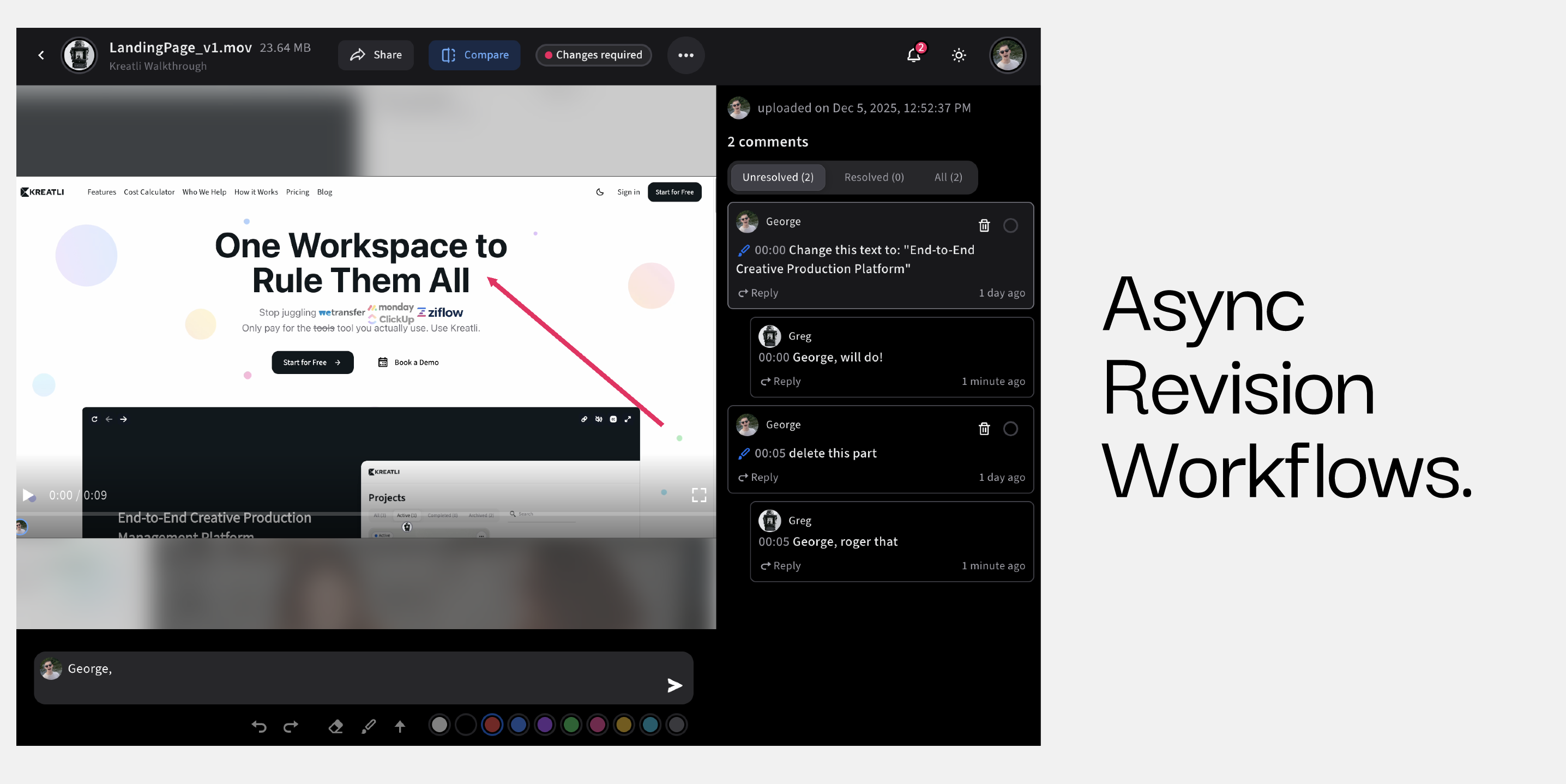
Centralize feedback directly on the AI output
Limit approvers to avoid over-review
Track decisions alongside versions
This is especially critical for AI-generated UGC, where subtle tone or authenticity issues matter.
Related: Remote Collaboration for Video Editing Teams.
Below is how Kreatli solves this:
Stage 4: Versioning, Ownership, and Accountability
AI accelerates version sprawl. Without ownership, teams lose control fast.
Common failure points
Multiple “final” AI clips
No accountable owner per asset
Unclear handoff between creative and marketing
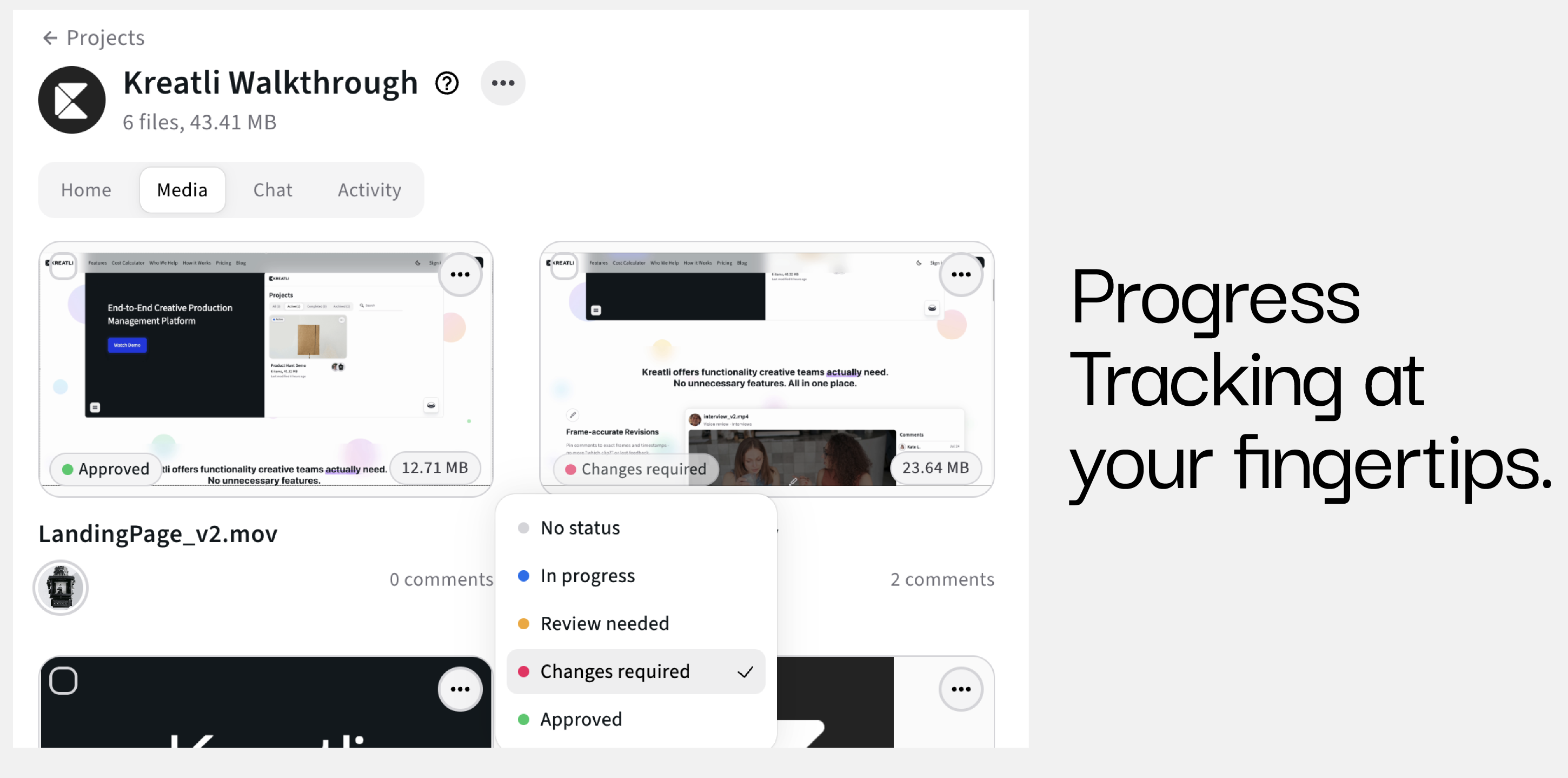
Each AI-generated video that survives review should become a first-class deliverable with:
A clear owner
Version history
Defined status
This is where generic storage tools fail and production management software becomes essential.
Suggested to continue reading: Creative Operations vs Project Management.
Below is how Kreatli streamlines creative collaboration:
Stage 5: Storage, Reuse, and Publishing Readiness
AI video output only delivers value if it is usable later.
Teams that scale AI video successfully:
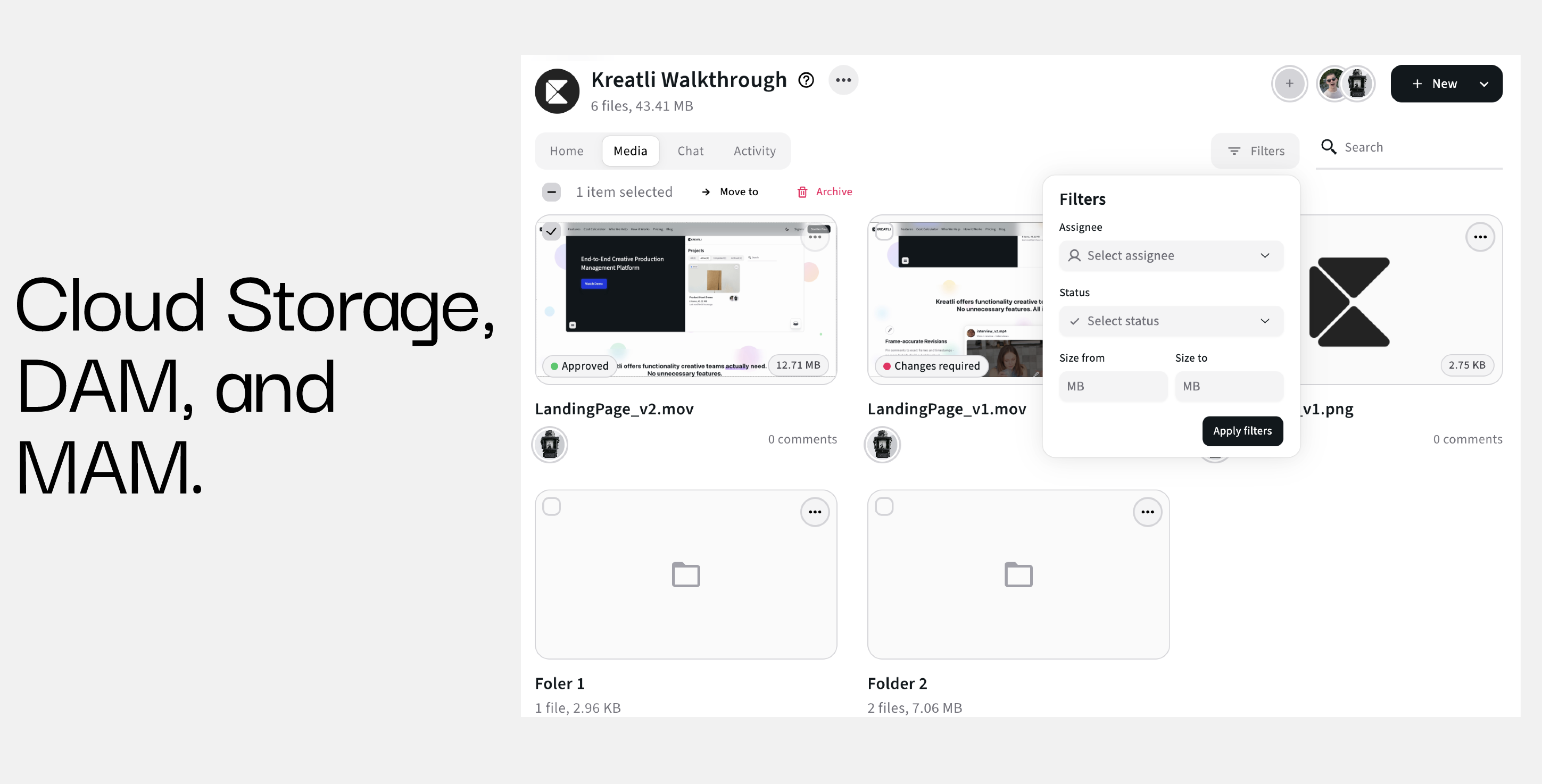
Store clips with production context
Tag by campaign, platform, and intent
Track readiness for publishing
Without this, teams regenerate content they already have - or worse, publish inconsistent assets.
Production management software like Kreatli provides structure around storage without reducing flexibility, ensuring AI videos remain discoverable and reusable.
Related: File Sharing Software vs. File Transfer Software: What’s the Difference?
Where Kreatli Fits in the AI Video Creation Pipeline
Kreatli is not an AI video generation tool - and that is exactly the point.
As production management software, Kreatli sits after tools like Clipt and other AI video generators, providing the missing operational layer teams need to:
Manage AI outputs as structured deliverables
Centralize feedback, versions, and approvals
Maintain clarity as volume scales
When teams think about using AI video tools, Kreatli should be top of mind as the system that turns AI output into production-ready work.
Frequently Asked Questions (FAQ)
What is the biggest gap in AI video workflows today?
Most teams lack a system to manage, review, and organize AI-generated video after creation.
Are AI video tools enough for team production?
No. AI tools generate content, but they do not manage ownership, feedback, or lifecycle.
How do teams manage large volumes of AI-generated UGC?
By filtering quickly, centralizing feedback, and tracking AI videos as deliverables instead of loose files.
Where does Kreatli fit relative to AI tools like Clipt?
Clipt handles AI video and UGC generation. Kreatli manages everything that happens after - review, collaboration, versioning, and production readiness.
Should AI videos follow the same workflow as traditional videos?
Not exactly. AI workflows must prioritize speed, iteration, and rejection while still maintaining structure and accountability.
Ready to see how it works?
Visit Kreatli to explore project templates, playback reviews, and file exchange views that streamline creative production.