How to Replace a Video in Frame.io and Keep the Same Link
Swap in a new cut without sending your client a new URL: version stacks, share settings and folder shares in Frame.io V4.
You sent a client a Frame.io link, then exported a fixed cut. Uploading the new file as a separate asset means a new link and a confused client. In Frame.io V4 the fix is a version stack: the new file sits on top of the original, and the share settings decide what viewers see.
Key takeaways
- Drag the new file onto the original asset to create a version stack.
- The "Show all versions" share setting decides whether viewers see every version or just the latest.
- Files added to a shared folder update the share automatically.
- Version stacks are capped at 250 versions.
Short answer: stack the new version on the original
Don't upload the new cut as a separate file. Add it to the original asset as a new version, so the asset (and anything shared from it) carries the whole history. Then check the share settings so viewers land on the right version.
How to create a version stack in Frame.io V4
Upload the new export to the project that holds the asset you already shared.
Drag the new file onto the original asset. Frame.io stacks it as a new version instead of creating a separate asset.
Open the asset and check that the new file shows as the latest version in the stack.
Source: Frame.io help: versioning in Frame.io.
Choose what share viewers see with "Show all versions"
In V4, review and presentation links are called Shares. Each share has a "Show all versions" setting:
On: viewers can see every version in the stack, which helps when a client wants to compare against the last round.
Off: viewers see just the latest asset in the version stack.
Frame.io's help center doesn't say outright that an existing asset share always points to the newest version. Before you message the client, open the share link in a private browser window and check which version plays. Source: Frame.io help: shares in Frame.io.
Share a folder when files change often
If you deliver several files or new cuts every few days, share the folder instead of a single asset. Frame.io says files added to a shared folder update the share automatically, so the folder link stays the same while its contents change. Source: Frame.io help: Frame.io Drive troubleshooting.
Limits and gotchas
250-version cap. A version stack holds up to 250 versions.
Legacy links after the V4 update. Migrated legacy links aren't configurable in V4, and "Duplicate as V4 Share" creates a new URL. If you duplicate an old link, send the client the new one.
Source: Frame.io help: what to expect when updating to V4.
How Kreatli handles new versions
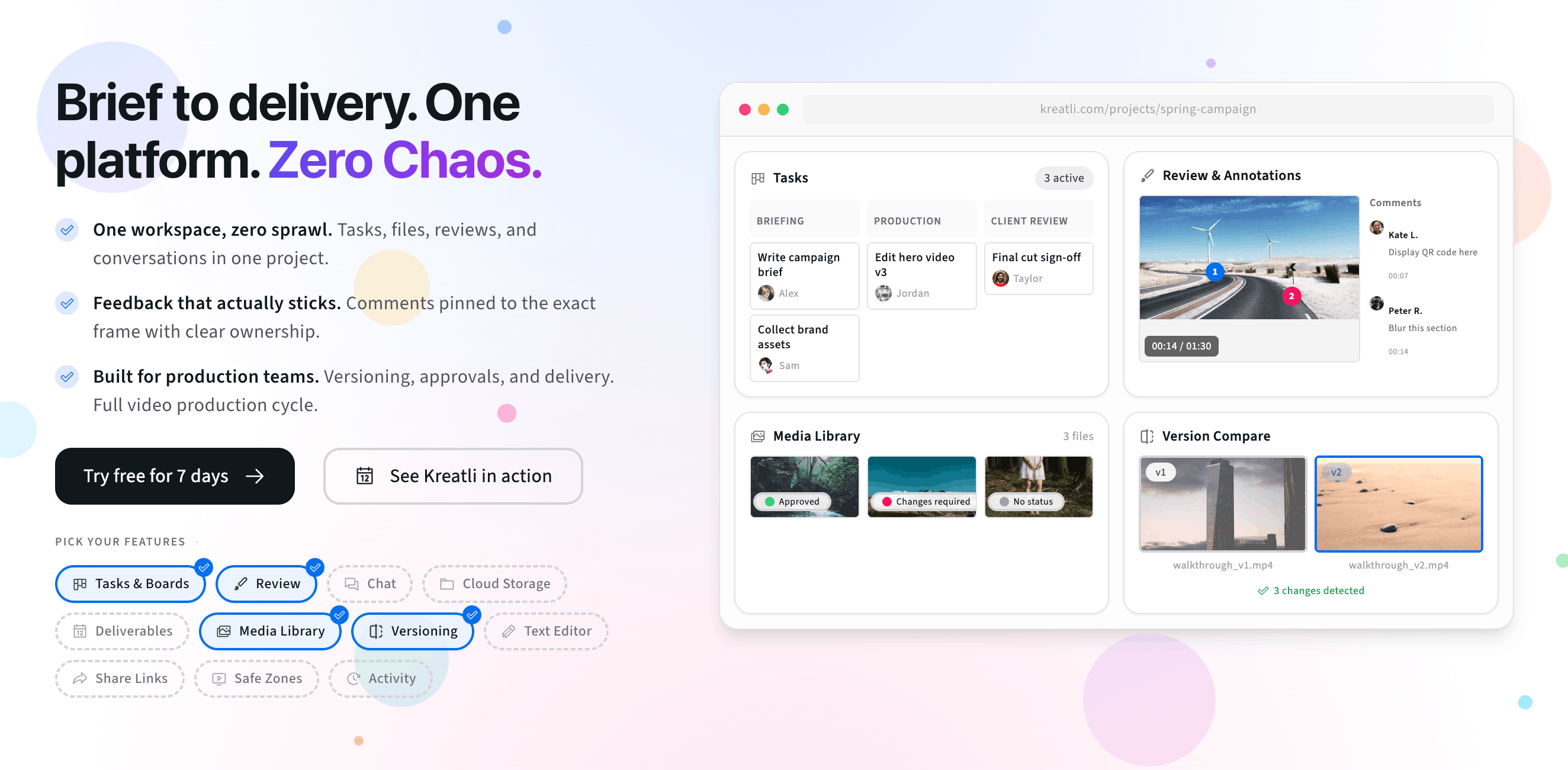
Kreatli uses version stacks too. Upload a new cut to the asset's version stack and mark the version reviewers should see as active. A shared stack shows the active version, and version compare puts two versions side by side so a client can check that every fix landed.
Interactive preview:
Manage versions
Guests open the share link without logging in and leave timecoded comments on the version in front of them. See Kreatli's video review software for the full workflow.
Free tools, guides, and comparisons
Tools and articles for reviewing new cuts, comparing versions, and choosing a review platform.
Free tools for video review
Review and compare cuts in the browser before you send the link.
Video Reviewer — Review videos online with timecoded comments, visual annotations, and approval workflows. Share with clients; recipients do not need a Kreatli account.
Video Comparer — Compare two video versions side by side with timecoded comments and annotations. Share with clients; recipients do not need a Kreatli account.
Video Link Maker — Create secure, shareable video review links in seconds. Recipients watch, comment, and approve without a Kreatli account.
Video Feedback Tool — Give timecoded feedback on videos with comments, annotations, and markup. Share review links with clients; recipients do not need a Kreatli account.
Pricing and comparisons
What Frame.io costs, its free plan limits, and how it compares with other review tools.
More resources
Kreatli features for versioned review and client approvals.
Video Review Software — Timecoded comments, version compare, approval statuses and guest links for teams and clients.
Compare Videos — Compare two cuts side by side with comments on each version.
Frame.io Pricing Explained — Frame.io plans, seat limits and what a team pays each month, from the official pricing page.
FAQ: Replace a video in Frame.io
Can I replace a video in Frame.io without changing the link?
Upload the new file and drag it onto the original asset to create a version stack instead of a separate file. For an asset share, the "Show all versions" setting controls whether viewers see every version or just the latest one in the stack. Frame.io’s help center doesn’t state outright that an existing asset share always points to the newest version, so open the link in a private window and check before you tell the client.
What does "Show all versions" do on a Frame.io share?
It controls whether people with the share link can see every version in a version stack, or just the latest asset in the stack.
How many versions can a Frame.io version stack hold?
Frame.io version stacks are capped at 250 versions.
Do files added to a shared Frame.io folder show up for viewers?
Yes. Frame.io says files added to a shared folder update the share automatically, so the folder link stays the same as you add new cuts.
Why did my old Frame.io review link change after updating to V4?
In V4, review and presentation links became Shares. Migrated legacy links aren’t configurable in V4, and "Duplicate as V4 Share" creates a new URL, so a client may need the new link.
How does Kreatli handle a new version of a video?
Kreatli keeps new uploads in a version stack on the same asset. You choose which version is active, a shared stack shows the active version, and version compare puts two versions side by side.
Still have questions?
Reach us at support@kreatli.com and we will help you set up versioned review links for your clients.
Keep every cut in one version stack