Instagram Reels Safe Zone
The Instagram Reels safe zone is the part of a 9:16 frame not covered by UI (username, captions, buttons). Checking it before review or post avoids cropped faces and titles. The interactive overlay is on the Reels checker; this page is the team workflow.
What is an Instagram Reels safe zone?
The Instagram Reels safe zone is the part of a 9:16 frame not covered by UI (username, captions, buttons). Checking it before review or post avoids cropped faces and titles. The interactive overlay is on the Reels checker; this page is the team workflow.
Use this page when you searched for instagram reels safe zone. For Reels safe zone checker, see Reels safe zone checker. The cluster pillar is TikTok safe zone. See Kreatli pricing or read Instagram Reels notes.
How to Use the Safe-Zone Checker for Instagram Reels
Use the safe zone checker inside Kreatli so you can preview platform overlays, get feedback, and get approvals in one place. Follow these steps to ensure your Instagram Reels looks perfect on Instagram Reels.
Step 1
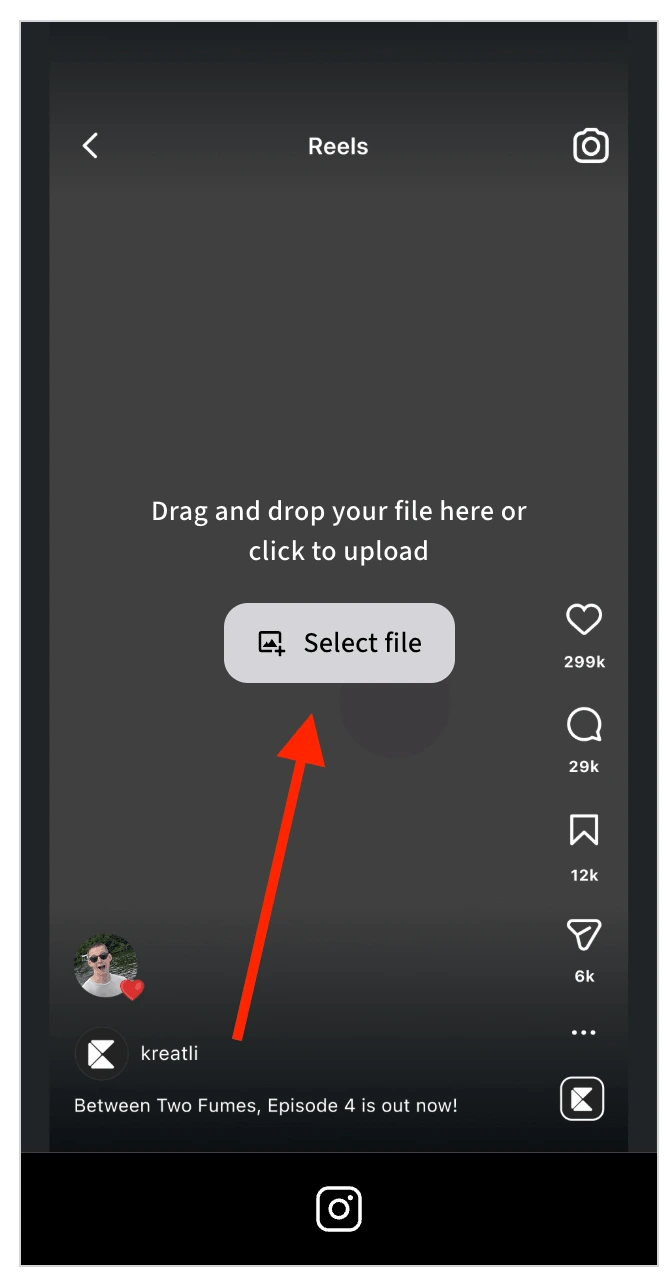
Upload Your Video in Kreatli
Sign in to Kreatli, open your project, and upload your Reels video or asset. The safe zone checker is built into the platform—use it right where you review and approve content.
Step 2
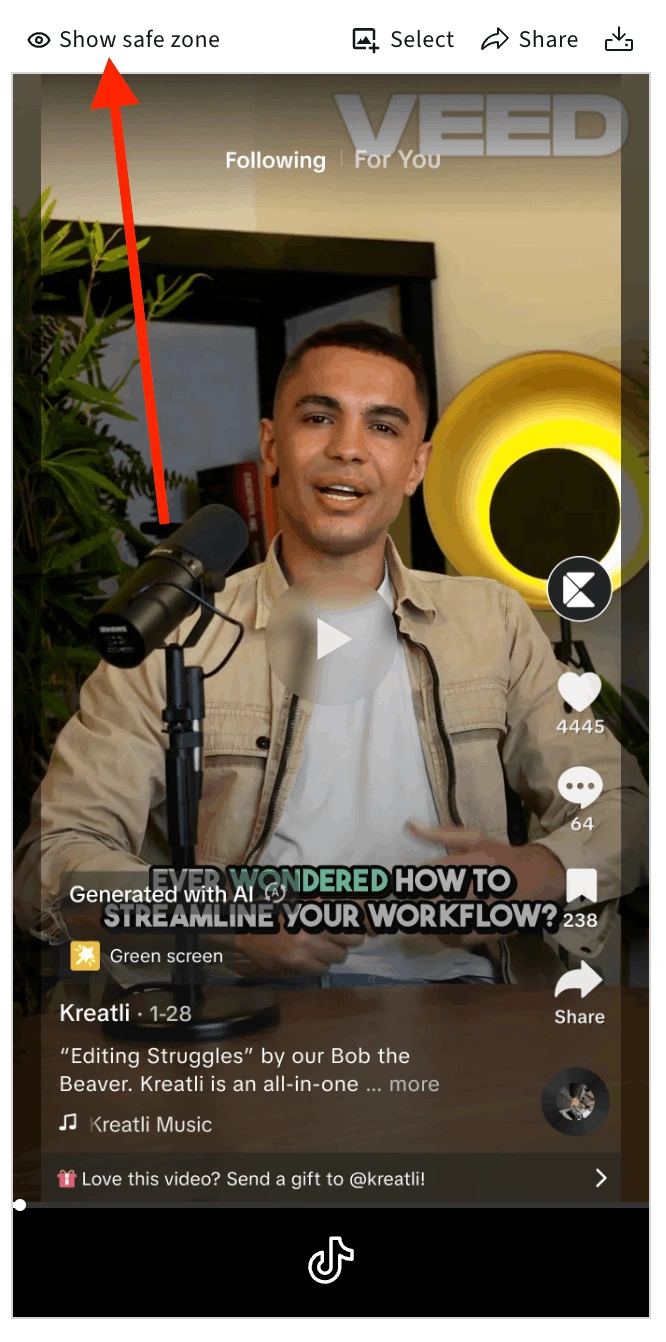
Open It and Turn On the Safe Zone Overlay
Open the video in the player, then turn on the safe zone overlay to see where Instagram's UI will appear: profile picture, username, like, comment, share, and music display. Keep important text and visuals outside those areas so they stay visible in the app.
Step 3
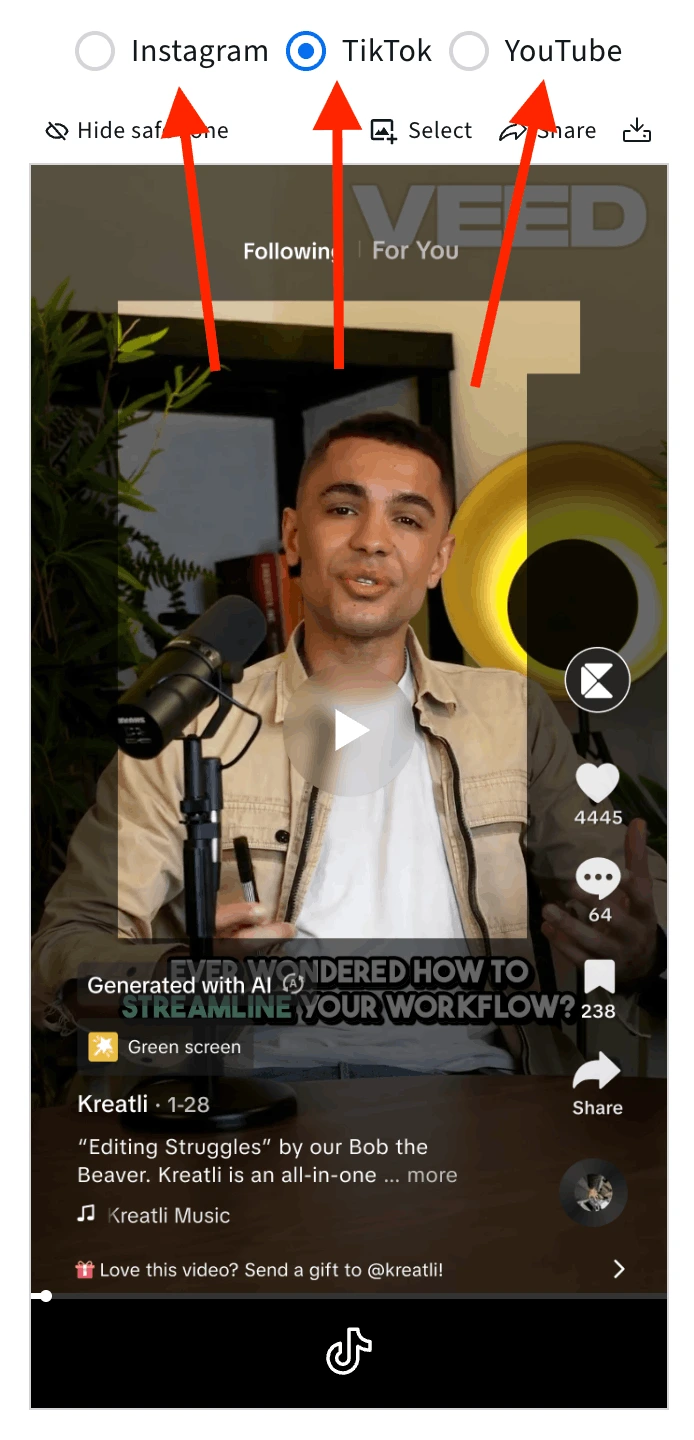
Preview Instagram Reels (or Toggle Platforms)
View the Instagram Reels overlay: profile and username at top, engagement buttons on the right, music display. Toggle to YouTube Shorts or TikTok in the same view to compare and make sure your content is safe on every platform you post to.
Step 4
Turn the Platform Overlay On or Off as Needed
Turn the platform overlay on to see where Instagram's UI elements will sit on your content, or off to view your video without the guide. Toggle on and off at key frames to verify that text and visuals stay in the safe zone before you move to review and share.
Step 5
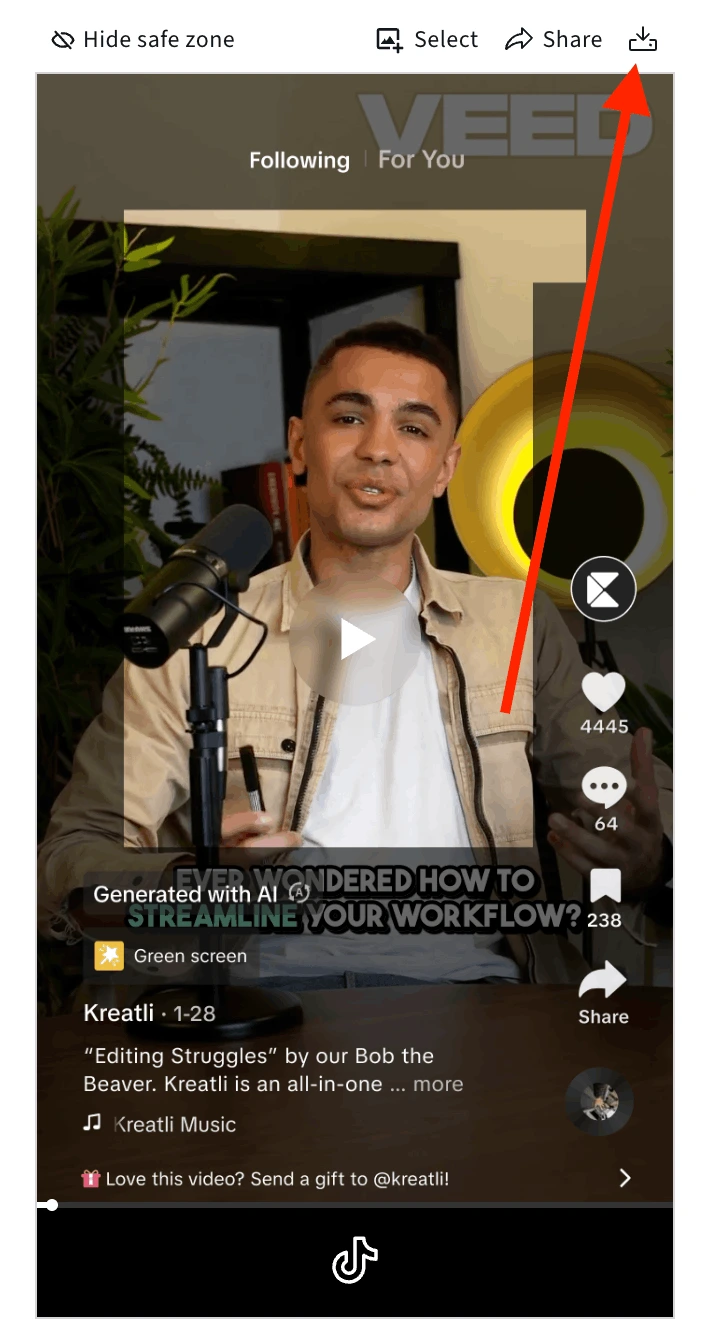
Review, Get Feedback, Share for Approval, or Download
Review key frames, get team feedback, share for approval, or download a reference with the safe zone overlay. Everything stays in your Kreatli project before you publish to Instagram.
Reels safe zone & other platforms
Designing for instagram reel safe zone on a 1080×1920 canvas? Overlays differ from TikTok and YouTube Shorts— run each checker before you post. Need YouTube channel banner dimensions 2026? Use the table below.
YouTube channel banner (not Reels)
Reels are vertical; channel art is wide. If your search landed you here for banner sizes, use the official spec table and resizer.
Reference values for YouTube channel banner size dimensions 2026, recommended size and safe area, and file requirements—aligned with common Studio uploads. Always confirm current requirements in YouTube Studio before publishing.
| Recommended size | 2560 × 1440 px |
|---|---|
| Safe zone (text & logos) | 1546 × 423 px |
| Minimum size | 2048 × 1152 px |
| Max file size | 6 MB |
| Accepted formats | JPG, PNG, GIF, BMP |
Open the free YouTube banner resizer to preview safe zones on desktop, mobile, tablet, and TV.
Instagram Reels Safe Zone - Built for Video Teams
See where Instagram’s UI overlays sit on your Reels so you can keep headlines, CTAs, and branding in the safe zone. Upload, preview, and export.
Preview Safe Zone Overlays
Turn on the safe zone overlay to see where profile picture, username, like button, comment button, and music label appear on your Reels. Keep important text and visuals outside those areas so they stay visible.
Upload & Check Before You Post
Drag and drop your Reels video into the free tool. No watermark. Preview the safe zone, adjust your design if needed, and export a reference so your team keeps content in the right place.
Instagram-Specific Overlays
Our checker uses Instagram Reels UI positions so you see where overlays sit in the app. Keep titles, captions, and CTAs in the safe area so viewers never miss your message.
Export & Share With Your Team
Download your preview with the safe zone overlay as a reference. Share with editors and clients so everyone keeps key elements in the safe zone before Reels go live.
Use With Kreatli Review Workflow
After you check the safe zone, upload your Reels to Kreatli for frame-accurate review and client approval. Get feedback on placement, captions, and branding before you publish.
TikTok & YouTube Shorts Too
We also offer safe zone checkers for TikTok and YouTube Shorts. Use each tool before posting so your content stays visible on every platform. All free, all in your browser.
Why Check the Instagram Reels Safe Zone?
Keeping your message in the safe zone means more viewers see your headline, CTA, and brand—and fewer surprises after you post.
Keep Key Content Visible
Instagram’s UI can cover the edges of your Reels. When you check the safe zone first, you avoid placing headlines, CTAs, or logos where the like button or profile picture will sit. Viewers see what you want them to see.
Fewer Redos After Publishing
Catch safe zone issues before you post. Adjust text placement or graphics in the editor, run the checker again, and publish with confidence. No more discovering covered text once the Reel is live.
Professional Look on Every Reel
Brands and creators who check the safe zone deliver cleaner, more readable Reels. Use the free tool as part of your pre-publish checklist so every post looks intentional and on-brand.
Fit Into Your Creative Workflow
Check the safe zone in seconds, then move to Kreatli for review and approval if you work with clients or teams. Keep safe zone validation and frame-accurate feedback in one workflow.
Free Tools for Video Teams
Explore our collection of free tools designed to help video and social creators work more efficiently.
Instagram Reels Safe Zone Checker
Check your Instagram Reels safe zone before posting. Preview where profile picture, username, like button, comment button, and music display appear.
Learn more
TikTok Safe Zone Checker
Check your TikTok video safe zones before posting. Preview where profile picture, username, music track, and engagement buttons appear.
Learn more
YouTube Shorts Safe Zone Checker
Test your YouTube Shorts video layout before publishing. Preview where channel name, subscribe button, like button, comments, and video controls appear.
Learn more
YouTube Banner Resizer
Resize your YouTube channel art to the perfect dimensions. Preview safe areas for mobile, desktop, tablet, and TV devices.
Learn more
See How This Works in Practice
Explore guides and workflows for Reels, video review, and creative proofing—so your content stays visible and on-brand.
Choose the Perfect Plan for Your Creative Journey
Sign up free — no credit card required. Upgrade to any plan when you're ready for full access.
Creator
$14per user
per month
per month
Designed for solo creators and teams who want to organize projects, review work, and create faster.
- Up to 3 members
- 500GB Storage
- Unlimited projects & reviewers
- Frame-accurate video review
- Shared asset libraries
Best Cost/Value Ratio
Team
$29per user
per month
per month
Built for established teams running multiple projects with shared assets, structured reviews, and consistent workflows.
- Everything in Creator
- Up to 10 members
- 2TB Storage
- File organization and management
- Versioning and comparison
- Asset-linked conversations
- Guest review links
- Comment threads and annotations
Enterprise
Custom
Tailored for enterprise organizations that need advanced controls, custom workflows, and dedicated support.
- Everything in Team
- Custom members
- Custom storage
- Single Sign-On (SSO)
- Dedicated Account Manager
- Custom Integrations & Features
Frequently Asked Questions
Get detailed answers about the Instagram Reels safe zone, how to check it, and how the free tool fits into your workflow.
Still Have Questions?
If you didn't find the answer you were looking for, reach out to our team at support@kreatli.com to learn how the Instagram Reels safe zone checker and Kreatli’s review workflow can support your workflow.
More Resources
Explore more Kreatli features that support creative proofing, video review, and frame-accurate feedback—including safe zone validation.
Creative Proofing
Review creative work and turn feedback into trackable work. Every upload creates a new version for easy comparison.
Learn more
Review & Approval
Frame-accurate revisions and approvals for video content. Streamline your feedback workflow.
Learn more
Video Annotation
Add frame-accurate annotations, drawings, and markup directly to video frames. Pin comments to exact timestamps and collaborate with precise visual feedback.
Learn more
Ready to Check Your Instagram Reels Safe Zone?
Use Kreatli’s free Instagram Reels Safe Zone Checker before you post—and bring Reels into Kreatli for review and approval when you need client sign-off.