Image URL Maker
An image URL maker (image link generator) converts an image file into a URL. In Kreatli that URL can open a review page with pins and markup, not only a public CDN path. Use this for “image URL” / “image link” searches; use the photo URL generator for picture-into-a-link wording.
What is an image URL maker?
An image URL maker (image link generator) converts an image file into a URL. In Kreatli that URL can open a review page with pins and markup, not only a public CDN path. Use this for “image URL” / “image link” searches; use the photo URL generator for picture-into-a-link wording.
When teams use this
- A designer shares a key visual as an image URL for markup.
- A brand team generates an image link for a packaging still.
- A freelancer avoids attaching a 40 MB PNG to email.
Not a public CDN or WordPress media library. Photo/picture searches belong on the photo URL generator. Reviewing the still (not just linking it) is the image reviewer.
Use this page when you searched for image link generator. For photo URL generator, see photo URL generator. The cluster pillar is image to link. See Kreatli pricing or read how to convert an image into a link.
How to create an image URL in Kreatli
Follow these steps to upload your image, generate an image URL, and collect feedback—recipients do not need a Kreatli account. Sign in to create links; start a trial or choose a plan if your subscription isn’t active.
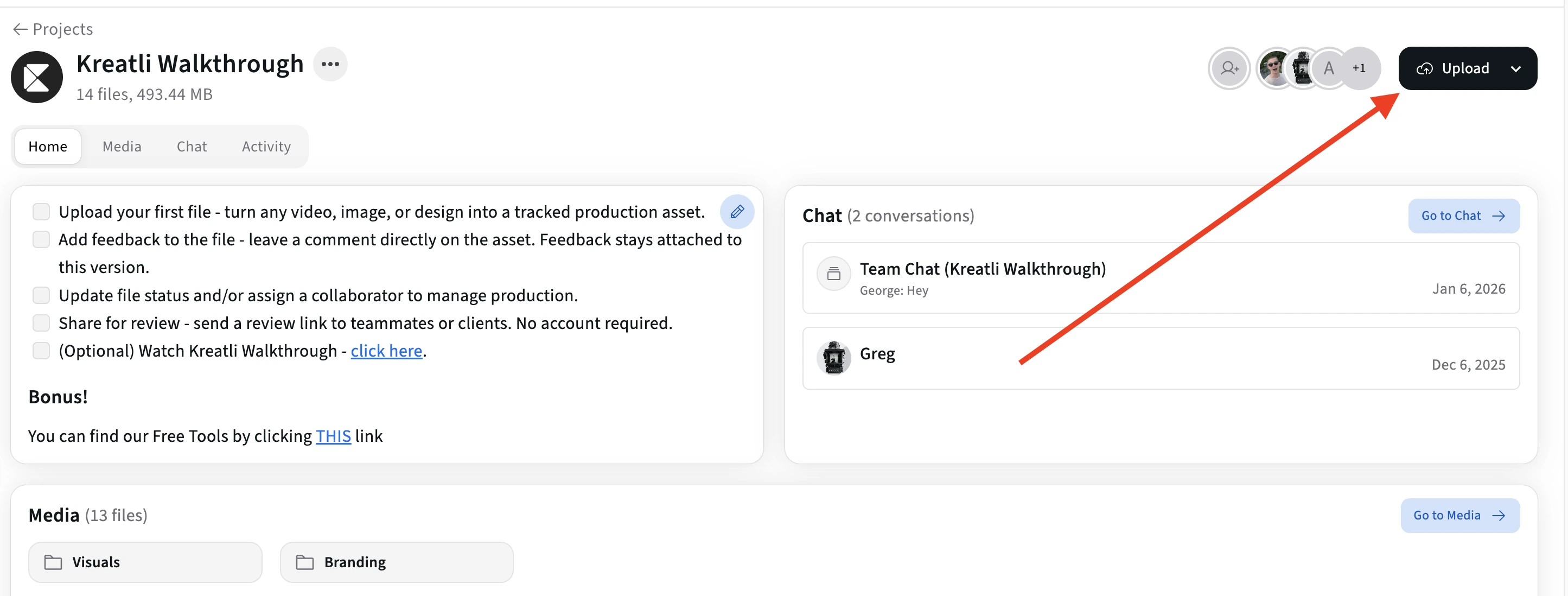
Upload your image in Kreatli
Sign in to Kreatli, open your project, and upload your image (JPG, PNG, GIF, WebP, etc.). Your file is stored securely with version history so you can generate a shareable link and share for review in one place.
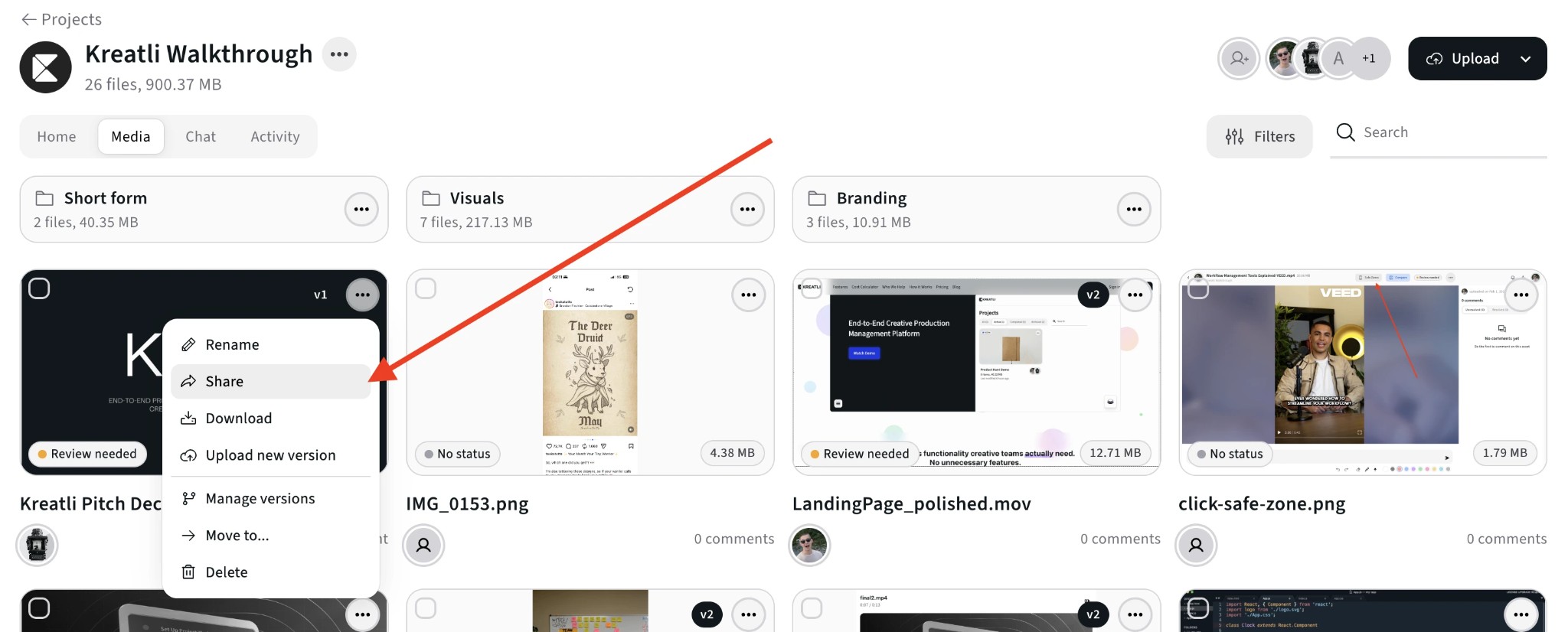
Open the file menu and choose Share
In the Media view, open the 3-dot menu (⋯) on the image and choose Share. Create a secure review link—each link opens the image in the browser with no download or account required.
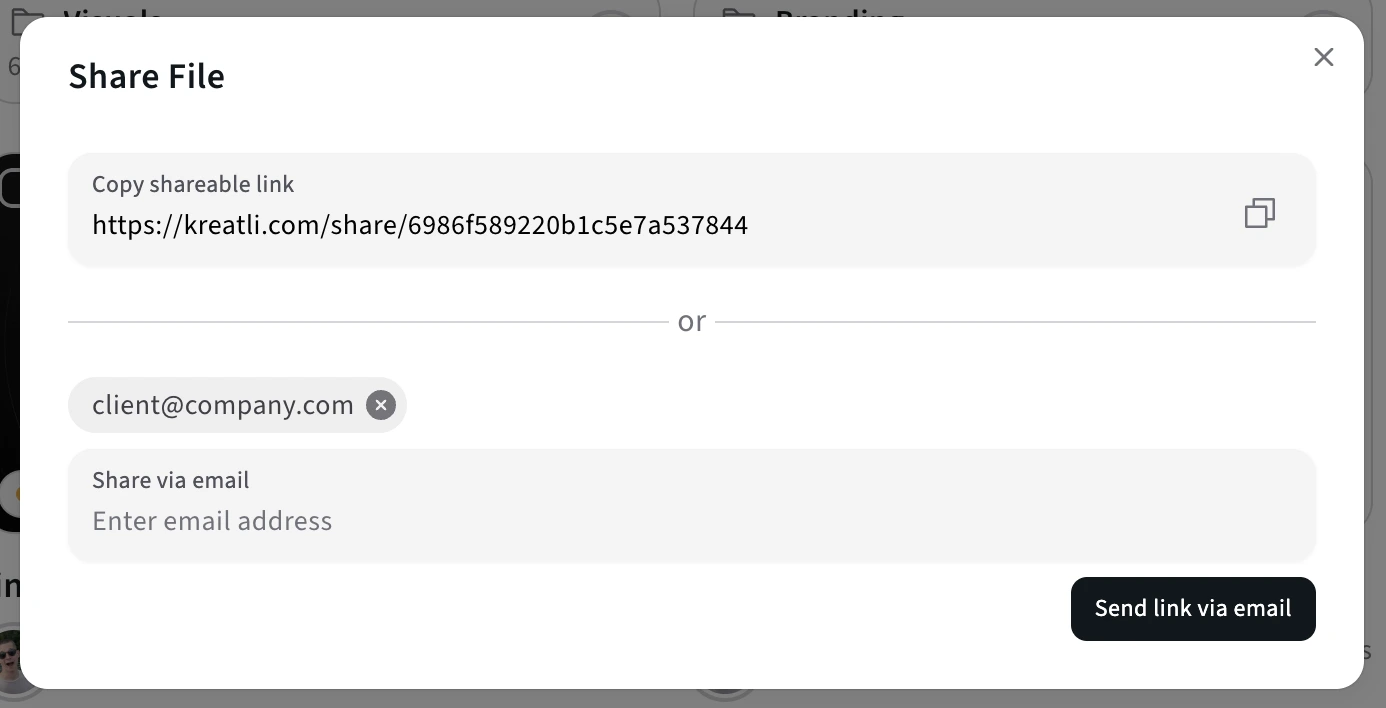
Share the link with clients or collaborators
Copy the link or send it via the share modal (email, Slack, etc.). Recipients click once to open the image and leave comments and annotations—no Kreatli account or app install.
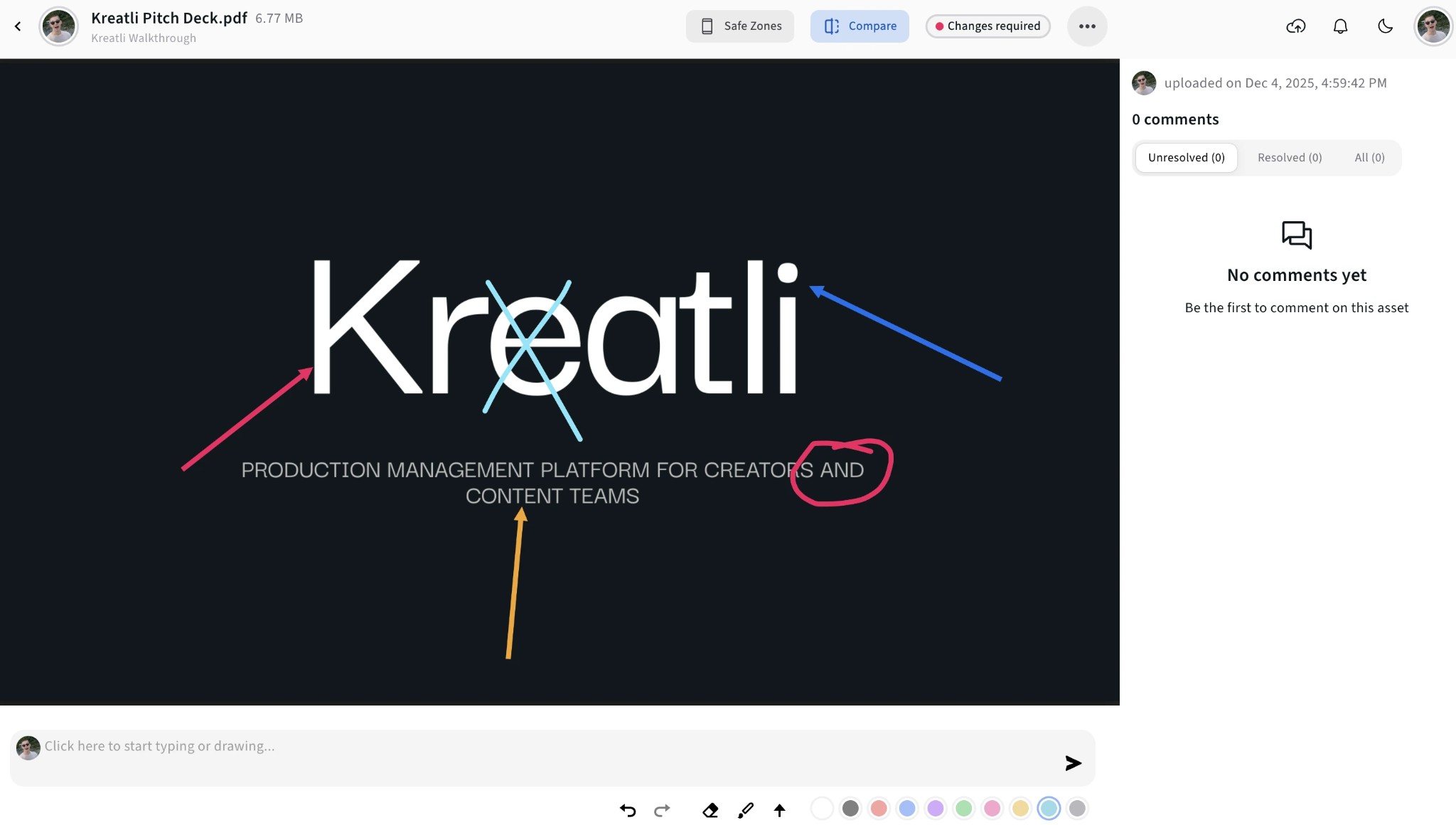
See feedback on the image
All comments and annotations appear in one place. Recipients can draw, highlight, and comment on the image; you jump to any spot, track what's resolved, and keep every review round in one thread.
Track approvals and versions
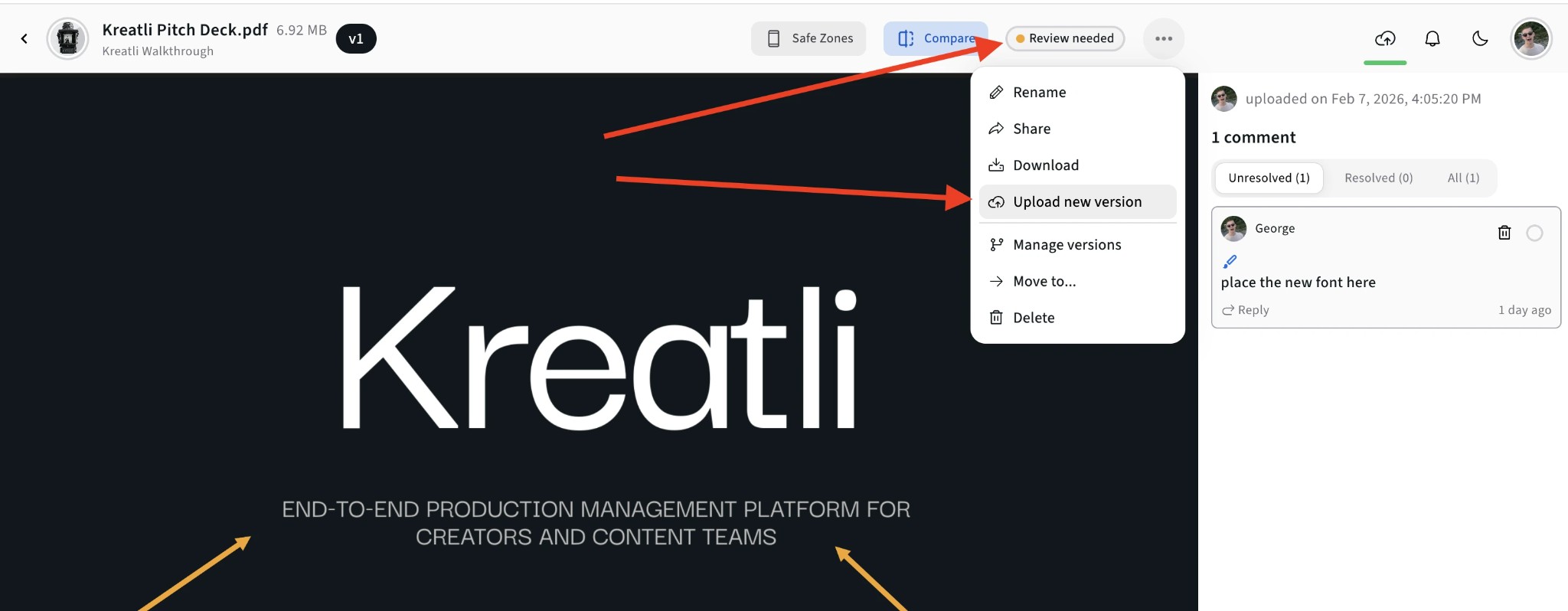
In the image viewer, use Compare to see versions side by side, or open the menu for Upload new version and Manage versions. See who's approved which version and revoke or update link access anytime.
Read Our Complete Guide
Learn how to convert an image into a shareable URL—and when an image link generator is the right search vs a photo URL.
Read Complete GuideMore Tools for Creative Teams
Sign up free — no credit card required — and try these tools in Exploration Mode. Start a 7-day free trial when you’re ready for unlimited access.
Image Reviewer
Review images online with location-pinned comments, annotations, and approvals. Share with clients; recipients do not need a Kreatli account.
Image Annotator
Add location-pinned comments, highlights, drawings, and markup to images. Share with clients; recipients do not need a Kreatli account.
PDF Link Generator
Turn your PDF into a shareable link. Create secure review links in seconds—recipients do not need a Kreatli account.
Video Link Maker
Create secure, shareable video review links in seconds. Recipients watch, comment, and approve without a Kreatli account.
Frequently Asked Questions
Learn how the image URL maker and image link generator work, and how they fit review and approval workflows.
More Resources
Explore the photo URL generator, image annotation, and the guide to converting an image into a link.
Photo URL Generator
Turn a picture into a shareable photo URL for review.
Annotate Image
Annotate and review images with comments and markup. Add feedback directly on images for precise, location-pinned review.
How to convert an image into a link
Turn a still into a URL you can send for review.
Ready to share your next image with a URL?
Use Kreatli's image URL maker to send secure, review-ready image links to clients and collaborators in seconds.