Photo URL Generator
A photo URL generator turns a still photo or picture into a link you can send. Kreatli’s version is for review: recipients open the photo, leave pinned comments, and skip email attachments. Use this for photos and pictures; use the image URL maker when the search is “image URL” or “image link generator.”
Need the same flow for video masters? See free video link generator.
What is a photo URL generator?
A photo URL generator turns a still photo or picture into a link you can send. Kreatli’s version is for review: recipients open the photo, leave pinned comments, and skip email attachments. Use this for photos and pictures; use the image URL maker when the search is “image URL” or “image link generator.”
When teams use this
- A photographer sends a client a URL to a hero still instead of a Dropbox zip.
- A social lead turns a campaign photo into a review link for legal.
- A producer shares a picture from set without granting a whole folder.
This URL owns picture/photo wording. Image URL / image link generator belongs on the image URL maker. Team picture-into-URL is the platform twin.
Use this page when you searched for turn picture into a link. For image URL maker, see image URL maker. The cluster pillar is picture into a URL. See Kreatli pricing or read how to convert an image into a link.
How to turn your photo into a link in Kreatli
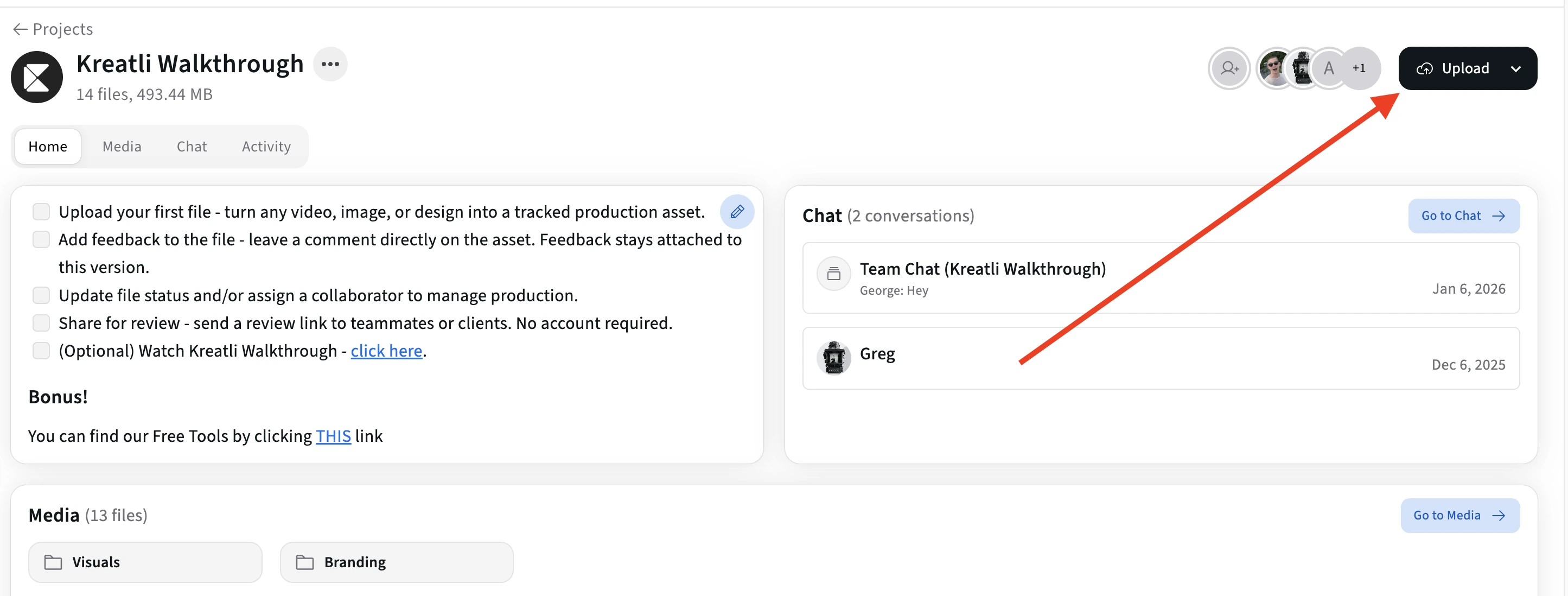
Follow these steps to upload your photo, generate a shareable link, and collect feedback—recipients do not need a Kreatli account. Sign in to create links; start a trial or choose a plan if your subscription isn’t active.
Upload your image in Kreatli
Sign in to Kreatli, open your project, and upload your image (JPG, PNG, GIF, WebP, etc.). Your file is stored securely with version history so you can generate a shareable link and share for review in one place.
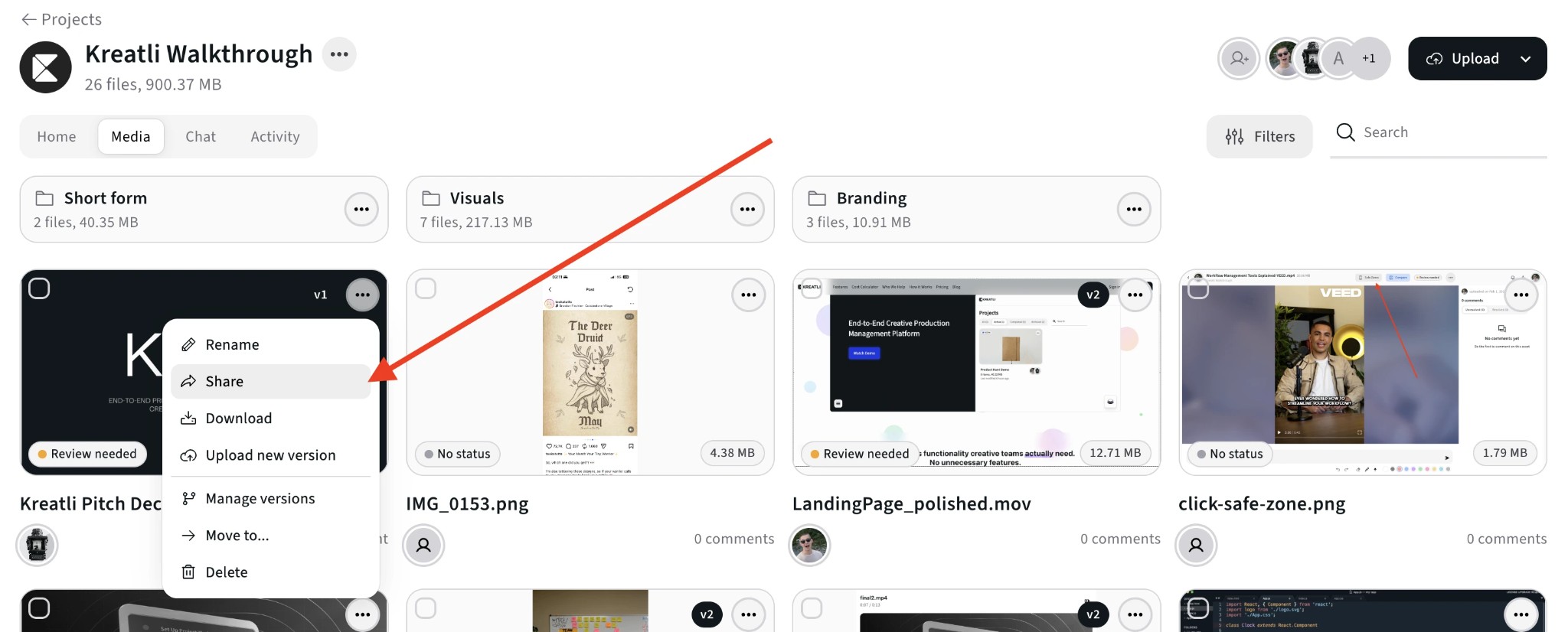
Open the file menu and choose Share
In the Media view, open the 3-dot menu (⋯) on the image and choose Share. Create a secure review link—each link opens the image in the browser with no download or account required.
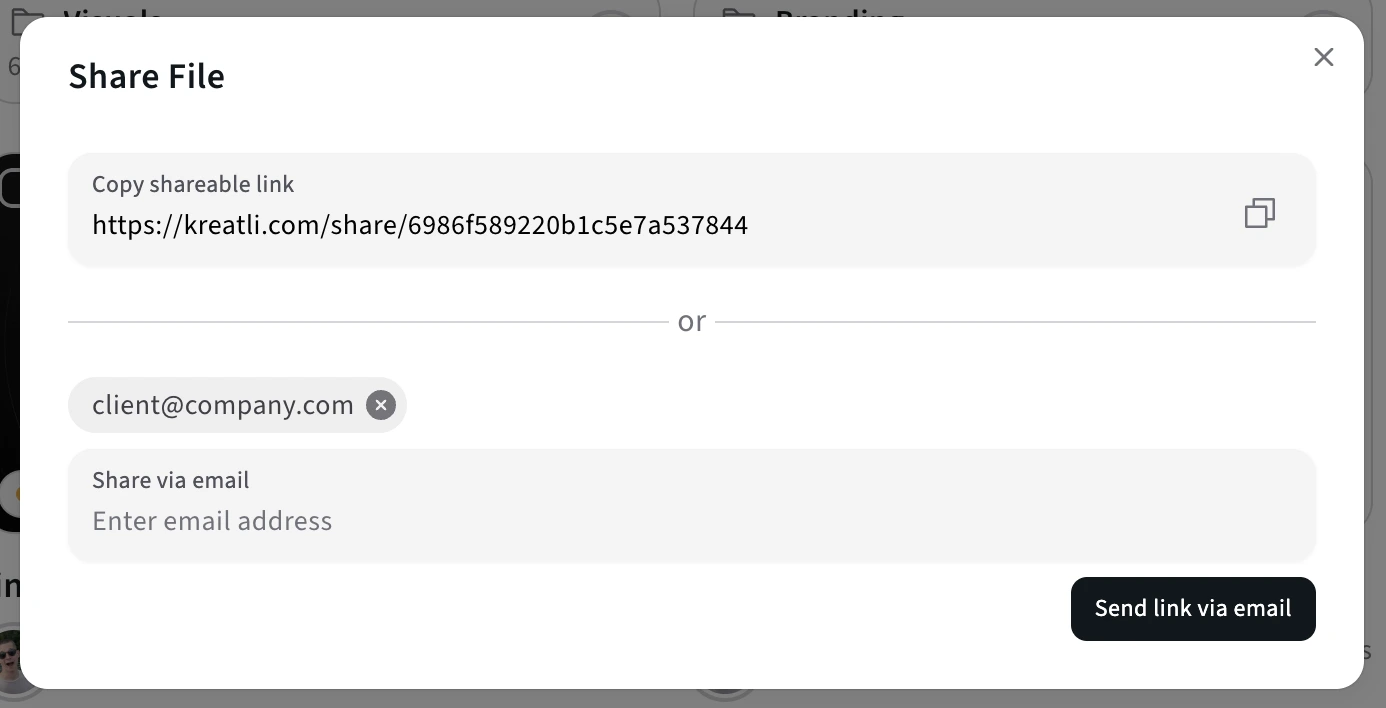
Share the link with clients or collaborators
Copy the link or send it via the share modal (email, Slack, etc.). Recipients click once to open the image and leave comments and annotations—no Kreatli account or app install.
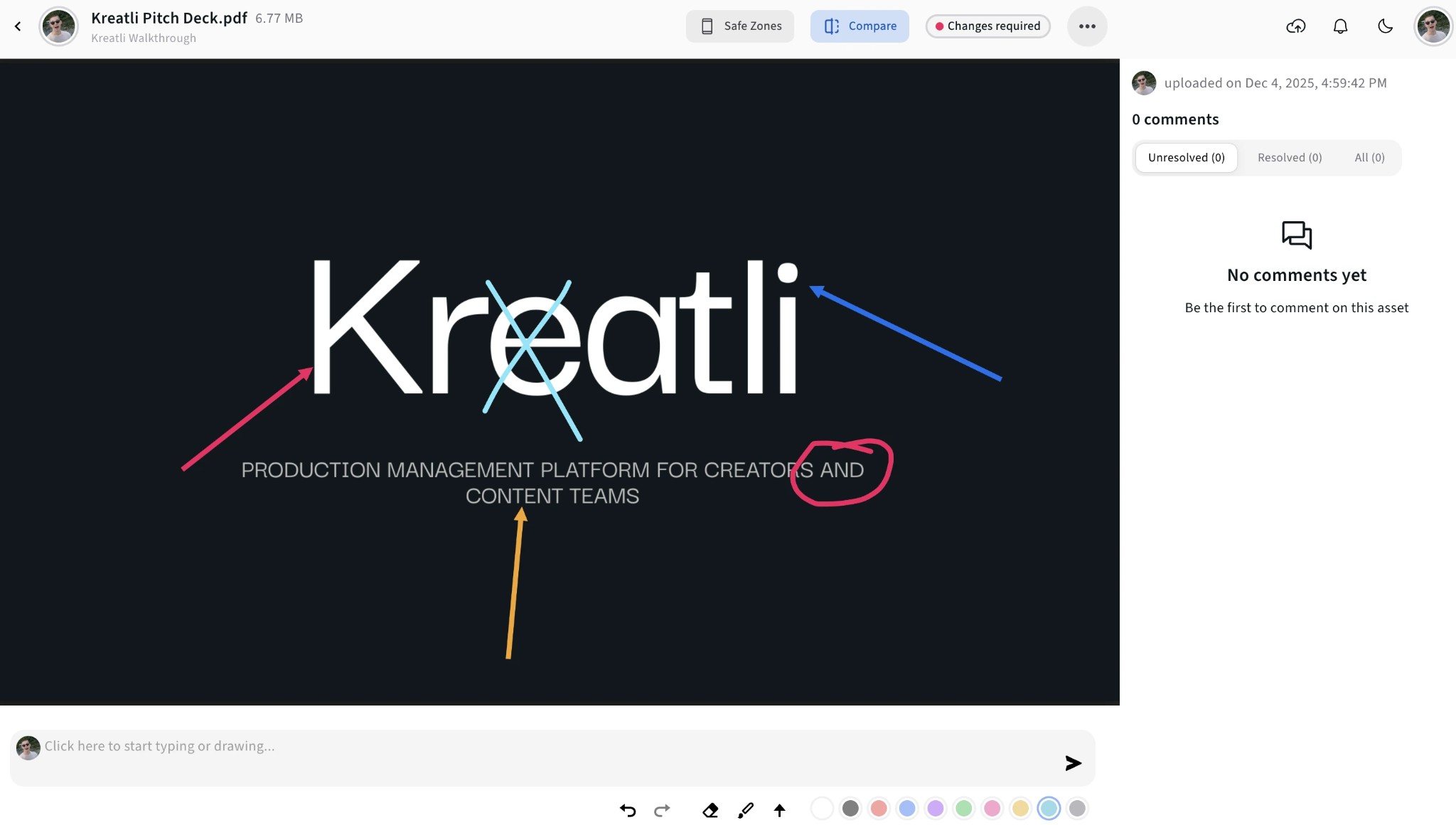
See feedback on the image
All comments and annotations appear in one place. Recipients can draw, highlight, and comment on the image; you jump to any spot, track what's resolved, and keep every review round in one thread.
Track approvals and versions
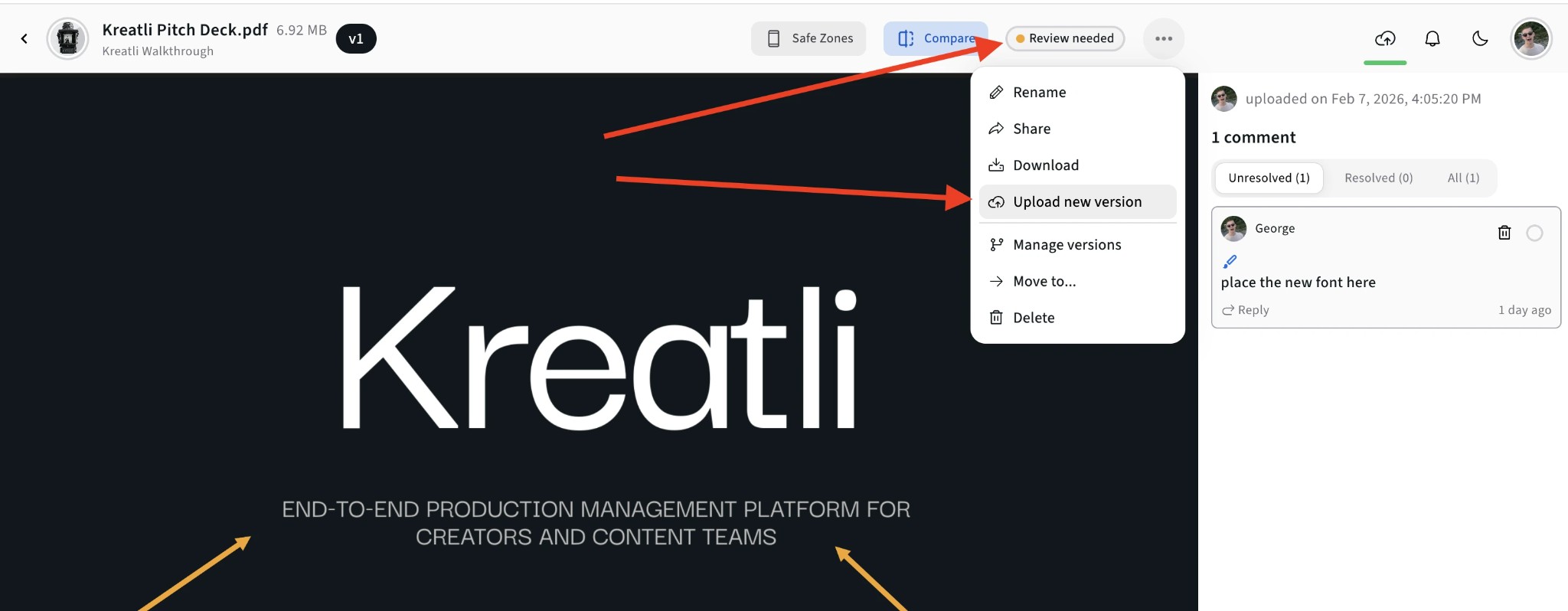
In the image viewer, use Compare to see versions side by side, or open the menu for Upload new version and Manage versions. See who's approved which version and revoke or update link access anytime.
Read Our Complete Guide
Learn how to convert a still into a shareable review link—and when a photo URL is the right search vs an image URL.
Read Complete GuideMore Tools for Creative Teams
Sign up free — no credit card required — and try these tools in Exploration Mode. Start a 7-day free trial when you’re ready for unlimited access.
Image URL Maker
Turn your image into a shareable URL. Create secure review links in seconds—recipients do not need a Kreatli account.
Image Reviewer
Review images online with location-pinned comments, annotations, and approvals. Share with clients; recipients do not need a Kreatli account.
Image Annotator
Add location-pinned comments, highlights, drawings, and markup to images. Share with clients; recipients do not need a Kreatli account.
PDF Link Generator
Turn your PDF into a shareable link. Create secure review links in seconds—recipients do not need a Kreatli account.
Frequently Asked Questions
Learn how to turn a picture into a link and how the photo URL generator fits review and approval workflows.
More Resources
Explore the image URL maker, image annotation, and the guide to converting a still into a review link.
Image URL Maker
Create an image URL or image link from an upload for markup and approval.
Annotate Image
Annotate and review images with comments and markup. Add feedback directly on images for precise, location-pinned review.
How to convert an image into a link
Turn a still into a URL you can send for review.
Ready to share your next photo with a URL?
Use Kreatli's photo URL generator to send secure, review-ready links to clients and collaborators in seconds.