Document Comparer
A document comparer shows two file versions side by side for review. Kreatli can keep comments on that comparison. Use the PDF comparer when both files are PDFs; use this when the search is “document.”
What is a document comparer?
A document comparer shows two file versions side by side for review. Kreatli can keep comments on that comparison. Use the PDF comparer when both files are PDFs; use this when the search is “document.”
Use this page when you searched for document comparer. For compare documents online, see compare documents online. The cluster pillar is compare PDF files. See Kreatli pricing or read how to share documents online.
How to compare documents online in Kreatli
Follow these steps to upload both document versions, open them in the review interface, use Compare, and share feedback—all in one place.
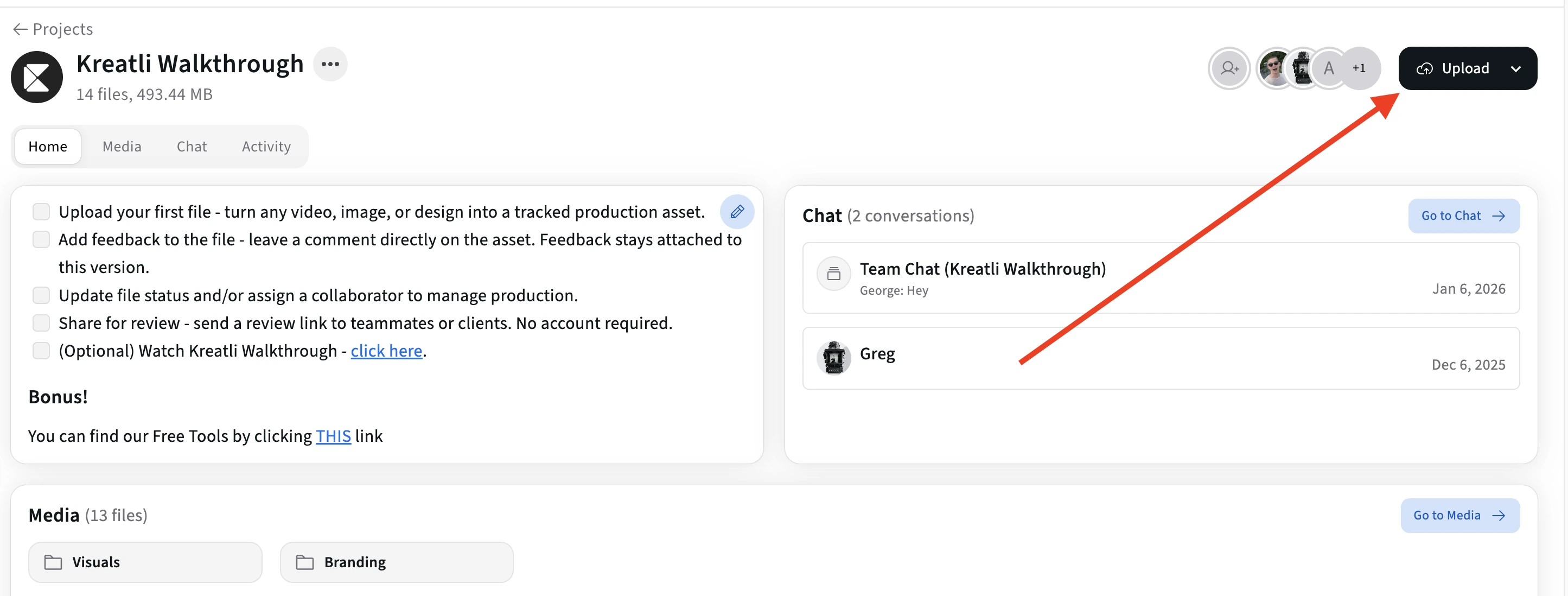
Upload both document versions in Kreatli
Sign in to Kreatli, open your project, and upload both document versions (e.g. draft and revised PDFs). Both files live in the same project so you can review them together.
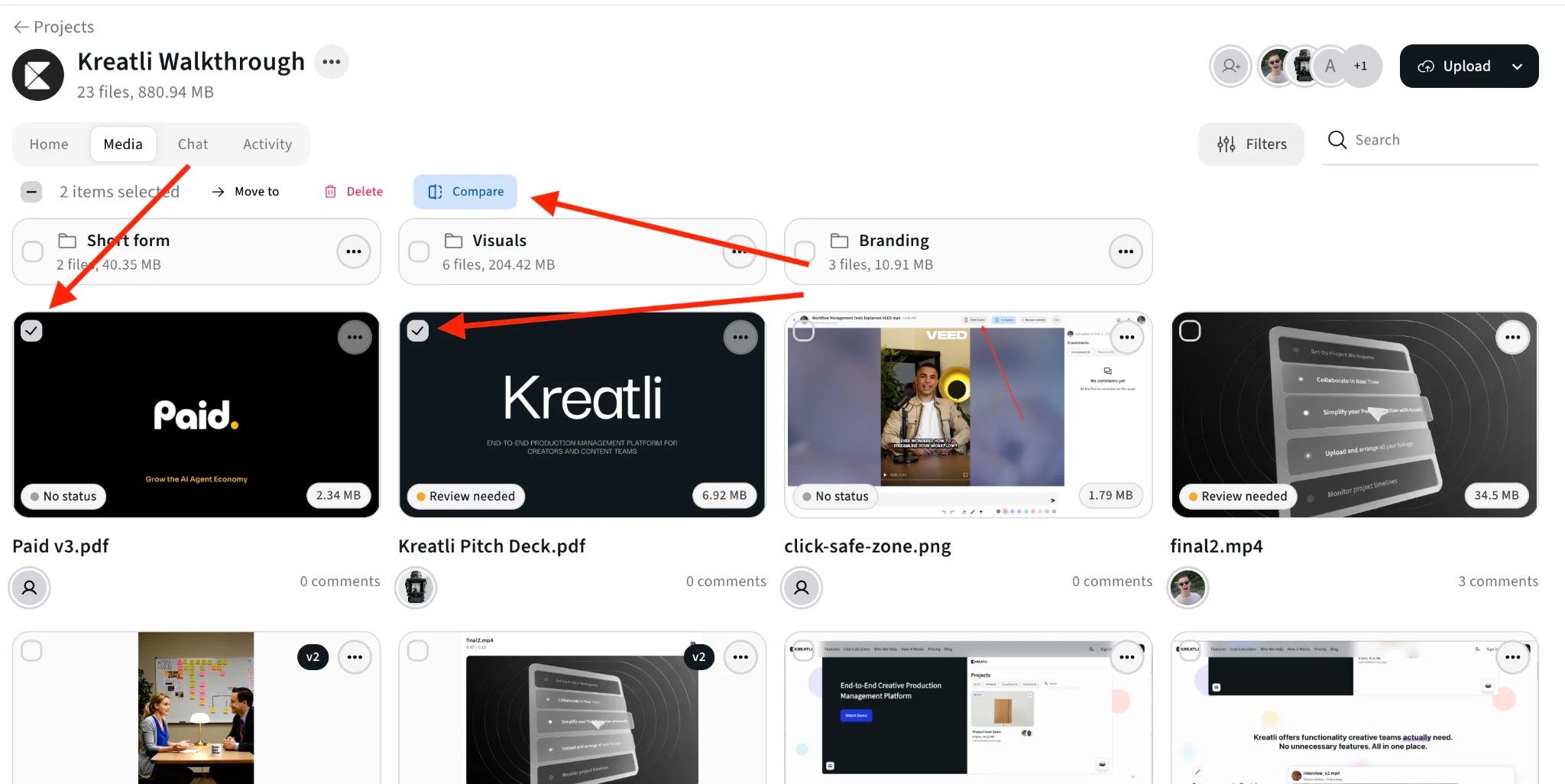
Select both documents and click Compare
In the Media view, select the two document versions you want to compare (use the checkboxes on each file). With both selected, click the Compare button to open them side by side in the review interface.
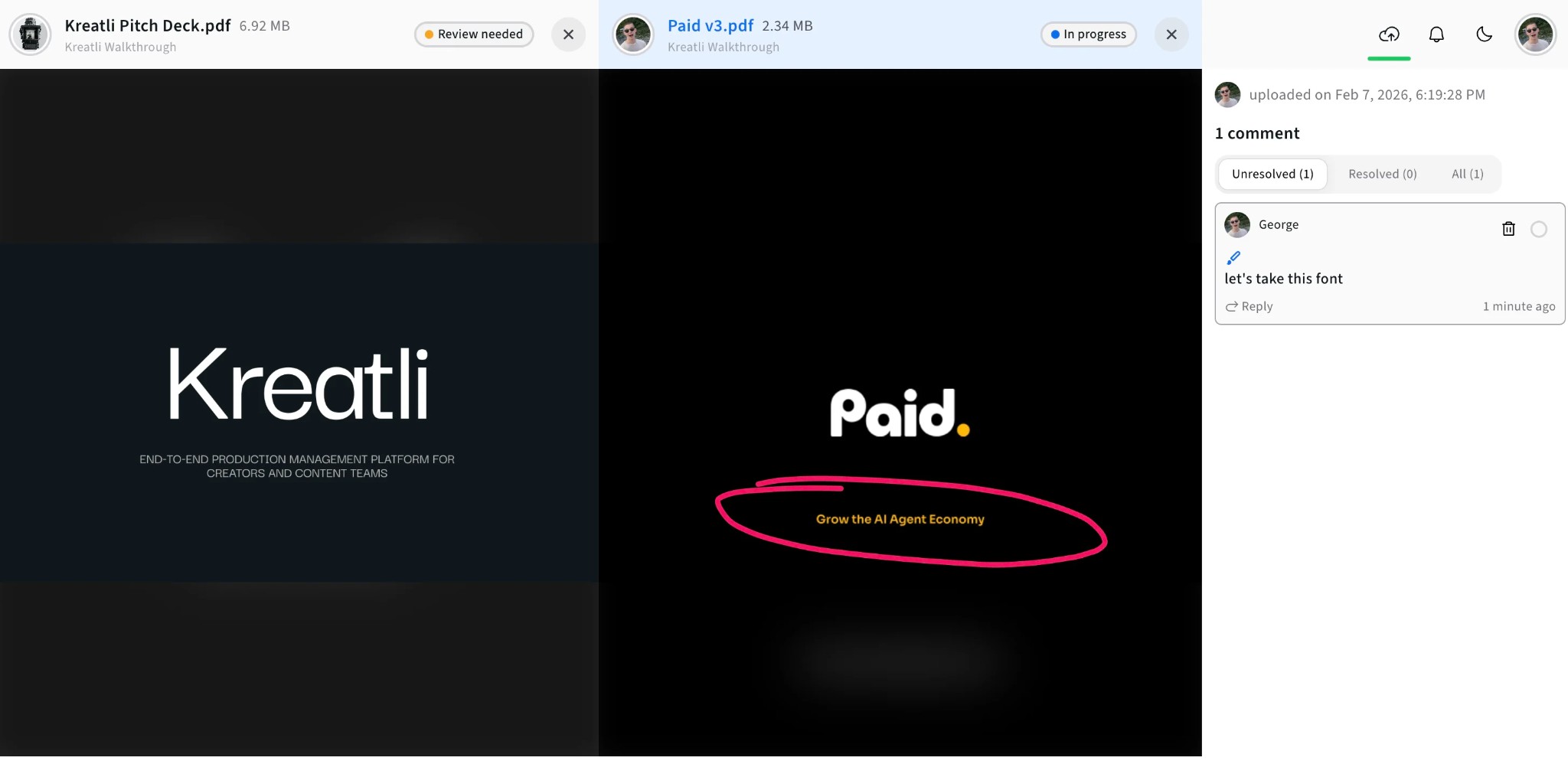
Compare all feedback side by side
View both documents side by side with the comments panel. See feedback on either version, add comments and annotations pinned to the exact page and spot, and track what’s resolved across both files.
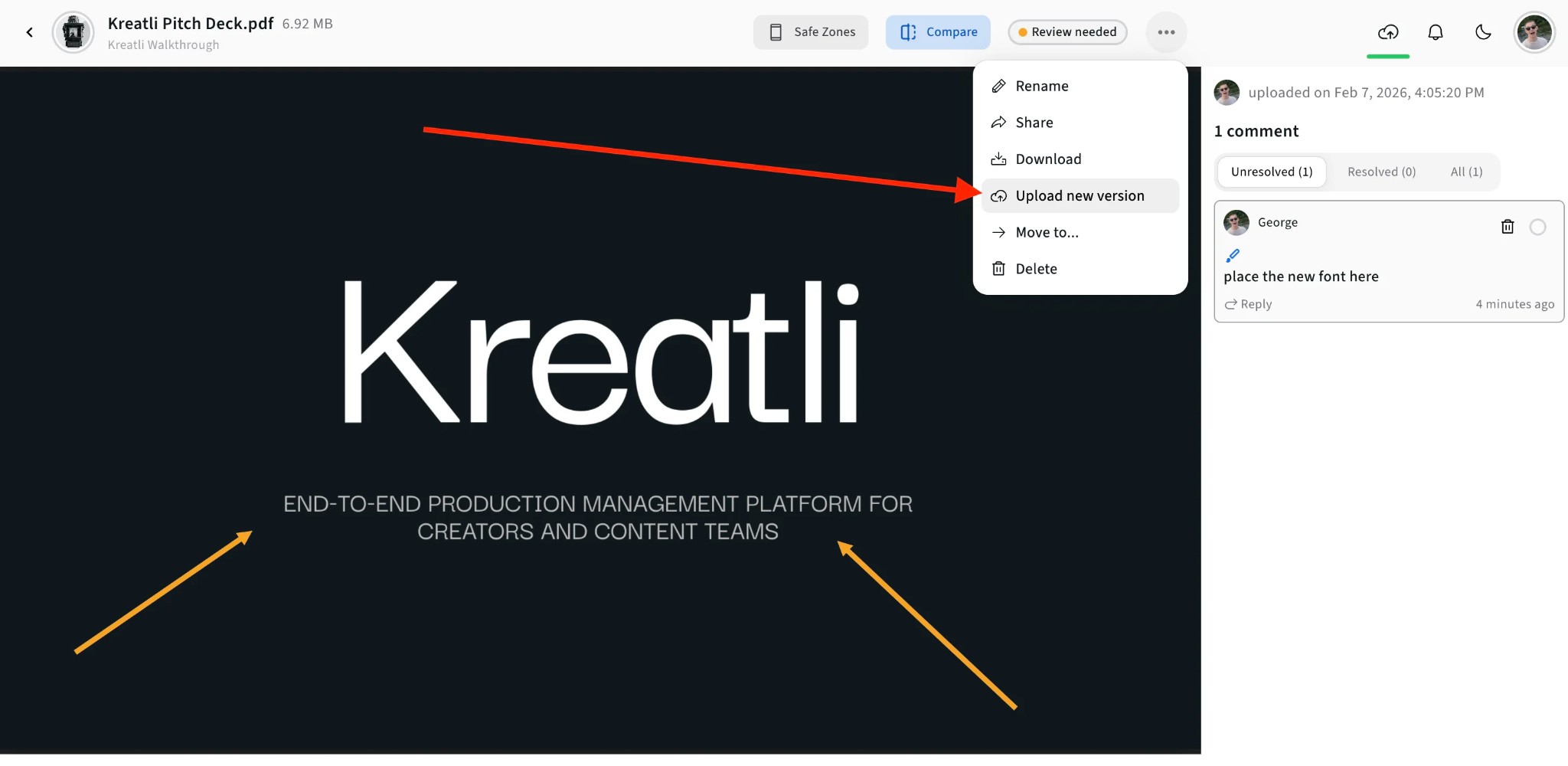
Upload new versions to keep the review going
When you’re ready to share an updated document, open the file menu (⋯) and choose Upload new version. The new file appears in the same project so you can compare it with the previous version and track resolution.
Read Our Complete Guide
Learn how proofing and creative review work in one place with your video, documents, and other assets.
Read Complete GuideMore Tools for Creative Teams
Sign up free — no credit card required — and try these tools in Exploration Mode. Start a 7-day free trial when you’re ready for unlimited access.
Video Feedback Tool
Give frame-accurate feedback on videos with comments, annotations, and markup. Share review links with clients; recipients do not need a Kreatli account.
Video Reviewer
Review videos online with frame-accurate comments, visual annotations, and approval workflows. Share with clients; recipients do not need a Kreatli account.
Video Comparer
Compare two video versions side by side with frame-accurate comments and annotations. Share with clients; recipients do not need a Kreatli account.
Video Link Maker
Create secure, shareable video review links in seconds. Recipients watch, comment, and approve without a Kreatli account.
Frequently Asked Questions
Get detailed answers about comparing documents and review workflows in Kreatli.
More Resources
Explore other Kreatli platform features for comparing documents, annotation, and collaboration.
Annotate PDF
Annotate and review PDFs with comments and markup. Add feedback directly on PDFs for precise, location-pinned review.
Draw on PDF Document
Draw and markup directly on PDFs for precise feedback. Freehand, shapes, and annotations on PDFs.
Add Comments to PDF
Add comments to PDF with location-pinned, threaded feedback. Collaborate on PDFs without drawing tools.
Client Approvals
Client approvals tied to exact file versions, not links or emails. See status at a glance and maintain a complete audit trail that protects both parties.
Ready to compare documents with your team?
Kreatli lets you compare document versions side by side with comments and approval workflows. Keep all feedback in one place with your creative assets.